Quick answer: Review request automation is a system that asks happy customers for a public Google review at the right moment, in the right channel, and through a clean short link, while routing unhappy customers to a private feedback channel before they vent publicly. For most service businesses, the right system combines a job-completion trigger, two or three timed touchpoints, plain-language consent, and a simple way to filter detractors.
Why Most Review Requests Underperform
The default approach to reviews is broken. A tech finishes a job, scribbles "ask for review" on the work order, the office manager sends a generic email two weeks later, and nothing happens. The customer who wanted to leave a review already forgot. The unhappy customer went to Google anyway.
That is the gap AI automation can close. Not by spamming more messages. By tightening the handoff between a completed job and a public review.
Most service businesses treat reviews as a marketing task. Reviews are an operating task. They live or die on a small number of decisions:
- The moment the request goes out
- The channel the customer prefers
- The path between the message and the review platform
- The filter that catches detractors before they go public
If any of those four are loose, the review count stays flat no matter how many times the team remembers to ask.
A Decision Table for Setting Up a Review Funnel
Before you pick a tool or write a single email, decide where reviews should sit inside the business.
| Question | Best answer | Why it matters |
|---|---|---|
| When should the first request go out? | Same business day the job is marked complete | Delay kills response rate. The longer you wait, the colder the customer gets. |
| How many touchpoints are enough? | Two to three across SMS, email, and a final personal note | More than that starts feeling like pressure, which backfires on small business reputation. |
| Should unhappy customers see the same link? | No. Route them to a private form first. | Catching detractors before a 1-star post protects years of reputation work. |
| Which platform matters most? | Google Business Profile first, then industry-specific (Yelp, HomeAdvisor, BBB, Healthgrades) | Google's map pack is the highest-value channel for most local services. |
| Who on the team owns the funnel? | One named person, not a shared inbox | Generic ownership turns into no ownership. The funnel goes quiet within a month. |
Proof/example: A small HVAC company in the Southeast automated review requests for 18 months. The job-completion trigger fired an SMS within 30 minutes of "complete" status, followed by an email the next morning, and a personal follow-up only if both went unanswered. Monthly Google reviews climbed from roughly 4 to between 22 and 28. Star rating stayed above 4.7 because unhappy customers were routed to a private form, not a public link.
The Workflow Stages That Decide Whether Reviews Land
A review request system only works if the data feeding it is clean. Vague triggers like "after the job" or "weekly batch" are not enough because the request goes out too early, too late, or never.
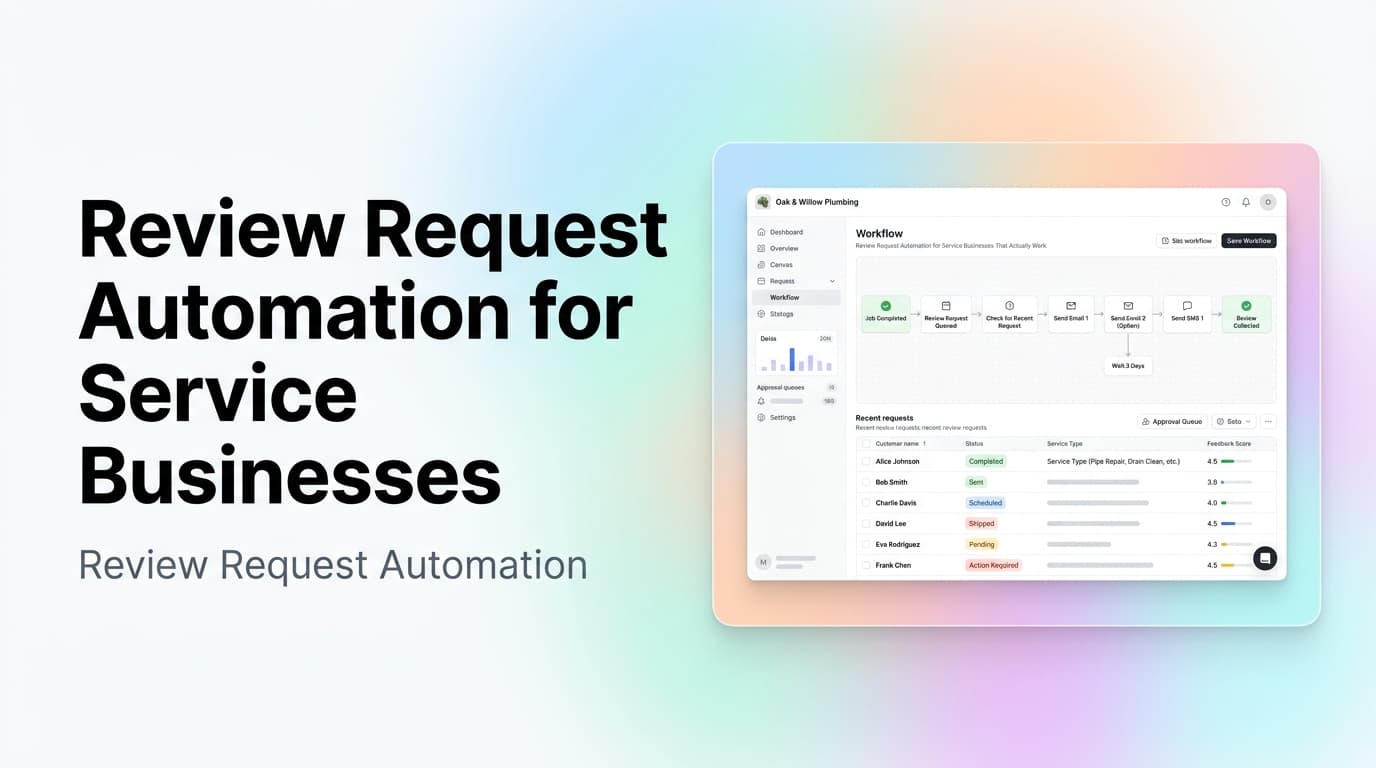
Better stages look like this:
- Job completed in the field system
- Customer marked satisfied by the tech or office
- First review request fires within the same business day
- If the customer opens but does not click, a reminder goes out 48 hours later
- If the customer does not engage with either touch, a personal note goes out a week later
- Negative replies route to a private feedback form, not a public review link
- Positive replies are nudged to Google with a clean short link
- Confirmed reviews are written back to the CRM so the team has a record
This is where workflow automation becomes more useful than a single email blast. The automation needs to understand status, channel preference, timing windows, and detractor handling. A flat drip campaign cannot do that.
Where AI Helps and Where It Should Not Decide
AI can make review requests more natural and more accurate, but it should not have unlimited authority over a customer's reputation.
Good AI tasks include:
- Picking the right moment to send the first request
- Choosing SMS, email, or both based on the customer's channel history
- Detecting reply language that signals frustration or satisfaction
- Drafting a short, polite reminder that sounds human, not templated
- Routing replies to the right person when something goes wrong
- Summarizing review themes so the team knows what to fix
Tasks that should usually stay with a human:
- Responding to public negative reviews
- Promising refunds, credits, or service callbacks
- Deciding which customer complaints become policy changes
- Editing the review request script for the season or service mix
- Approving any change that affects legal exposure, especially in regulated industries
For most service businesses, the best pattern is "AI drafts the moment, human owns the response." Fully automated reminders are fine. Public responses are not.
If you are designing this kind of system, start with a clean CRM stage map. Our guide to CRM data cleanup before AI automation walks through the field rules and ownership checks that make automation safer.
First-Hand Operating Insight From AnovaGrowth
When AnovaGrowth scopes review request automation for a service business, we look at three things before we look at tools.
First, the trigger. If the team has to remember to mark a job complete in two different systems, the funnel will leak. The trigger has to be a single field update, ideally tied to the dispatch or field service tool the tech already uses.
Second, the channel preference. Some customers only reply to text. Some customers ignore SMS and only open email. Some customers are on a do-not-text list. The system should know which is which without the office manager having to remember.
Third, the detractor path. A review system that only asks happy customers to post, with no private feedback channel, will eventually trigger a 1-star review the team could have prevented. The detractor path is the difference between a reputation system and a reputation gamble.
The fastest wins usually come from three small changes:
- Move the trigger from "manual reminder" to "job marked complete"
- Switch from a single email blast to a two-channel sequence
- Add a private feedback form before the public Google link
Those three changes alone usually double the steady-state review rate without changing the star rating.
What to Build First
Do not start with a giant reputation platform. Start with the smallest path that protects and grows your star rating.
For most service businesses, that first build looks like this:
- Job completion in the field system triggers a CRM stage update
- The CRM stage update fires an SMS within the same business day
- If the SMS gets a reply that contains frustration words, route to a private form
- If the SMS is opened and clicked, send the clean Google short link
- If the SMS goes ignored, send an email the next morning
- If both go ignored, create a personal follow-up task for the office
- The final outcome is logged with a required reason
- Monthly review count, star rating, and detractor capture rate go to the owner
That workflow is not flashy. It works because it closes the gap between "we did the job" and "the customer told the public about it."
Proof/example: A two-channel sequence that pauses on reply is safer than a fixed drip campaign. If the customer replies with "I had a bad experience" and the system keeps sending polite review nudges, the business looks careless. A good workflow pauses on negative intent and creates an owner task with context.
Related Questions Business Owners Should Ask
Should every job trigger a review request?
No. Warranty work, return visits, and jobs with unresolved complaints should pause the funnel. The trigger should fire only when the job is genuinely complete and the customer has had a chance to see the result.
Is SMS or email better for review requests?
Both. SMS gets the fastest response. Email carries the link more reliably on desktop and supports longer notes. A two-channel sequence catches customers who miss one channel.
How long should the funnel wait between touchpoints?
A common starting point is under four hours for the first SMS, 48 hours for the email follow-up, and seven days for the personal note. Tight windows beat long ones for response rate.
What should happen when a customer leaves a 1-star review?
The system should alert the owner immediately, route the review to a private thread, and pause any open automation tied to that customer. The response should come from a human, not a template.
Can reviews drive local SEO on their own?
Reviews are a strong signal, not the only signal. They work best when combined with consistent NAP data, an optimized Google Business Profile, and clean on-site content. Reviews without the supporting signals are weaker than they look.
What if our industry is regulated and customers cannot be marketed to?
Use transactional consent, not marketing consent. A receipt or service-completion message that includes a single review request is usually fine. Check counsel before sending anything that could be argued as a marketing message.
When Custom Software Makes Sense
Off-the-shelf review tools handle the basics. Custom software makes sense when the review funnel has rules your current tools cannot express cleanly.
That may include:
- Triggers tied to field service or job-costing software
- Multi-location routing and per-location reporting
- Detractor routing into an existing ticketing or service recovery flow
- Star rating dashboards tied to technician, crew, or shift performance
- Custom channel rules for regulated industries
- Integration with CRM workflows that already handle other parts of the customer journey
If the funnel has to match how the business actually runs, custom logic is usually cheaper than fighting a generic tool.
Key Takeaways
- Review request automation works best when tied to a real job-completion trigger, not a manual reminder.
- Two channels, two or three touchpoints, and a detractor filter beat one blast with a generic link.
- AI is useful for timing, channel choice, sentiment detection, and drafting. Humans should own public responses and any service recovery.
- Clean CRM stages and outcome logging make the funnel measurable and easy to improve over time.
- The goal is not more reviews at any cost. The goal is more reviews from real customers, with unhappy customers caught before they vent publicly.
Next Step
If reviews feel random, slow, or out of your team's control, start by mapping the path from "job done" to "review posted." Find where the trigger breaks, where the message goes quiet, and where the customer gets stuck.
Then build the smallest automation that fixes that gap.
Ready to make reviews part of your operations? Contact AnovaGrowth to plan a review funnel that fits your CRM, dispatch system, and service team.