After-Hours Service Calls: How to Handle Them Without Burning Out Your Team
Service businesses lose 30-50% of after-hours calls. Here is how to capture, triage, and dispatch those leads without keeping someone at the phone 24/7.

The 9 PM Call That Decides Your Week
A water heater bursts at 9 PM on a Saturday. The homeowner calls three plumbers. Two ring endlessly. The third answers, asks a few questions, and books a 7 AM slot. That plumber just won a customer for life.
The difference was not price, location, or reviews. It was being reachable when nobody else was.
Service businesses that handle after-hours calls well capture 30-50% more leads than those that let them go to voicemail. The problem is that keeping a human on the phone 24/7 is expensive, exhausting, and hard to staff. The solution is a layered automation system that captures, triages, and dispatches after-hours calls without burning out your team.
What Happens When You Miss an After-Hours Call
The numbers are straightforward:
| Scenario | Outcome |
|---|---|
| Call goes to voicemail | 70-80% of callers hang up without leaving a message |
| Caller leaves voicemail, you call back next morning | 40-50% have already booked someone else |
| Caller gets a live person | 60-70% book a service visit |
| Caller gets an AI triage system | 50-65% book a service visit |
The gap between "voicemail" and "AI triage" is roughly 40 percentage points of captured revenue. For a business that gets 20 after-hours calls per week at an average ticket of $400, that is $8,000 per week in captured revenue that would otherwise walk out the door.
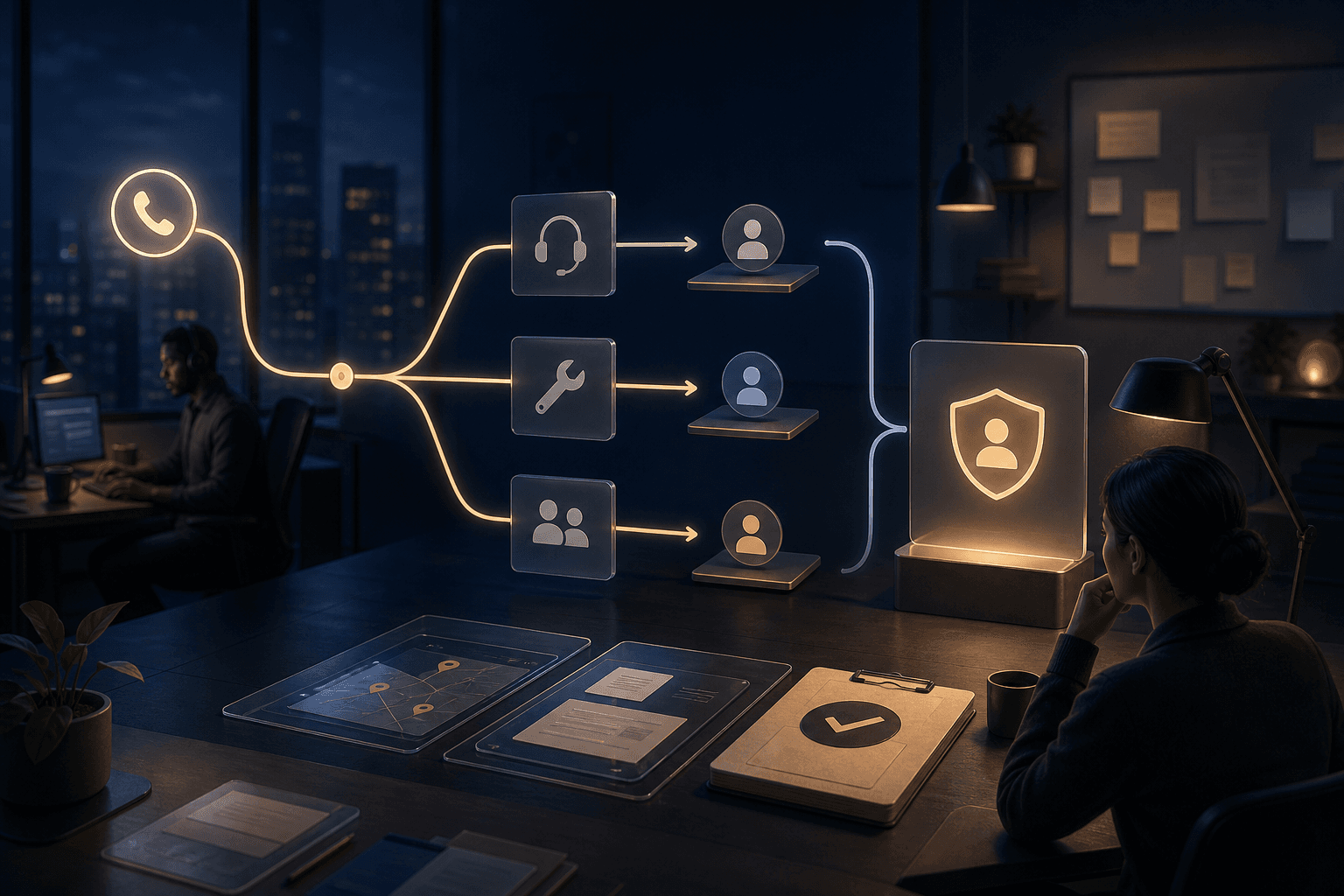
The Three-Layer After-Hours System
The most effective approach uses three layers that escalate naturally. Each layer handles a specific type of call, and each has a clear boundary so nothing falls through.
Layer 1: Automated Triage (Handles 60-70% of Calls)
The first point of contact is an AI voice agent or chatbot that asks structured questions:
- What is the nature of the emergency? (water leak, no heat, no power, lockout, etc.)
- Is there property damage or safety risk?
- What is the service address?
- Is this an existing customer?
Based on the answers, the system routes the call:
- True emergency (flooding, gas leak, no heat in winter): Escalated immediately to the on-call technician via SMS and phone call
- Urgent but not critical (clogged drain, partial AC failure): Scheduled for the next available slot, confirmation sent via text
- Non-urgent (estimate request, maintenance inquiry): Booked for regular business hours, auto-confirmed
This triage happens in under 90 seconds. The caller gets a clear next step before they have time to call the next competitor.
Layer 2: On-Call Technician Dispatch (Handles 15-20% of Calls)
For calls that need a human, the system notifies the on-call technician with a structured dispatch message:
- Customer name and contact info
- Service address with map link
- Problem description from the triage
- Priority level (emergency vs urgent)
- Customer history if they are existing
The technician can accept, decline, or request more info with a single reply. If they do not respond within 5 minutes, the system escalates to the next person on the rotation.
Layer 3: Human Backup (Handles 10-15% of Calls)
For complex calls that the automated system cannot handle, or when no technician is available, the system captures the caller's info and schedules a callback for the next morning. The key is that the caller leaves the interaction knowing exactly when they will hear back, not wondering if anyone got the message.
What to Automate vs What to Keep Human
Not every after-hours interaction needs a person. Here is the breakdown:
Automate immediately:
- Initial call answering and triage questions
- Appointment slot offering and confirmation
- Payment collection for emergency call fees
- Status updates and ETAs to waiting customers
- Follow-up review requests after the service
Keep human:
- Complex diagnostic conversations
- Price negotiation or scope changes mid-job
- Customer complaints or escalations
- Situations where the automated system flags uncertainty
The rule is simple: if the interaction follows a predictable pattern, automate it. If it requires judgment, keep a human in the loop.
How We Set This Up for Service Businesses
At AnovaGrowth, we have built this exact system for HVAC, plumbing, and electrical contractors across the Southeast. The typical setup takes about two weeks and connects three pieces:
- An AI phone agent that answers calls, asks triage questions, and captures structured data
- A workflow automation layer (Make or similar) that routes the data to the right person based on urgency and availability
- A dispatch notification system that sends SMS alerts with all the context the technician needs
The result is a system that runs 24/7, costs a fraction of a full-time receptionist, and captures leads that would otherwise go to voicemail.
Real example: A Rome, GA HVAC company we worked with was getting 15-20 after-hours calls per week during summer. Before automation, they were missing roughly 70% of those. After setting up the three-layer system, they captured 65% of after-hours calls as booked jobs. That was roughly $3,000-$5,000 per week in additional revenue during peak season, with no additional staff.
Common Objections and Why They Do Not Hold
"My customers want to talk to a real person."
They want their problem solved. If a real person is not available, an automated system that books them for the next morning is far better than a voicemail box they are not sure will be checked.
"AI phone agents sound robotic and will turn people off."
Modern AI voice agents are indistinguishable from a human receptionist on a brief call. The technology has crossed the uncanny valley for short, structured conversations. If you have not tested one in the last six months, your opinion is based on outdated tech.
"We already have an answering service."
Traditional answering services take a message and pass it along. They do not triage, schedule, or dispatch. They are a message relay, not a lead capture system. The difference is the difference between "someone will call you back" and "a technician will be at your house at 7 AM."
Key Takeaways
- After-hours calls represent 30-50% of potential new business for service companies
- A three-layer system (automated triage, technician dispatch, human backup) captures most of that revenue
- Modern AI voice agents handle structured triage conversations naturally
- The system pays for itself in the first month of peak season for most businesses
- Setup takes roughly two weeks with the right integration partner
Next Steps
If your service business is leaving after-hours calls to voicemail, you are leaving money on the table every night. The fix is not hiring more people. It is building a system that works while your team sleeps.
Start by tracking how many after-hours calls you get per week. Then look at how many of those turn into booked jobs. If the gap is wider than 20%, you have a clear ROI case for automation.
Ready to stop missing after-hours calls? Contact us to discuss how we can set up a 24/7 call handling system for your service business.
Related reading: AI Phone Answering for Service Businesses covers the specific AI voice agent setup. Automated Lead Qualification explains how to score and route leads once they are captured.
Related articles

AI Automation for Landscaping and Lawn Care Businesses: Win More Bids, Route Crews Faster, and Stop Losing Maintenance Contracts
Landscaping companies lose 30-50% of bids to slow follow-up and 20-40% of maintenance contracts to silent churn. AI automation fixes both.
Read the article: AI Automation for Landscaping and Lawn Care Businesses: Win More Bids, Route Crews Faster, and Stop Losing Maintenance Contracts
Missed Call Text Back for Service Businesses: How to Recover 20-40% of Missed Calls in 60 Seconds
Service businesses miss 20-40% of inbound calls. A 60-second automated text back recovers most of those leads before they call your competitor.
Read the article: Missed Call Text Back for Service Businesses: How to Recover 20-40% of Missed Calls in 60 Seconds
Google Business Profile Messaging for Service Businesses: Capture Every Lead That Texts You
Service businesses miss 40-60% of GBP messaging leads. Automate replies, qualify prospects, and book jobs from the Google Maps chat window.
Read the article: Google Business Profile Messaging for Service Businesses: Capture Every Lead That Texts You
