AI Knowledge Base for Field Service Technicians: Cut Office Calls and Finish More Jobs Per Day
An AI knowledge base gives field techs instant answers from manuals, code books, and past jobs on their phone. Stop office calls and finish more jobs per day.

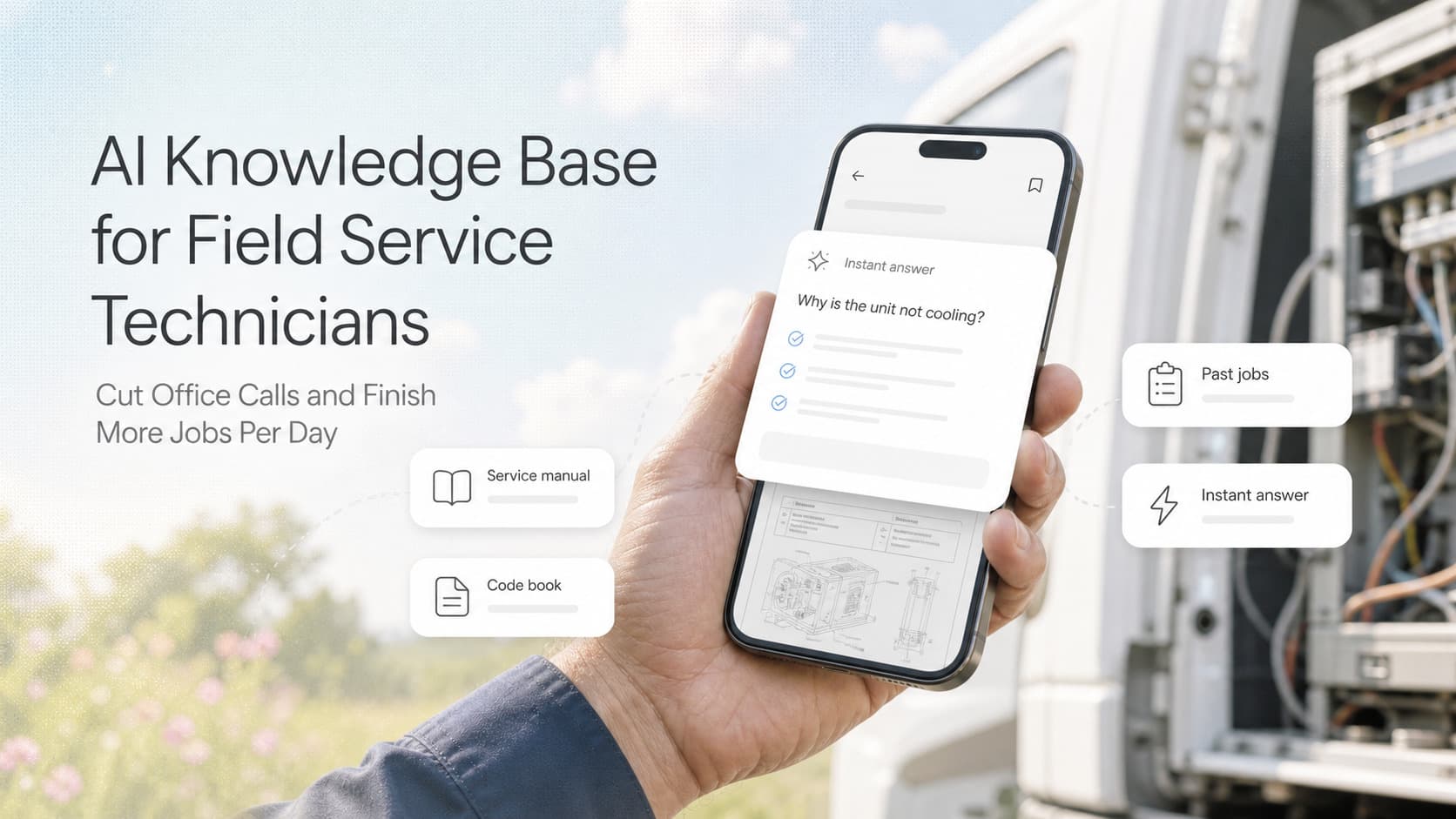
Quick answer: A field service AI knowledge base gives technicians instant answers to install, troubleshooting, parts, and code questions from a phone on the job. It pulls from your equipment manuals, code books, past job notes, and parts catalogs using retrieval-augmented generation, so techs stop calling the office for answers, finish more jobs per day, and produce fewer callbacks. Small service businesses can stand one up in a week with a no-code tool for under $500, or with a custom setup for $2-5K. The hard part is feeding it the right documents and getting techs to actually use it.
The Problem Every Service Business Owner Knows
A senior tech calls the office from a customer's mechanical room. The dispatcher walks to the back office and pulls a binder. Three minutes later she finds the wiring diagram for the unit. By the time she walks back to the phone, four minutes have passed. The tech has been standing under a unit for five minutes waiting for an answer he could have found in 30 seconds.
Multiply that scene by every tech, every day, every job that requires a spec sheet, torque value, code requirement, or wiring pinout. Service businesses burn 30-90 minutes per tech per day on calls and texts to the office for information that lives somewhere in a binder, a PDF, or another tech's memory.
The cost is not the call. The cost is the held-up job. A tech waiting for an answer can not start the next task. A tech guessing on a torque spec can not finish the warranty-claim-worthy documentation. A tech who has to drive back to the shop to look at a manual is burning 45 minutes of drive time.
Industry estimates vary, but most service business owners we talk to put the daily knowledge loss at 60-120 minutes per tech. For a 6-tech service company, that is 6-12 hours of paid time per day tied up in answers that should have been available on the phone.
The answer is a knowledge base that lives on the tech's phone, speaks plain English, and pulls from the documents the company already owns.
Why Service Businesses Struggle With Knowledge Transfer
Three structural reasons keep field service teams carrying institutional knowledge in their heads instead of in a system they can search.
Manuals change faster than binders. Equipment manufacturers release new model years every 12-18 months. Code books update on a 3-year cycle. Service businesses buy binders and ring binders and file folders. By the time the binder is labeled and shelved, the manual inside is 8 months old. The tech who needs the torque spec for a 2025 unit pulls a 2018 binder off the shelf because that is what is filed.
Senior techs carry tribal knowledge. A 15-year HVAC tech knows that the carrier in unit 24AU is fragile above 410 PSI because he has replaced 12 of them. That knowledge lives in his head. When he retires or takes a vacation, the knowledge goes with him. New techs learn by asking the senior tech. The senior tech's answer takes 10 minutes and pulls him off his own job.
Office staff are the de facto help desk. Service offices have an unofficial role: tech librarian. The dispatcher, the service manager, the parts manager all answer questions from the field every day. The cost is hidden but real. The dispatcher is supposed to be scheduling tomorrow's jobs, not pulling wiring diagrams.
A knowledge base in the field fixes all three. It does not replace the senior tech. It captures the senior tech's answers once, makes them searchable forever, and frees him from the 10-minute question for the 100th time.
What an AI Knowledge Base Actually Does
A modern AI knowledge base is not a wiki. Wikis fail in the field because techs will not type into a search bar on a job site. A modern knowledge base accepts a question in plain English on a phone, pulls the answer from the right document, and returns a citation techs can verify.
The technology behind it is retrieval-augmented generation, or RAG. RAG works in three steps:
- Index the documents. Drop every PDF, manual, code book, parts catalog, and past job note into a folder. The system reads each document, splits it into chunks, and stores each chunk with metadata (equipment model, code year, document type).
- Ask a question. The tech opens the app, types "what is the torque spec for the compressor on Carrier 24AU 5-ton" or speaks the question. The system searches the indexed chunks for the most relevant content.
- Answer with a citation. The system returns a short answer in plain English plus a citation showing which manual and page the answer came from. The tech can tap the citation, see the source page, and verify the answer.
The tech does not need to know which manual the answer is in. He does not need to know the exact keyword the binder is filed under. He asks a question like he would ask a senior tech, and gets an answer with a receipt.
The same RAG setup works for warranty codes, code requirements (NEC, IPC, IMC, IECC depending on trade), local inspection office phone numbers, internal SOPs, and parts cross-references.
When to Use No-Code vs Custom
Most service businesses do not need a custom RAG build. The no-code tools available in 2026 cover 80% of what a service business needs.
| Approach | Best For | Cost | Time to Live |
|---|---|---|---|
| No-code RAG (Voiceflow, Chatbase, custom GPT) | 1-100 techs, standard trades, English only | $0-500/mo | 1-2 weeks |
| Field service platform add-on (ServiceTitan Knowledge, Jobber AI) | Already on ServiceTitan or Jobber, want it integrated with jobs | Included in subscription | 1-3 days |
| Custom build (LangChain, Claude API, vector DB) | 100+ techs, multilingual, internal-only documents, complex compliance | $3-15K upfront + $200-1,000/mo | 4-8 weeks |
| Vendor-hosted service-specific knowledge base | Specialized industries (HVAC, plumbing, electrical) with curated content | $50-200/seat/mo | 1 week |
The trade-off is depth and integration. No-code is fastest and cheapest but harder to integrate with the dispatch board and CRM. Custom is most flexible but costs more and takes longer.
For most small and midsize service businesses, the right starting point is a no-code RAG tool fed by your existing PDF library. Start there. Move to custom only when the no-code tool cannot handle a specific integration you need.
How to Build the First Version in One Week
A service business owner who has never set up an AI tool before can stand up a usable field service knowledge base in one week. The steps are the same whether the team is 4 techs or 40.
Day 1: Collect the documents. Pull every manual, code book, parts catalog, warranty policy, and SOP the service team uses into a single folder. Most service businesses find 60-200 documents they had no idea were scattered across laptops, hard drives, and filing cabinets.
Day 2: Set up the no-code RAG tool. Sign up for Voiceflow, Chatbase, or Custom GPT. Upload the documents. Configure the welcome message and the prompt that defines the assistant's role ("You are an HVAC service technician assistant. Answer questions using the provided manuals. Always cite the source page").
Day 3: Build the test set. List the 20 most common tech questions by trade. "What size breaker for a 4-ton condenser?" "Torque spec for the blower wheel on Trane XR16?" "Maximum refrigerant charge for R-410A in a 3-ton split?" These are the questions the senior tech gets asked every week. Each is a test case for the assistant.
Day 4: Tune the answers. Run each test question through the assistant. If the answer is wrong or the citation is missing, add the document that should have been cited or rewrite the prompt. After 20-30 test questions, the answer accuracy is usually above 85%.
Day 5: Pilot with 2 techs. Pick the two techs who ask the most office questions. Hand them the phone, the assistant, and the test set. Watch them use it. The feedback from the pilot decides what changes before company-wide rollout.
Day 6: Roll out to the team. Add the knowledge base link to the home screen of every tech phone. Send a 5-minute video showing how to ask a question and where the citations live.
Day 7: Measure and iterate. Track the number of office calls and texts for tech questions in the first week. Most service businesses see a 40-60% reduction in week one and a 60-80% reduction by week four as the doc library grows.
What Goes Into the Knowledge Base
The first version of the knowledge base needs the documents techs reach for most often. Most service businesses focus on four buckets.
Equipment manuals. Every model the company services. HVAC, plumbing, electrical, fire protection, pool, whatever the trade. The PDFs the manufacturer shipped, organized by model number. Add the model number to the title of each PDF so the search works on keywords.
Code books and standards. The trade codes that govern installations and inspections. For HVAC: IMC, IFGC, NFPA 54. For plumbing: IPC, IRC plumbing section, NSF 61. For electrical: NEC, with the local amendments. Pull the most-used chapters, not the whole book.
Parts catalogs and cross-references. The OEM parts catalogs plus the cross-references between brands. A tech who needs a TXV valve for a Carrier unit should get the OEM part number and the compatible substitutes without calling the parts house.
Past job notes and SOPs. The internal documents. The service manager's notes on common failures. The SOPs for warranty registration, refrigerant recovery, lockout-tagout, ladder safety. Each is a chunk of institutional knowledge that should not live only in the service manager's head.
Skip everything else for v1. The doc set grows as techs ask questions the assistant cannot answer. Every unanswered question is a missing document to add.
Operating Insight: Capture the Senior Tech's Answers
The biggest mistake service businesses make with their knowledge base is treating it like a documentation project. The team collects PDFs, uploads them, and waits. The knowledge base goes stale because nobody feeds it the answers only the senior tech knows.
The right operating model is to record the senior tech answering questions. Three ways to do it.
1. Tap the senior tech's shoulder for two weeks. Every time a junior tech asks the senior tech a question, write down the question, the answer, and the source. After two weeks, the team will have a list of 50-100 question-answer pairs that are the actual knowledge the company pays the senior tech to hold.
2. Upload the Q&A pairs as documents. Each question-answer pair becomes a chunk in the knowledge base. The senior tech's answer is now searchable forever, attributed to him, and available to every tech on the first day of work.
3. Record the senior tech's monthly review. Once a month, the senior tech spends an hour on a recorded call walking through the most interesting calls of the month. Transcribe the recording, chunk it into the knowledge base, and now the senior tech's pattern recognition lives in the system.
This is the operating discipline that separates a knowledge base that gets used from a knowledge base that goes stale. Senior techs become knowledge contributors, not just knowledge holders. The Q&A capture process takes 30 minutes a week after the first two weeks.
In one commercial HVAC client, the senior tech had carried the answer to a recurring refrigerant recovery question in his head for 11 years. After two weeks of capture, the answer lived in the knowledge base and the senior tech spent two fewer hours per week on the phone. The junior techs got the answer in 12 seconds on their phone on the roof. The senior tech got his evenings back.
Common Pitfalls
Uploading everything at once. Service businesses that dump 600 PDFs into the knowledge base on day one end up with an answer accuracy below 50%. The retrieval gets confused by noise. Start with the 20 most-used documents. Add the rest after the assistant proves accurate on the core set.
Skipping the citations. A knowledge base that returns answers without citations is a liability. Techs who follow wrong answers on code or torque specs create call-back risk. Always require the assistant to cite the document and page. Techs tap the citation before they act on the answer.
Ignoring the test set. A knowledge base without a test set drifts. Pick the 20 most-asked questions, log the answers weekly, and review the answers in the team meeting. The drift is the signal to add documents, rewrite the prompt, or remove outdated content.
Treating it as a project instead of a habit. A knowledge base built once and never updated goes stale. The team stops trusting it. The senior tech stops feeding it. The junior techs go back to texting the office. The operating habit is the 30-minute monthly review where the team adds new Q&A pairs, removes outdated docs, and reviews the test set accuracy.
Blocking it on access controls. Some service businesses stall on the rollout because they want granular permissions on every document. For v1, give every tech the same access. Add permissions only when a specific document requires it (pricing, customer lists, internal financials).
What This Connects to Your Other Systems
The knowledge base is most useful when it shares data with the systems around it.
If the techs are calling the office for scheduling and routing questions on top of technical questions, Automated Dispatch and Route Optimization for Service Businesses covers the workflow that puts the answer on the tech's phone before they have to ask.
If the knowledge base is flagging repeated failures, AI Predictive Maintenance for Service Businesses covers the pattern detection that turns the senior tech's intuition into a recurring revenue stream.
If the team wants the knowledge base to also surface job documentation, Automated Job Documentation and Service History for Service Businesses covers the workflow that captures every job note for future techs to search.
If the rollout is part of a broader tech enablement program, Field Service Automation for Service Businesses covers the mobile tool stack that turns the phone into the tech's primary workspace.
If the knowledge base is part of a hiring and onboarding program, Automated Hiring and Onboarding for Service Businesses covers how to get new techs productive in 30 days instead of 90.
Related Questions and Subtopics
- What is a field service AI knowledge base? A search system that lets techs ask technical questions in plain English and get answers cited from equipment manuals, code books, parts catalogs, and internal SOPs. It runs on retrieval-augmented generation and lives on a phone.
- How does RAG work for service businesses? Drop your PDFs into a folder. The system reads and indexes them. When a tech asks a question, the system finds the most relevant chunks, asks an LLM to write a short answer, and returns the answer with a citation to the source page.
- What documents should I put in an HVAC knowledge base? Equipment manuals by model, IMC and IFGC code chapters, OEM parts catalogs, refrigerant charge charts, torque spec sheets, and the service manager's notes on common failures.
- How long does it take to set up a no-code RAG knowledge base? One week for v1. Day 1 collect docs. Day 2 stand up the tool. Day 3 build the test set. Day 4 tune. Day 5 pilot with 2 techs. Day 6 roll out. Day 7 measure.
- What is the cost? No-code runs $0-500 per month for a small service business. Custom builds run $3-15K upfront plus $200-1,000 per month. Per-tech it averages $20-50 per tech per month.
- How do I get techs to actually use it? Put the link on the home screen. Show how to ask a question in 5 minutes. Track office calls for technical questions weekly. The proof of value is the decline in office calls.
- Can the knowledge base handle code questions? Yes, as long as you uploaded the code chapters. The assistant will cite the code section. For code questions, build in a disclaimer that final code interpretation is the inspector's call.
- What is the difference between a wiki and an AI knowledge base? A wiki requires the user to know the right keyword. An AI knowledge base accepts a plain-English question and returns the answer with a citation. Techs will not use a wiki on a job site. Techs will use an AI knowledge base.
- How do I capture the senior tech's institutional knowledge? Record the senior tech answering common questions. Upload the transcripts. Mark the answers as authored by the senior tech. Now the senior tech's knowledge is searchable forever, and the senior tech can spend time on jobs instead of phone calls.
- Does the knowledge base work in multiple languages? With a custom build, yes. With a no-code tool, it depends on the vendor. Most enterprise no-code tools support Spanish and French in 2026. Other languages require a custom model tuning.
Key Takeaways
- A field service AI knowledge base gives techs instant answers from manuals, code books, and past job notes on a phone, so they stop calling the office and finish more jobs per day.
- The technology is retrieval-augmented generation, or RAG: index the documents, ask a question in plain English, get a short answer with a citation.
- Most service businesses can stand one up in a week with a no-code tool for under $500.
- The four doc buckets to start with: equipment manuals by model, code books and standards, parts catalogs, past job notes and SOPs.
- The biggest mistake is treating it as a one-time documentation project. The right model is a habit: weekly capture, monthly review, quarterly audit.
- The senior tech's answers are the most valuable knowledge in the company. Capture them once. Make them searchable forever.
- Citations are non-negotiable. A knowledge base without citations is a liability. Techs must be able to tap the citation before acting on the answer.
- The operating discipline is the 30-minute monthly review. Add Q&A, remove outdated docs, run the test set, and report the office-call count to the team.
- Roll out with a pilot of two techs. Track office calls for technical questions. The 40-60% drop in week one is the proof of value.
- The knowledge base is most useful when shared with dispatch, predictive maintenance, job documentation, hiring, and field service automation. Each system makes the others more valuable.
Next Steps
The fastest way to start is to make a single folder on a shared drive called "Tech Knowledge Base" and drop in the 20 equipment manuals the team reaches for most often. Sign up for a no-code RAG tool, upload the folder, and build the 20-question test set from the questions the office team gets every day. Pilot it with two techs for a week. If the test set scores above 85% accurate and the office-call count drops, expand the doc library and roll it out.
If you want help designing the document set for your trade, configuring the no-code tool for the questions your techs actually ask, building the test set and the citation rule, and setting up the monthly review rhythm that keeps the knowledge base accurate, contact us for a 30-minute field service knowledge base review. We will audit your current document library, draft the doc buckets for your trade, and outline the rollout plan that gets techs answering their own questions in a week.
Ready to give your techs an AI knowledge base? Contact us and we will index your manuals, build the test set for your trade, and stand up the weekly capture rhythm that turns the senior tech's institutional knowledge into a search system the whole team uses on the job.
Related articles
Rome, GA's Only Local AI Startup: What We Build and Who It Helps
Rome's only local AI startup explains what business AI, AI agents, and customer messaging automation actually do for local companies.
Read the article: Rome, GA's Only Local AI Startup: What We Build and Who It Helps
AI Automation for Restaurants: Cut Phone Chaos, Fill Empty Tables, and Build Repeat Business Without Adding Staff
Restaurants lose 20-35% of phone calls and 15-25% of bookings to no-shows. AI automation recovers each leak without adding headcount.
Read the article: AI Automation for Restaurants: Cut Phone Chaos, Fill Empty Tables, and Build Repeat Business Without Adding Staff
AI Automation for Plumbing Businesses: Stop Missing Emergency Calls, Win More Recurring Contracts, and Cut Estimate Fallout
Plumbing shops lose 20-40% of emergency calls to missed after-hours responses and 30-50% of estimates to slow follow-up.
Read the article: AI Automation for Plumbing Businesses: Stop Missing Emergency Calls, Win More Recurring Contracts, and Cut Estimate Fallout
