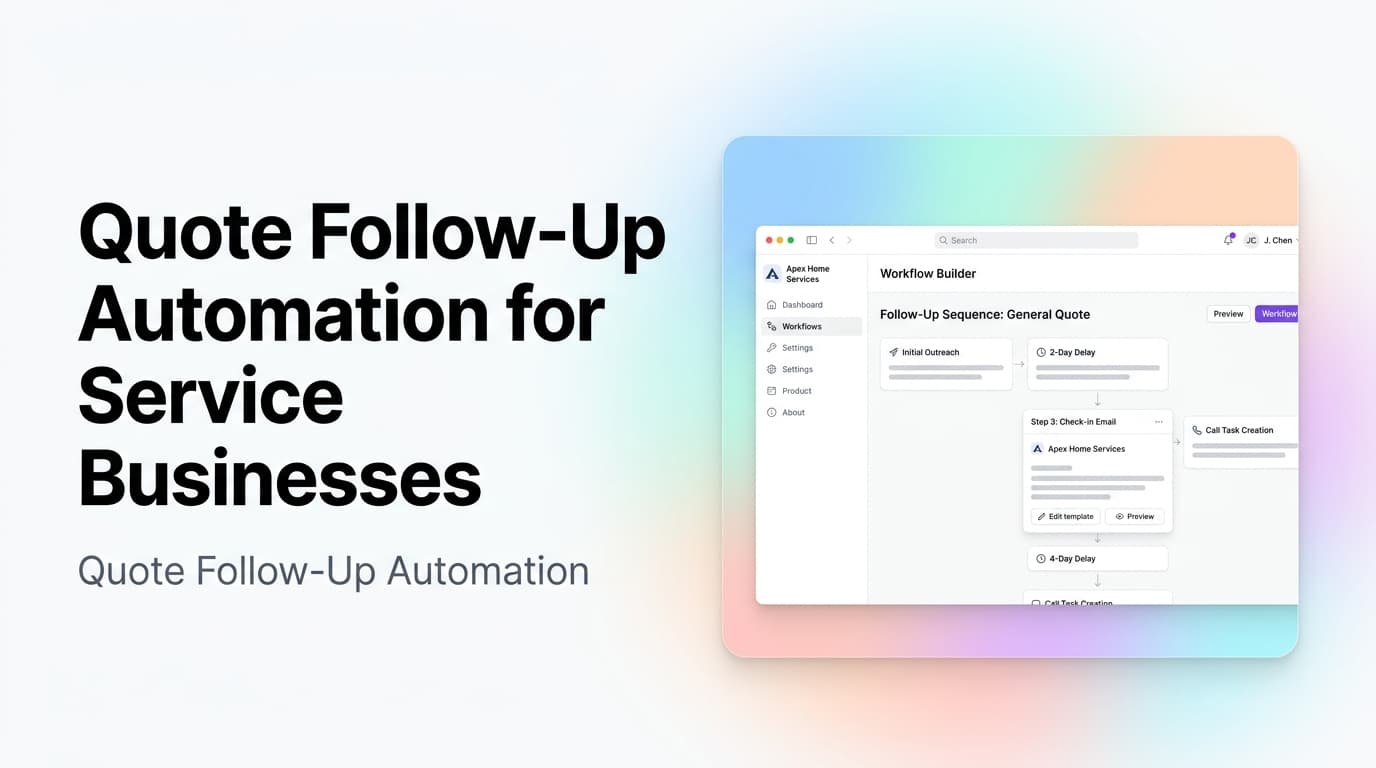
Quick answer: Quote follow-up automation is a simple system that tracks every open estimate, sends the right reminder at the right time, routes replies back to the correct person, and updates the CRM without manual chasing. For service businesses, it works best when it is tied to clear stages, owner rules, and human approval for sensitive pricing or scope changes.
Most service businesses do not lose work because the team forgot how to sell. They lose work because the quote handoff gets messy after the first estimate goes out.
A tech sends notes from the field. An office manager builds the estimate. A salesperson promises to follow up Friday. The customer replies to an old email thread with one question, but nobody sees it until Monday. By then, the buyer has either gone quiet or booked the company that made the next step easier.
Quote follow-up automation fixes that middle layer. It does not replace judgment, pricing, or customer relationships. It makes sure every open estimate has an owner, a next step, a reply path, and a clean record in the CRM.
What Quote Follow-Up Automation Actually Does
Quote follow-up automation connects your estimating, CRM, email, text, calendar, and task systems so pending quotes do not sit in limbo.
At a practical level, the workflow usually handles five jobs:
- Detect when a quote or estimate is sent
- Assign the right follow-up schedule based on service type, value, and urgency
- Send reminders by email, text, or internal task
- Watch for replies, booked calls, signed approvals, and closed reasons
- Update the CRM so the pipeline reflects what actually happened
The point is not to spam every customer with the same message. The point is to remove the fragile memory work that happens after the estimate goes out.
Proof/example: If a business sends 40 estimates per month and each estimate needs three manual touches, that is 120 follow-up moments to remember. Even if each touch only takes five minutes, the team is spending 10 hours per month on reminder work before counting context switching, missed replies, or CRM cleanup.
A Simple Decision Table
Use this table to decide what kind of follow-up system you need before you buy software or build custom automation.
| Situation | Best next step | Why it matters |
|---|---|---|
| Quotes are sent from one tool, but follow-up happens from memory | Add CRM stages and task reminders | You need visibility before AI can help |
| Quotes are high volume and mostly repeatable | Build automated email and SMS sequences | Timing and consistency matter more than custom wording |
| Quotes vary by scope, risk, or margin | Use AI drafts with human approval | The system can prepare the follow-up, but a person should confirm the message |
| Replies land in shared inboxes or personal phones | Add reply routing and ownership rules | A reminder system fails if customer replies disappear |
| Sales reports are hard to trust | Standardize close reasons and estimate outcomes | Follow-up automation should improve pipeline data, not only send messages |
The Workflow Stages That Matter
A quote follow-up system only works if the stages are clear. Vague pipeline stages like "hot," "warm," or "interested" are not enough because automation needs action-based signals.
Better stages look like this:
- Quote requested
- Site visit or discovery completed
- Quote drafted
- Quote sent
- Customer question received
- Revision needed
- Waiting on customer
- Approved
- Lost with reason
These stages tell the system what to do next. A quote in "customer question received" should not get the same reminder as a quote in "waiting on customer." A quote that needs revision should create an internal task, not send another sales message.
This is where workflow automation becomes more useful than a basic email sequence. The automation needs to understand status, owner, timing, and exceptions.
Where AI Helps and Where It Should Not Decide
AI can make quote follow-up more personal and faster, but it should not have unlimited authority.
Good AI tasks include:
- Summarizing the original quote and customer request
- Drafting a follow-up email based on the quote stage
- Flagging replies that mention price, timing, financing, or competitor bids
- Creating a task for the right owner
- Suggesting a next step based on past interaction history
Tasks that should usually stay with a human:
- Changing final pricing
- Altering scope or warranty language
- Handling angry or legally sensitive replies
- Approving discounts
- Promising delivery dates that depend on crew capacity
For most service businesses, the best pattern is "AI prepares, human approves" for anything customer-facing that could affect margin, scope, or trust. Fully automated reminders are fine for simple check-ins. More complex messages should be drafted, reviewed, and sent by the owner.
If you are designing this kind of system, start with a practical AI automation scope rather than a broad AI project. One clean quote workflow usually teaches you more than a dozen disconnected experiments.
First-Hand Operating Insight From AnovaGrowth
When AnovaGrowth scopes quote follow-up automation, we look at the handoff before we look at the tools. The most common failure is not a missing app. It is unclear ownership.
Someone sends the estimate, someone else owns the relationship, and a third person answers the customer question. The CRM may show "proposal sent," but nobody knows whether the next move is a reminder, a revision, a phone call, or a close-lost note.
The fix is usually smaller than people expect:
- Define the quote owner
- Define what counts as a customer response
- Define when a quote becomes stale
- Define which replies require review
- Define the close reasons the team will actually use
Only then does automation make the process faster. Without those rules, automation just sends messages into the same confusion.
What to Build First
Do not start with a giant quote management system. Start with the smallest workflow that protects revenue.
For many service businesses, that first build looks like this:
- A quote is marked "sent" in the CRM
- The system schedules a first follow-up task or message
- If the customer replies, the sequence pauses
- The reply is routed to the quote owner
- If there is no reply, the system sends a second reminder
- After a set window, the owner gets a close-or-revive task
- The final outcome is logged with a required reason
That workflow is not flashy. It is useful because it closes the gap between "we sent the quote" and "we know what happened."
Proof/example: A follow-up sequence with pause rules is safer than a fixed drip campaign. If the customer replies with "Can you update the scope?" and the system keeps sending generic reminders, the business looks inattentive. A good workflow pauses on reply and creates an owner task.
Related Questions Business Owners Should Ask
Should every quote get the same follow-up schedule?
No. High-value quotes, urgent service requests, repeat customers, and low-fit leads should not be treated the same way. Start with two or three follow-up paths, then expand once the team trusts the process.
Should follow-up happen by email or text?
Use the channel the customer expects and has consented to use. Email is better for detailed scope, files, and approvals. Text is better for short reminders, appointment prompts, and fast clarification.
How many follow-ups are enough?
Enough to be helpful, not enough to annoy the buyer. A common starting point is one quick confirmation, one reminder after a short delay, and one close-the-loop message if there is no response. Adjust based on deal size and sales cycle.
What should happen when a customer asks a question?
The sequence should pause, the reply should attach to the CRM record, and the owner should get a task with context. Customer questions are buying signals. Treating them like generic inbox noise is how estimates stall.
Can this work if the CRM is messy?
Only to a point. If quote status, owner, customer email, phone number, and close reason are inconsistent, clean those fields first. A small CRM cleanup often unlocks better automation faster than adding another tool.
When Custom Software Makes Sense
Off-the-shelf CRM automations can handle simple reminders. Custom software makes sense when the quote process has rules your current tools cannot express cleanly.
That may include:
- Quotes that need data from multiple systems
- Complex owner assignment rules
- Field technician notes that need cleanup before follow-up
- Estimate approvals across departments
- Customer portals for quote review and acceptance
- Reporting that ties quote speed to booked revenue
This is where custom software can connect the pieces without forcing the team into a tool that does not match how the business sells.
Key Takeaways
- Quote follow-up automation works best when every estimate has a clear owner, stage, and next step.
- AI is useful for summaries, drafts, routing, and reply classification, but humans should approve sensitive pricing and scope messages.
- The first version should be narrow: detect quote sent, schedule follow-up, pause on reply, route the response, and log the outcome.
- Clean CRM stages and close reasons make the automation more accurate and make sales reporting more trustworthy.
- The goal is not more messages. The goal is fewer stalled estimates and a clearer path from quote to decision.
Next Step
If pending quotes are sitting in inboxes, spreadsheets, or memory, start by mapping the current follow-up path. Find where ownership breaks, where replies disappear, and where the CRM stops reflecting reality.
Then build the smallest automation that fixes that gap.
Ready to make quote follow-up easier to manage? Contact AnovaGrowth to plan a workflow that fits your CRM, sales process, and service team.