Quote-to-Cash Automation for Service Businesses: From Estimate to Payment in One Flow
Service businesses lose 3-7 days between sending a quote and getting paid. Quote-to-cash automation connects every step into one flow.

The Gap Between Quote and Cash Is Costing You Jobs
You send a quote. The customer says "looks good." Then nothing happens for three days. You follow up. They approve. You schedule the job. You do the work. You send an invoice. You wait another 30 days to get paid.
That gap between "we want this done" and "the money is in the bank" is the quote-to-cash cycle. For most service businesses, it runs 7 to 14 days for simple jobs and 30 to 60 days for larger ones. Every day in that cycle is a day your cash is tied up in work you already did.
Quick answer: Quote-to-cash automation connects your estimating, approval, scheduling, job completion, invoicing, and payment collection into a single automated pipeline. When a customer approves a quote, the system schedules the work, sends reminders, generates the invoice on completion, and follows up on payment without anyone touching a keyboard. Service businesses that automate this flow cut their quote-to-cash cycle by 50-70% and reduce late payments by 40%.
What Quote-to-Cash Actually Covers
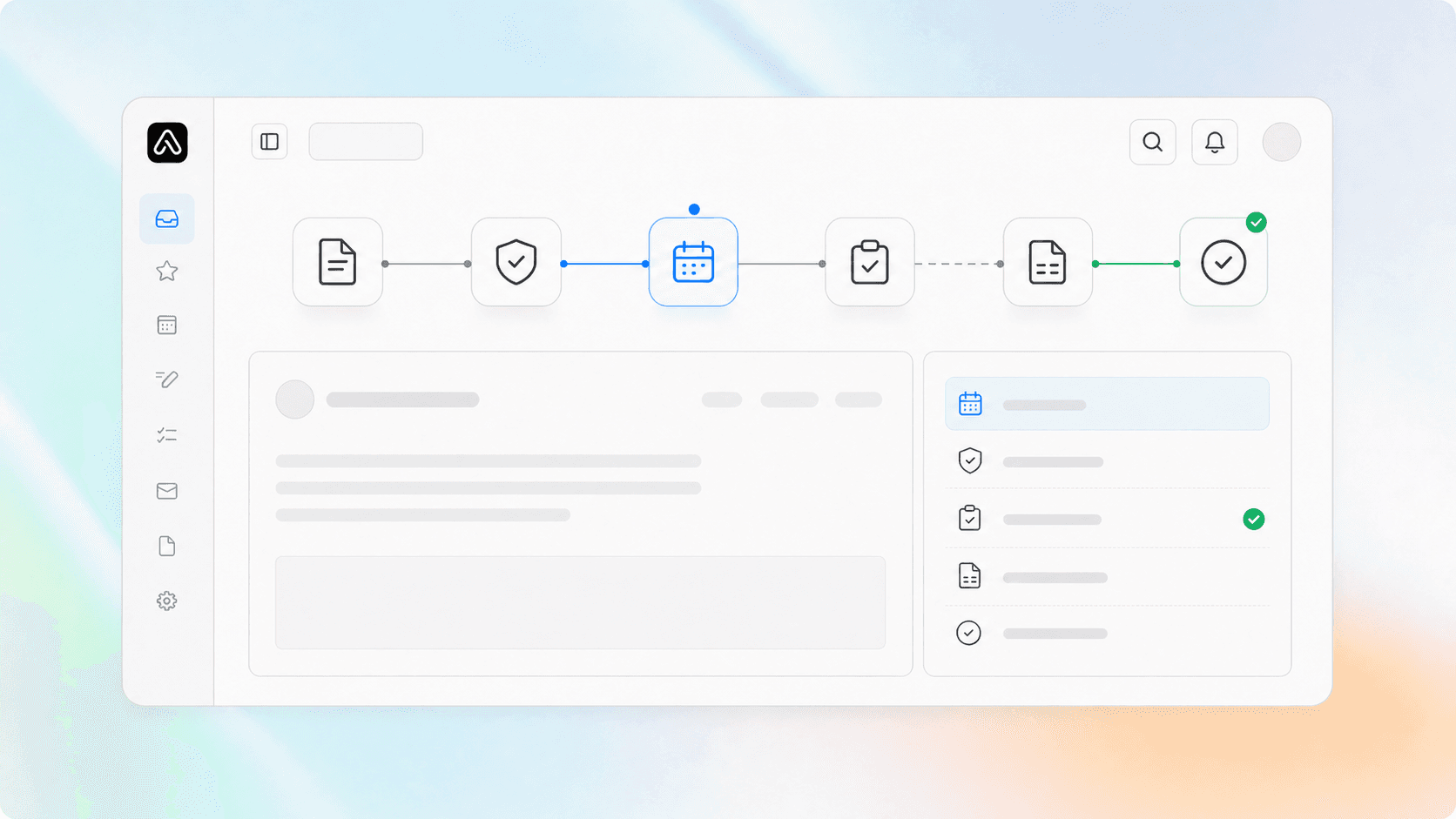
Most business owners think "quote-to-cash" is just fancy talk for "send an invoice." It is not. The full pipeline has six stages, and most service businesses handle each one in a separate tool or a separate conversation.
| Stage | What Happens | Typical Manual Time | Automated Time |
|---|---|---|---|
| Estimate | Create and send a quote | 15-30 min | 2-5 min (from templates) |
| Approval | Customer reviews and signs | 1-3 days of follow-up | Instant (digital signature) |
| Scheduling | Assign crew, set date | 10-20 min of phone tag | Auto-assigns from rules |
| Job completion | Work done, notes recorded | Paper or verbal handoff | Mobile status update |
| Invoicing | Generate and send bill | 15-30 min | Auto-generated on completion |
| Payment collection | Follow up, process payment | 30-60 days of chasing | Auto-charge or auto-remind |
The problem is not any single stage. It is the handoffs between them. Every time a human has to move information from one system to another, you add hours of delay and introduce errors.
Where the Leaks Happen
We have worked with HVAC, plumbing, electrical, and home service companies across the Southeast. The same three leaks show up in almost every business.
Leak 1: The estimate sits in someone's outbox. A technician creates a quote on a tablet, emails it to the office, the office reformats it, and sends it to the customer 24 hours later. By then, the customer has called two other companies. Automated estimating tools like JobNimbus, Housecall Pro, or ServiceTitan let techs generate and send quotes from the field in under 5 minutes. The quote goes out immediately, not tomorrow.
Leak 2: The approved quote gets lost in the schedule. A customer says "yes" over email, but nobody updates the dispatch board for two days. The job gets squeezed in between existing commitments, and the customer waits longer than promised. When the estimate and scheduling system are connected, an approval automatically creates a calendar block and assigns the nearest available crew.
Leak 3: The invoice goes out, then silence. You send the invoice. The customer pays when they remember, which is usually after the second or third reminder. Automated payment follow-up sends a thank-you on receipt, a gentle reminder at day 7, and a more direct reminder at day 14. If you accept credit cards or ACH, you can charge on completion with the customer's pre-authorized payment method.
How to Build the Pipeline
You do not need a six-figure ERP system to automate quote-to-cash. The key is picking tools that talk to each other and setting up the triggers between them.
Step 1: Pick a CRM That Handles Estimates and Invoicing
Your CRM is the backbone. It should store the customer record, the estimate, the job details, and the invoice in one place. If your CRM only tracks leads and you use QuickBooks for everything else, you have a handoff problem at every stage.
What to look for: A CRM or field service platform that lets you create an estimate, convert it to a job, mark the job complete, and generate an invoice without exporting data. Housecall Pro, ServiceTitan, JobNimbus, and even well-configured HubSpot setups can do this.
Step 2: Connect Payment Processing
The fastest way to close the cash gap is to collect payment information at the estimate stage. When a customer approves a quote, you already have their card on file. You charge on job completion, not 30 days later.
This is the single biggest change most service businesses can make. We have seen HVAC companies cut their average payment time from 38 days to 3 days just by switching from "invoice net 30" to "charge on completion with pre-authorized payment."
Step 3: Automate the Follow-Ups
Even with pre-authorized payments, some customers will have declined transactions or need to pay by check. Automated follow-up sequences handle this without human attention.
A typical sequence:
- Day 0: Invoice sent with payment link
- Day 3: Thank-you if paid, reminder if not
- Day 7: Second reminder with late fee notice (if applicable)
- Day 14: Final notice with payment deadline
- Day 21: Escalated to collections or manual call
Each step runs automatically. Your office staff only gets involved when the sequence hits the escalation point.
Step 4: Build the Status Dashboard
Your team needs to see where every job is in the pipeline without asking someone. A simple dashboard showing estimates sent, jobs scheduled, work in progress, and invoices outstanding gives you a real-time view of your cash flow.
We build these dashboards for clients using their existing CRM data. The goal is not more data. It is fewer questions. When a dispatcher can see that a job is in "invoiced, awaiting payment" status without calling the office, you save 10-15 minutes per job in coordination time.
What This Looks Like in Practice
A real example: A 12-truck HVAC company in the Southeast was running a 14-day average quote-to-cash cycle. Their process was: tech writes estimate on paper, office enters it into QuickBooks, office emails PDF to customer, customer calls to approve, office schedules on a whiteboard, tech does the work, office creates invoice from QuickBooks, office mails or emails invoice, customer pays when they get around to it.
We connected their field service software (Housecall Pro) to their payment processor (Stripe) and set up automated follow-up sequences through their CRM. The changes:
- Estimates go out from the tech's tablet in under 5 minutes
- Customers approve with a tap on their phone
- Jobs auto-schedule to the nearest available crew
- Invoices generate automatically when the tech marks the job complete
- Payment is charged immediately if the customer's card is on file
- Follow-up reminders run automatically for the rest
Their average quote-to-cash cycle dropped from 14 days to 3 days. Late payments dropped from 35% of invoices to 8%. The office staff stopped spending 15 hours per week on invoicing and follow-up calls.
The ROI of Closing the Gap
The math is straightforward. If your average job is $1,000 and you do 20 jobs per week, you have roughly $40,000 in outstanding invoices at any given time. Cutting your quote-to-cash cycle from 14 days to 3 days means you free up $31,000 in working capital.
That is not theoretical. That is cash you can use for payroll, equipment, or growth instead of waiting for customers to pay.
Common Objections
"My customers won't pre-authorize payment." Some will not. Most will. The framing matters: "We will charge you when the job is complete, not before. This means you do not have to remember to pay us." Customers prefer this because it is one less thing on their to-do list.
"Our software does not do that." It probably does more than you think. Most modern field service platforms have payment integrations. The feature is often sitting in settings, unused. If your current tool truly cannot connect, it is worth evaluating a replacement. The time savings alone justify the switch.
"We have always done it this way." That is the most expensive reason to keep a slow process. The businesses that automate quote-to-cash are winning jobs faster, getting paid sooner, and spending less time on paperwork. The ones that do not are competing with one hand tied behind their back.
Related Questions
- How do I choose between Housecall Pro, ServiceTitan, and JobNimbus for my business?
- What is the best way to collect payment information before the job starts?
- How do I handle customers who refuse to pay by card or ACH?
- Should I charge a convenience fee for credit card payments?
- How do I set up automated payment reminders without sounding pushy?
- What metrics should I track in my quote-to-cash dashboard?
Next Steps
Quote-to-cash automation is not a project that takes months. The core setup (CRM connected to payment processing, automated follow-ups, and a status dashboard) can be done in a week. The hardest part is deciding to change the process.
Start with one thing: collect payment information when you send the estimate. That single change will have a bigger impact on your cash flow than any other automation you can add.
Ready to close the gap between your quotes and your cash? Contact us to talk about your current quote-to-cash process and where automation will make the biggest difference. We work with service businesses across the Southeast to build pipelines that actually run themselves.
Related reading: Automated Estimating and Invoicing, Payment Follow-Up Automation, CRM Integration for Service Businesses, Automated Recurring Revenue
Related articles

Quote-to-Close Automation for Service Businesses: Close More Jobs Without the Follow-Up Marathon
Service businesses lose jobs in the gap between sending a quote and getting a yes. Automate your quote-to-close pipeline and stop leaving revenue on the table.
Read the article: Quote-to-Close Automation for Service Businesses: Close More Jobs Without the Follow-Up Marathon
Zapier vs Make vs N8N vs Custom Code: How to Choose the Right Workflow Automation Platform for Your Service Business in 2026
Service businesses waste $20K to $180K picking the wrong automation stack. Choose between no-code, low-code, and custom code with this 4-tier framework.
Read the article: Zapier vs Make vs N8N vs Custom Code: How to Choose the Right Workflow Automation Platform for Your Service Business in 2026
Automated Maintenance Reminders and Tune-Up Scheduling for Service Businesses: Stop Waiting for the Customer to Remember
Automated maintenance reminders cut no-show rates 40-60% and lift tune-up bookings 25-35%. The four-touch sequence we install for service businesses.
Read the article: Automated Maintenance Reminders and Tune-Up Scheduling for Service Businesses: Stop Waiting for the Customer to Remember
