The Disconnected Tool Problem
Your CRM has leads. Your phone system has call logs. Your email has quotes. Your calendar has appointments. Your invoicing tool has payments. None of them talk to each other.
This is the reality for most service businesses. A lead calls, someone writes the info on a sticky note, types it into the CRM later, emails a quote from a separate tool, books the job on a different calendar, and invoices from yet another system. Every handoff is a chance to drop the ball.
Quick answer: CRM integration connects your phone, email, calendar, and invoicing tools so data flows automatically between them. When a lead calls, the CRM logs it. When you send a quote, the CRM tracks it. When the job is done, the invoice generates from the same record. No manual data entry, no lost information, no follow-up gaps.
What CRM Integration Actually Means
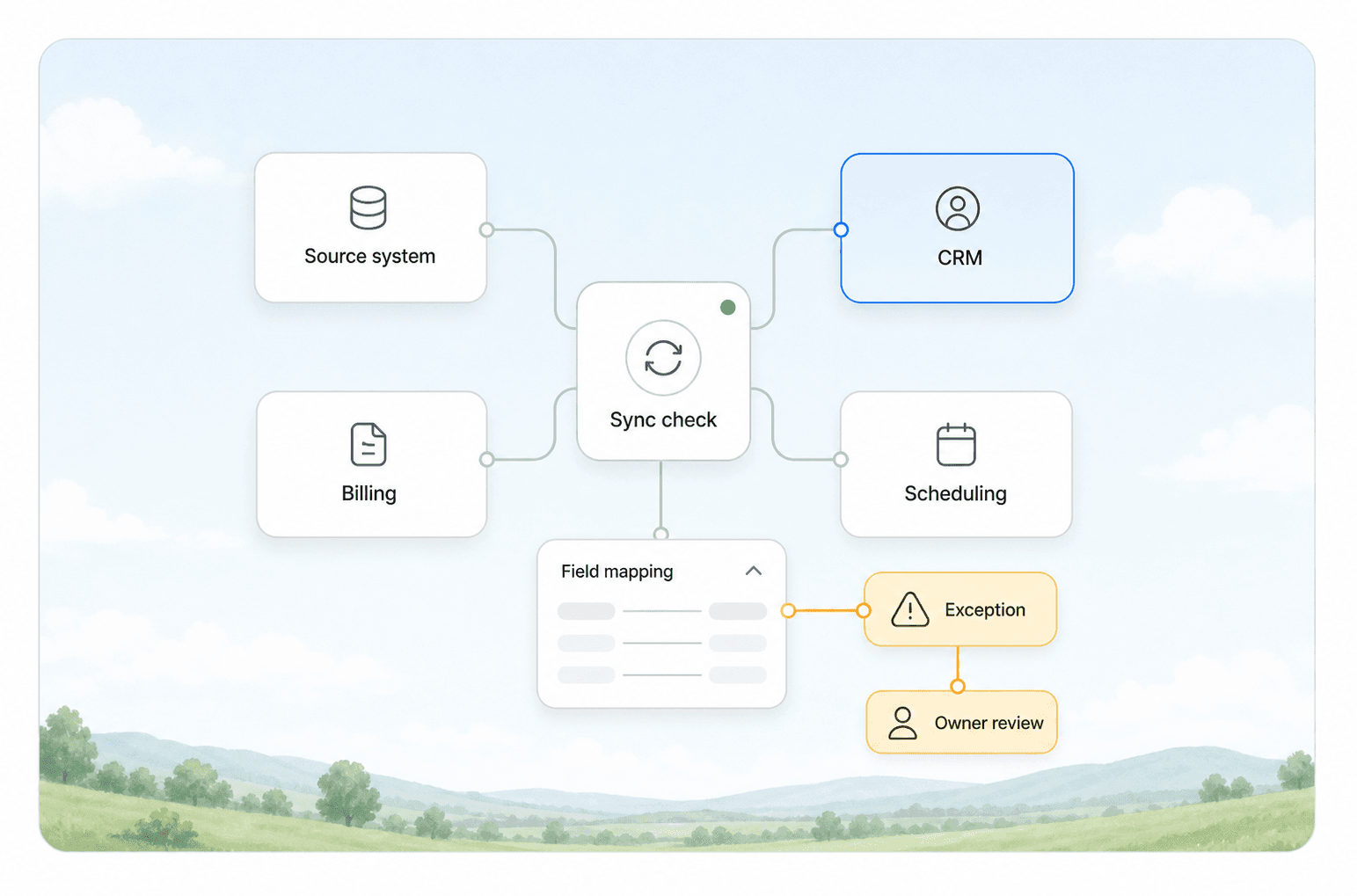
Integration is not the same as having a CRM. A CRM with no connections is a fancy spreadsheet. Integration means your CRM is the central hub that data flows through, not another silo.
The Four Core Connections
| Tool | What Integration Does | What Breaks Without It |
|---|---|---|
| Phone system | Logs calls automatically, links to contact records, triggers follow-up after missed calls | Missed call = lost lead. No record of who called or when |
| Tracks opens and replies, logs sent quotes, surfaces stalled conversations | Quotes sent but never followed up. No visibility into email activity | |
| Calendar | Syncs appointments to contact records, sends reminders, blocks availability | Double-booking, no-shows, manual scheduling back-and-forth |
| Invoicing | Creates invoices from closed jobs, syncs payment status back to CRM | Paid invoices not marked, no revenue tracking per customer |
What This Looks Like in Practice
A homeowner calls your HVAC company at 9 PM. Your phone system logs the call in the CRM, creates a contact record if one doesn't exist, and triggers an automated text with your business hours and a link to book online. The next morning, the lead shows up in your queue with the call recording attached. You send a quote from the CRM, the email is tracked, and when the customer opens it, you get a notification. They book the appointment through the calendar link in the email. The CRM marks the lead as won, and when the job is complete, the invoice generates automatically.
No one typed a single piece of data twice.
Where Service Businesses Lose Money Without Integration
Missed Call Follow-Up
Every missed call that doesn't get a callback within 5 minutes is a lead going to a competitor. Without phone-to-CRM integration, you have no way to know who called, what they wanted, or whether anyone called them back. Most service businesses lose 30-50% of inbound call leads this way.
Quote Black Holes
You send a quote. The customer doesn't reply. Without email tracking integrated into your CRM, you won't know if they opened it, forwarded it to a spouse, or never saw it. You follow up blind, or worse, you don't follow up at all.
Manual Data Entry Errors
Someone writes down a phone number wrong. Someone types an email address with a typo. Someone forgets to log a call. These small errors compound into lost revenue that you never even know you lost.
No Revenue Visibility
You know you did the job. You know you sent the invoice. But when a customer calls six months later for maintenance, you have to dig through three different systems to find their history. The CRM should show everything in one place.
The Integration Stack That Works
From what we see working at AnovaGrowth, the most effective integration setup for service businesses follows a specific pattern:
Hub-and-spoke model. One CRM acts as the central record. Every other tool connects to it. This is better than point-to-point connections between every pair of tools, which creates a maintenance nightmare.
Two-way sync where it matters. Phone logs and email tracking flow into the CRM. Calendar availability flows out. Payment status flows back. One-way sync creates stale data.
Trigger-based automation. When a lead calls, send a text. When a quote is opened, notify the salesperson. When a job is marked complete, generate the invoice. These triggers turn your CRM from a record-keeping tool into an operations engine.
Tools That Integrate Well
Most CRMs in the service business space offer some level of integration. The key is not which CRM you pick, but whether you actually set up the connections. A mid-range CRM with all four integrations active will outperform a premium CRM that's only used for contact storage.
Phone systems like RingCentral, Dialpad, and Twilio integrate with most major CRMs. The setup takes a few hours and pays for itself in the first week of captured leads.
Email integrations are usually built into the CRM. The feature most businesses skip is email tracking: the ability to see when a recipient opens a message. This single feature changes how you follow up.
Calendar sync through tools like Calendly or built-in CRM scheduling eliminates the "what time works for you" email chain. Customers book directly into your availability.
Invoicing integrations with QuickBooks, FreshBooks, or Wave close the loop. When a job is done, the invoice goes out without anyone having to re-enter the customer's information.
How to Set Up Your First Integration
Step 1: Map Your Current Flow
Write down every step from when a lead first contacts you to when you get paid. Include every tool used at each step. This will show you exactly where the handoffs are.
Step 2: Pick the Highest-Impact Connection
For most service businesses, phone-to-CRM integration has the fastest ROI. It captures leads you're currently losing. Set this up first.
Step 3: Add Email Tracking
This is usually a settings toggle in your CRM. Turn it on. Start seeing who opens your quotes and when.
Step 4: Connect Calendar
Give customers a link to book their own appointments. This alone can cut your scheduling time by 80%.
Step 5: Close the Loop With Invoicing
This is the hardest integration but the most valuable. When you can see revenue per customer in the same place you see their contact history, you have a complete picture of your business.
What Integration Costs
Integration costs vary by CRM and tools, but here's a realistic range:
- Phone integration: $20-50/month for the integration layer, plus your phone system cost
- Email tracking: Usually included in the CRM subscription ($30-100/month per user)
- Calendar sync: $10-20/month for scheduling tools, or built into the CRM
- Invoicing integration: $20-50/month for the connector, or built into accounting software
Total: roughly $80-220/month for a fully integrated stack. Compare that to the cost of lost leads from missed calls and slow follow-up. Most businesses recover the investment in the first month.
Common Integration Mistakes
Setting up integration but not training the team. If your technicians still write customer info on paper and hand it to the office, the integration doesn't matter. The system only works if people use it.
Over-integrating too fast. Start with one connection, get it working, then add the next. Trying to connect everything at once creates confusion and makes it hard to tell which integration is causing problems.
Ignoring data quality. Integration moves data faster, but it also moves bad data faster. Clean your CRM before you connect anything. Remove duplicates, standardize how you enter names and addresses, and set required fields.
Not testing the full flow. Test the complete lead-to-cash path after each integration. Call your own phone number. Send a test quote. Book a test appointment. Generate a test invoice. Make sure the data flows end to end.
AnovaGrowth Operating Insight
We've set up CRM integrations for HVAC companies, law firms, dental practices, and home service contractors. The pattern is always the same: the business is losing leads through disconnected tools, and the fix is not a new CRM. It's connecting the tools they already have.
The most common objection we hear is "we don't have time to set that up." That's fair. Integration setup takes focused time. But the alternative is continuing to lose 30-50% of inbound calls and sending quotes into a black hole. The setup time pays for itself in the first few weeks.
Key Takeaways
- CRM integration connects phone, email, calendar, and invoicing into one flow
- Phone-to-CRM integration has the fastest ROI for most service businesses
- Start with one connection, get it working, then add the next
- Integration costs $80-220/month and typically pays for itself in the first month
- Data quality matters more than tool selection: clean your CRM first
- Test the full lead-to-cash flow after every integration
Related Questions
- How do I connect my phone system to my CRM without hiring a developer?
- What's the best CRM for a small HVAC or home service company?
- Can I integrate QuickBooks with my CRM automatically?
- How do I track email opens and quote views in my CRM?
- What's the difference between CRM integration and workflow automation?
- How long does a full CRM integration setup take?
Ready to connect your tools? Contact us to discuss your current setup and what integrations would make the biggest difference. We can also help with workflow automation to trigger actions based on CRM events, and custom analytics dashboards to track your lead-to-cash performance.