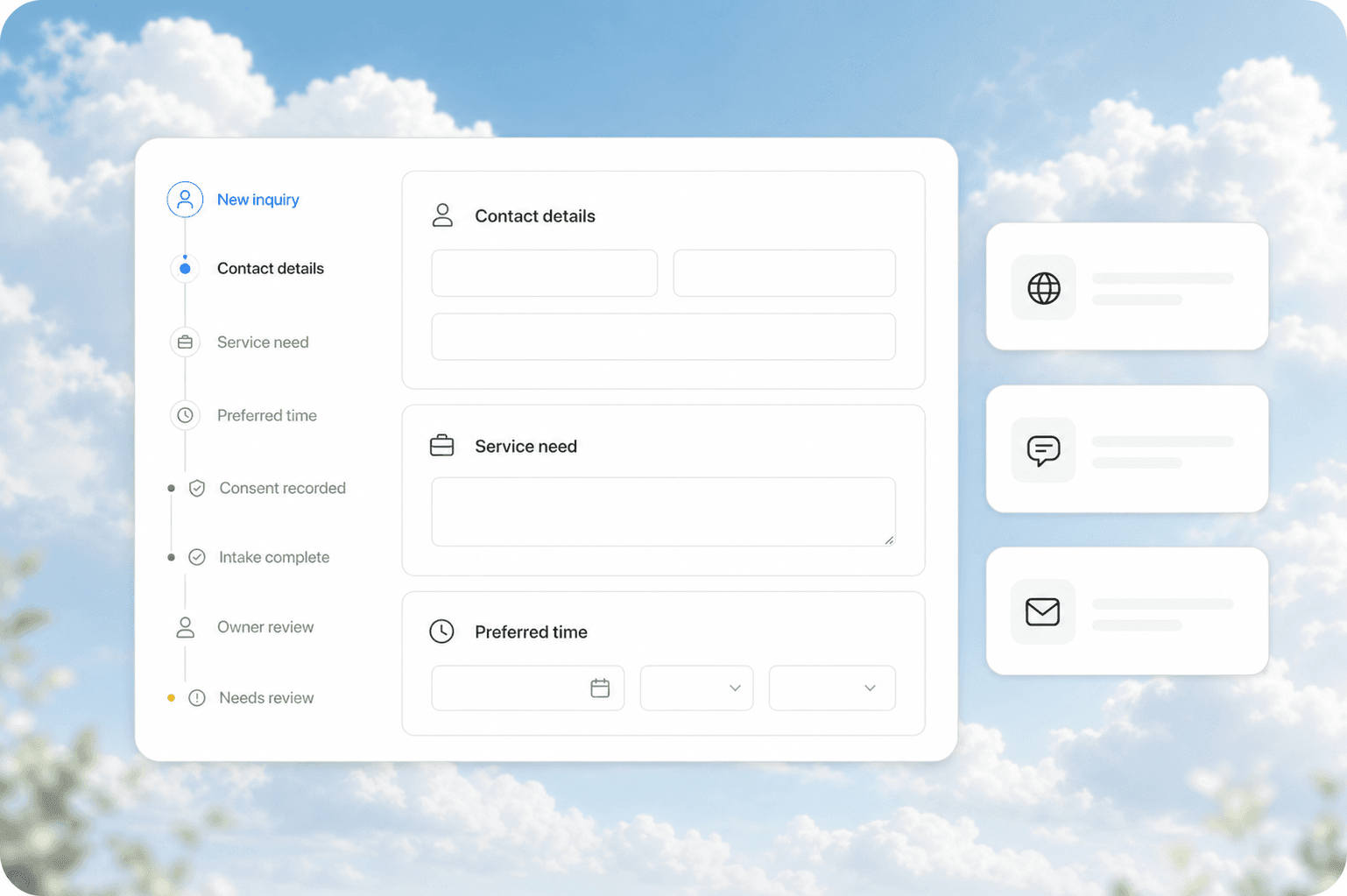
The 15-Minute Problem
Every service business has the same meeting. A prospect books a discovery call. You hop on, introduce yourself, and spend the first 15 minutes asking questions you could have collected with a form: what they need, their budget, their timeline, who else they are talking to.
That 15 minutes is not free. It is the most expensive part of your sales process because it scales linearly with every lead. Ten discovery calls a week means two and a half hours of your week spent gathering information that a well-designed intake form could collect in five minutes.
Automated client intake fixes this. It captures the information you need before the first conversation, qualifies leads automatically, and hands your sales team a brief instead of a blank slate.
Quick answer: Automated client intake replaces the first 15 minutes of every discovery call with a structured form that collects project scope, budget, timeline, and decision criteria before you talk. It routes qualified leads to the right person, sends unqualified leads to a nurture sequence, and saves 10-15 hours per month for every salesperson on your team.
What Client Intake Automation Actually Does
Client intake automation is not a contact form. It is a structured data collection system that sits between your lead capture and your first human interaction.
| What a contact form does | What automated intake does |
|---|---|
| Collects name, email, phone | Collects name, email, phone, plus project scope, budget range, timeline, decision criteria |
| Sends an email notification | Routes the lead to the right person or queue based on answers |
| Stores data in a spreadsheet | Writes structured data to your CRM with proper field mapping |
| Requires manual follow-up | Triggers an automated confirmation, a calendar link, and a pre-call brief |
The difference is not subtle. A contact form is a data entry tool. An automated intake system is a qualification engine.
Where Service Businesses Leak Leads in the Intake Process
Most service businesses lose leads in three specific places during intake. Each one is fixable with automation.
The blank form problem. When your intake form asks for nothing beyond name and email, your sales team goes into every call blind. They spend the first 10 minutes establishing basic context instead of selling. The fix is a structured form with 6-8 targeted questions that map to your sales qualification criteria.
The slow response gap. A lead submits an intake form and hears nothing for 24 hours. By then they have called two of your competitors. Automated intake should trigger an immediate confirmation, a clear next step, and a calendar link within 60 seconds of submission.
The wrong person problem. Your best salesperson takes a call with a lead who needs a service you do not offer. That is 30 minutes they will never get back. Automated intake can route leads based on service type, budget range, or geographic area before anyone picks up the phone.
How to Build an Automated Client Intake System
You do not need custom software to set this up. Most service businesses can build an effective intake system with tools they already have or can add in an afternoon.
Step 1: Map Your Qualification Criteria
Before you build anything, write down the answers that tell you whether a lead is worth a call. Every service business has different criteria, but most boil down to a few questions:
- What service do you need?
- What is your budget range?
- What is your timeline?
- Who else is involved in the decision?
- Have you used this service before?
These five questions cover 80% of what you need to know before a first conversation. Add industry-specific questions as needed.
Step 2: Build the Intake Form
Use a form builder that connects to your CRM. Typeform, Tally, and Jotform all work. The key is not the form itself but what happens after submission.
Structure your form so each answer maps to a field in your CRM. If someone selects "HVAC repair" as their service, that should write to the service type field in your CRM, not to a notes box where a human has to read and re-enter it.
Step 3: Connect the Automation
This is where the magic happens. When a lead submits the form, your automation should:
- Send an immediate confirmation email with a calendar link
- Write the lead to your CRM with all fields populated
- Score the lead based on budget, timeline, and service match
- Route the lead to the appropriate queue or salesperson
- Send a pre-call brief to the assigned salesperson
Tools like Make (formerly Integromat) or Zapier handle this in a few clicks. The setup takes an afternoon. The payoff is every single lead from that point forward.
Step 4: Build the Pre-Call Brief
The pre-call brief is the output of your intake system. Before a salesperson takes a call, they should receive a one-page summary that includes:
- The lead's name, company, and role
- The service they need
- Their budget range
- Their timeline
- Any specific requirements they mentioned
- The answers to your qualification questions
This brief turns a cold call into a warm conversation. The salesperson starts the call knowing what the lead needs and whether they are a good fit.
What This Looks Like in Practice
Here is a real example from a home services company that implemented automated intake.
Before automation: A homeowner fills out a contact form with name, email, and phone. The office manager calls to schedule an appointment. During the call, she asks what kind of work they need, the approximate size of the project, and when they want it done. She writes the answers on a sticky note. The technician shows up without knowing the scope of work.
After automation: The homeowner fills out a 7-question intake form that asks about project type, square footage, desired timeline, and budget range. The system writes the answers to the CRM, assigns a lead score, and sends the homeowner a confirmation with a booking link. The technician receives a pre-visit brief with all the details. The first conversation on site is about the work, not about what the customer needs.
The company cut its average time from lead to first appointment from 3.2 days to 1.1 days. More importantly, the office manager stopped spending 45 minutes per lead on phone tag and data entry.
Common Mistakes in Client Intake Automation
Asking too many questions. A 20-question form kills conversion. Stick to 6-8 questions that map to your qualification criteria. You can collect the rest during the call.
Not connecting to your CRM. If your intake form dumps data into a spreadsheet that someone has to manually enter into your CRM, you have not automated anything. You have just moved the data entry problem.
Skipping the confirmation. Every intake submission should trigger an immediate response. If a lead submits a form and hears nothing, they assume you are not interested. A simple "Thanks, here is what happens next" email keeps them warm.
Treating all leads the same. A lead with a 50k budget and a 30-day timeline needs a different response than a lead with a 2k budget and a "someday" timeline. Use your intake data to route leads to the right queue.
Related Questions Business Owners Ask About Client Intake
- How do I balance collecting enough information without scaring leads away?
- What CRM fields should I set up for intake data before building the form?
- Can automated intake work for high-ticket services where relationships matter more?
- How do I handle intake for leads who call instead of filling out a form?
- What is the right lead scoring model for a service business?
- Should I use a chatbot for intake or a traditional form?
Key Takeaways
- Automated client intake saves 10-15 hours per month per salesperson by eliminating the information-gathering phase of every call
- A structured 6-8 question form beats a blank contact form every time
- The automation is in what happens after submission, not the form itself
- Every intake submission should trigger confirmation, CRM write, lead scoring, and routing
- The pre-call brief is the output that makes the whole system valuable
Next Steps
If your sales team is spending the first 15 minutes of every call asking basic questions, you are leaving money on the table. Automated client intake is one of the fastest ROI improvements you can make because it touches every single lead that comes through your door.
Start by mapping your qualification criteria. Then build a form that collects those answers. Then connect it to your CRM with an automation tool. The whole process takes a day. The impact lasts as long as you take calls.
Ready to build an intake system that qualifies leads before you talk to them? Contact us to discuss how we can set this up for your business. Or read about CRM integration for service businesses to understand how intake data flows through your full lead-to-cash pipeline.