AI Training and Certification Management for Service Businesses: Build Skilled Crews and Stay Compliant Without the Spreadsheet Chaos
Service businesses lose 8-15% of revenue to skills gaps and missed license renewals. AI cert tracking closes the gap and keeps the crew fully credentialed.

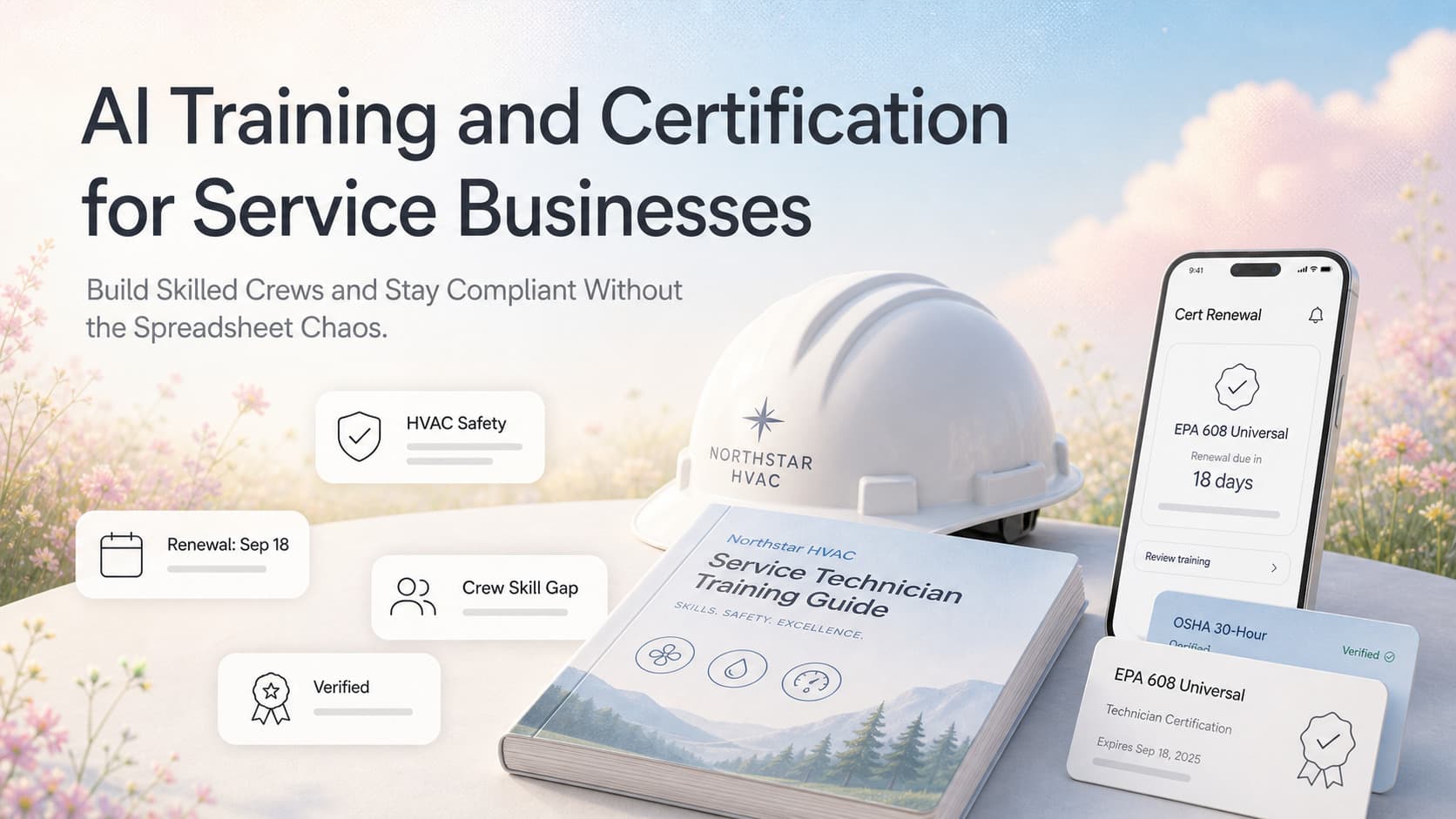
Quick answer: AI training and certification management for a service business is a single system that tracks every employee credential, every required license, every training module, and every skill gap across the crew roster. It pulls new-hire paperwork automatically, reminds the owner 60-90 days before any cert expires, scores every tech on a skill matrix, recommends the next training module based on the jobs that are coming up, and produces a compliance report a customer, an insurer, or a state inspector can read in five minutes. Most service businesses run this on a spreadsheet that goes stale within two weeks and a wall calendar that misses 20-40% of renewal dates. AI makes it live, automatic, and auditable. The business outcome is fewer failed inspections, fewer last-minute emergency hires to plug a gap, fewer lost bids because the crew is missing a required credential, and a 10-25% lift in close rate on jobs that need a specific cert.
The Hidden Skills Gap Costing Service Businesses Real Money
A 28-person commercial HVAC company in the Southeast had a quiet problem the owner did not see until he mapped it. Eighteen field techs. Three different states of licensure. EPA 608 universal cert required for every tech who touches refrigerant. NATE certification preferred but not required for commercial work. OSHA 30 required for any job over a certain contract value. Forklift cert required for warehouse staff. Two manufacturer-specific certifications on the chiller and air handler product lines the company installs.
The owner kept all of this in a spreadsheet. It was three months out of date. Two techs had let their EPA certs lapse. One tech's OSHA 30 had expired eight months earlier and he had been working on jobs that required it. Two senior techs had manufacturer certs the company had paid for but the company was no longer assigning them to the equipment they were certified on, which meant the company was paying premium labor rates for work that did not need that level of cert while the junior techs were being assigned to jobs where the certs mattered.
When the owner mapped the actual coverage, the company had the right crew for about 60% of the jobs on the dispatch board. The other 40% were either being passed on (lost revenue), being assigned to under-credentialed techs (compliance risk), or being held until a fully credentialed tech was free (lost margin on schedule slips). The skills gap was not theoretical. It was costing the company roughly 8-12% of annual revenue in jobs they could not take, schedule they could not keep, and compliance exposure they did not know they had.
This is the standard operating reality for service businesses in trades, healthcare, manufacturing, and any other field where credentials are a job requirement. The certs live on a spreadsheet, in a filing cabinet, on a wall calendar, in someone's head, or some combination of all four. The spreadsheet goes stale. The wall calendar misses renewals. The filing cabinet is useless when the customer or the inspector asks for proof. AI training and certification management replaces all four with a single system that updates itself, flags the gaps before they cost money, and produces the proof when someone asks for it.
Why Spreadsheets Fail at Training and Certification Tracking
Most service businesses that track credentials at all use a spreadsheet. The spreadsheet has a row per employee and a column per credential. The columns include the cert name, the issuer, the issue date, the expiration date, the cert number, and a scanned PDF link. The spreadsheet is owned by the office manager, the service manager, or the owner. The spreadsheet is updated when someone remembers to update it.
The spreadsheet fails for four reasons.
Renewals arrive silently. Most certifications require renewal every 1, 3, or 5 years. The expiration date is a single cell in a row. Nothing in the spreadsheet reminds anyone. The office manager might check once a quarter. The owner might check once a year, usually after a renewal has already lapsed. By the time anyone notices, the cert is 30, 60, or 90 days expired.
Skills coverage is not visible. A spreadsheet can tell you that Tech A has an EPA 608 cert. It cannot tell you that the only tech who has the chiller manufacturer cert is on vacation for the next three weeks and there is a bid coming up for a chiller service contract. The skills coverage map does not exist in a spreadsheet. The dispatcher is figuring it out by memory, which means some jobs get assigned to the wrong tech and some bids get declined because no one remembered who had what.
Training records are disconnected. New hire onboarding lives in HR. Recurring safety training lives in the operations binder. Continuing education lives on a personal calendar or a clipboard at the training room. Customer-required training (e.g. site safety orientation for a specific hospital chain) lives in an inbox somewhere. None of these systems talk to each other. When an inspector or a customer asks for proof of training, the answer is "let me get back to you."
Skills gap is invisible. The owner does not know which certifications the company is paying for but not using, which certifications the company needs for the bids in the pipeline but does not have, or which techs are one training module away from being promotable. That information lives in the heads of the service manager and the senior techs. It walks out the door when they leave.
A spreadsheet is a record. AI training and certification management is an operating system.
What AI Training and Certification Management Actually Does
The system has four layers. Each layer solves a specific problem and feeds the next layer.
Layer 1: The Employee Credential Record
Every employee has a single profile that holds every credential, every cert number, every issue date, every expiration date, and a link to the scanned PDF. The profile is built automatically from new-hire paperwork, from cert emails forwarded to a dedicated address, and from direct entry when the office manager gets a new cert in the mail.
| Field | Source | Updates |
|---|---|---|
| Employee name, role, hire date | HR or payroll system | Once, at hire |
| Certification name, type, issuer | New-hire paperwork, cert emails, manual entry | Each new cert |
| Issue date, expiration date | Issuer, cert PDF | Each new cert |
| Cert number, issuing body | Issuer, cert PDF | Each new cert |
| Renewal requirements (CEUs, training) | Issuer website, manual research | Once per cert type |
| Linked skill tags (refrigerant, electrical, OSHA) | System taxonomy or custom | Once per cert |
| Scanned PDF, photo of card | Email forward, manual upload | Each new cert |
| Last used on a job (job ID, date) | Dispatch board integration | Each assignment |
The profile is the source of truth. The office manager is not chasing PDFs. The renewal calendar is not on a wall. The record lives in one place and updates itself when new certs come in.
Layer 2: The Skills Coverage Map
The skills coverage map is the dynamic view of who can do what, when. For each skill or cert type, the map shows every employee who holds it, when each cert expires, and the upcoming jobs that require it.
| Skill or Cert | Employees With It | Earliest Expiry | Jobs in Next 30 Days Requiring It | Status |
|---|---|---|---|---|
| EPA 608 Universal | 14 of 18 techs | Tech J: 47 days | 38 scheduled jobs | OK for 60 days, schedule renewal for Tech J |
| OSHA 30 | 8 of 18 techs | Tech C: 22 days | 12 scheduled jobs | WARNING: Tech C expiry in 22 days, training seat needed |
| Chiller manufacturer cert | 3 of 18 techs | Tech R: 180 days | 4 scheduled jobs, 2 bids pending | OK, but Tech R is senior and travels; backup is thin |
| High-voltage electrical | 5 of 18 techs | Tech M: 90 days | 7 scheduled jobs | OK |
The map answers the question the service manager is asking every morning: who can I assign to this job. It also answers the question the owner should be asking once a quarter: where are the gaps.
Layer 3: The Renewal Calendar and Auto-Alerts
The renewal calendar is the answer to the silent expiration problem. Every cert in the system gets a renewal flag at 90, 60, 30, and 7 days before expiration.
| Days to Expiry | Action | Owner of Action |
|---|---|---|
| 90 days | Owner sees the cert on the renewal dashboard, flags it for renewal or replacement | Service manager |
| 60 days | Office manager receives auto-email with renewal instructions and CEU requirements | Office manager |
| 30 days | Training seat is booked if needed, renewal paperwork is in motion | Office manager + service manager |
| 7 days | Owner receives escalation alert if renewal is not in motion | Owner |
| Day 0 | Cert shows as EXPIRED in the system. Affected jobs are flagged. | System |
The escalation chain means no cert lapses silently. The owner only sees the certs that are at risk, not all of them. The office manager sees the work they need to do, not the work the service manager is handling. The system routes the alert to the right person based on the cert type and the renewal requirements.
Layer 4: The Skills Gap Analysis and Training Recommendation
The skills gap analysis is the layer that turns training from a cost into a strategy. The AI looks at three inputs: the certs and skills the company currently has, the jobs that are scheduled or in the bid pipeline, and the certifications the company is paying for but not using. It produces three outputs.
Coverage report. For each skill or cert type, what percentage of upcoming jobs can the current crew handle. Where are the gaps. How many training seats are needed. What is the revenue exposure of each gap.
Renewal priority list. Which renewals need to be scheduled in the next 30, 60, and 90 days, ranked by impact. An EPA cert that affects 38 jobs is a higher priority than a forklift cert that affects 4 jobs.
Training recommendation. Which techs should be sent to which training in the next 90 days based on the bid pipeline and the skill coverage gaps. If the company is bidding on three chiller service contracts and only one tech is chiller-certified, the system recommends training a second tech within the next 60 days.
This is where AI moves beyond a database. The system is not just storing records. It is telling the owner where to spend the next training dollar.
What the Skill Matrix Looks Like
The skill matrix is the visual that ties the four layers together. Each row is an employee. Each column is a skill or cert. The cell is green (certified, current), yellow (certified, expiring within 60 days), red (expired or missing), or blue (in training, expected certification date).
| Employee | EPA 608 | OSHA 30 | Chiller Mfr | High-Voltage | Forklift | Customer Site Safety |
|---|---|---|---|---|---|---|
| Tech A | Green | Green | Blue | Red | Green | Green |
| Tech B | Green | Yellow | Red | Green | Green | Green |
| Tech C | Green | Red | Red | Green | Green | Green |
| Tech D | Green | Green | Green | Green | Red | Green |
The dispatcher reads the matrix before assigning jobs. The service manager reads it before scheduling training. The owner reads it before bidding new contracts. The customer or the inspector reads it when they ask for proof.
In one commercial service client, the skill matrix replaced a clipboard in the service manager's office, a spreadsheet on the office manager's desktop, and a wall calendar in the break room. The first week after the matrix went live, the dispatcher caught three assignments that would have put an under-credentialed tech on a customer site that required specific training. Two of those assignments would have failed an audit. The third would have failed a customer safety check and risked a contract loss. The matrix paid for itself in the first week.
How AI Makes the System Live
The spreadsheet is static. AI makes the system live by connecting the inputs and surfacing the signals a human would miss.
Automated cert intake. New certs come in three ways: the office manager scans a PDF and uploads it, the employee forwards the cert email to a dedicated address, or the training provider sends the cert directly to the system. AI extracts the cert name, issuer, issue date, expiration date, and cert number from the PDF or the email body and populates the employee profile. The office manager confirms and files. No manual data entry.
Skills coverage forecasting. AI watches the dispatch board 30, 60, and 90 days out and cross-references every scheduled job against the skills matrix. If a job requires a cert the crew does not currently have covered, the system flags it. If a cert is expiring within the job window, the system flags it. The service manager sees the flags before the dispatcher runs into a problem at the customer site.
Training ROI scoring. AI scores every potential training seat on a simple formula: revenue exposure if the gap is not closed (jobs at risk, bids the company cannot take) versus cost of training (course fee, travel, tech time off the job). The score is a simple dollar figure. The owner picks the highest-score training first.
Compliance report generation. When a customer, an insurer, or a state inspector asks for proof, the system generates a one-page PDF showing every relevant employee, their cert, the issue date, the expiration date, and a copy of the cert. The report is generated in under a minute. The customer or the inspector sees a professional document instead of a stack of scanned PDFs that someone has to chase down.
Anomaly flagging. AI watches for the unusual. A tech who has not been on a job requiring his highest cert in 90 days (skill decay or under-utilization). A cert that was renewed but is not yet in the system (renewal paperwork did not get processed). A bid that requires a cert the crew does not have (bid should be flagged before it goes out). Each anomaly is a flag the owner or the service manager acts on.
Operating Insight: The Quarterly Training Review
The biggest mistake we see with training and certification management is treating it as an HR function instead of an operating function. The teams that get the most value from the system run a 60-minute quarterly training review with the owner, the service manager, and the office manager. The agenda is fixed.
- Read the skill coverage report. For each cert type, what percentage of upcoming jobs can the current crew handle. Anything below 80% is a gap.
- Read the renewal priority list. Any cert expiring in the next 60 days is a renewal that needs to be in motion. Any cert expiring in the next 90 days is a renewal that needs to be scheduled.
- Read the training ROI ranking. The top three training seats get approved or deferred. The deferred ones get a date for next quarter.
- Review the bid pipeline against the skill matrix. Any bid that requires a cert the crew does not have is flagged. Either train, hire, or pass.
- Read the anomaly list. Any tech who is over-certified for the work being assigned, any cert that is renewed but not in the system, any training record that is incomplete.
The 60 minutes a quarter is the entire operating rhythm. The owner walks in with a stale view of the crew and walks out with a current view and three decisions: which renewals to fund, which training seats to fill, and which bids to pass on because the crew is not credentialed.
In one commercial service client, the quarterly training review became the meeting that replaced the annual HR review. The owner stopped looking at last year's certs and started looking at next quarter's bid pipeline. The first 90 days of the rhythm surfaced six expiring certs the office manager had missed, three under-utilized senior techs, and two bid opportunities the company had been passing on because no one knew a tech had the right cert. The owner filled the two bids. The annual revenue impact of those two bids alone paid for the training management system for the next three years.
Common Mistakes to Avoid
Letting the office manager be the only one who knows what's in the system. The system is only valuable if the dispatcher and the service manager are reading it. If the skill matrix is hidden in a folder the service manager does not open, the dispatcher will keep assigning jobs by memory and the system will not catch anything. The matrix needs to be visible on the dispatcher's screen, not buried in HR.
Tracking certifications but not skills. A cert tells you the tech passed a test. A skill tells you the tech can do the job under pressure. The best systems track both: the formal credential and the demonstrated skill level (junior, intermediate, senior, master). The skill rating is updated by the service manager based on job performance, customer feedback, and senior tech input. The cert is updated by the office manager. Both feed the assignment decision.
Letting training records live outside the system. New hire onboarding lives in HR. Safety training lives in operations. Customer-required training lives in email. Manufacturer training lives with the senior techs. None of this should live outside the system. If the cert is not in the employee profile, the system does not know about it. The next compliance report will miss it.
Training without a job to apply it on. Training a tech on a chiller the company does not service is wasted money. Training a tech on a chiller the company is bidding on this quarter is a strategic investment. Every training seat should be tied to a job or a bid in the pipeline. The training ROI scoring makes the tie visible.
Letting renewals slip during busy seasons. The most common cert lapse pattern is during peak season, when the office manager is too busy to chase renewals. The escalation chain (90, 60, 30, 7 days) prevents this. The owner sees the certs at 7 days. The system catches the slip before it becomes a compliance issue.
Treating the system as a record instead of a decision tool. A training and certification system that produces reports but does not change assignments is a fancy spreadsheet. The system earns its keep when the dispatcher reads it before assigning, the service manager reads it before scheduling training, and the owner reads it before bidding.
How This Connects to Your Other Systems
Training and certification management is most powerful when it shares data with the systems around it.
If the training gaps are showing up in the bid pipeline, CRM Pipeline Management for Service Businesses covers the workflow that flags a bid as under-credentialed before it goes out.
If the dispatcher is assigning jobs blind because the skill matrix is not connected to the board, Automated Lead Routing and Assignment for Service Businesses covers the routing logic that pulls credentials into the assignment decision.
If the office manager is buried in renewal paperwork, Workflow Automation for Service Businesses covers the workflow design pattern that keeps the renewal chain moving without manual chasing.
If the skills gap analysis is showing that the company needs to hire, Automated Hiring and Onboarding for Service Businesses covers the recruitment and onboarding workflow that brings new credentialled techs into the system.
If the compliance report is the bottleneck for a customer contract, Custom Software for Service Businesses covers when to build a custom compliance portal versus using off-the-shelf tools.
If the company is paying for certs that are not being used, Service Business KPIs Beyond Revenue covers the operating metrics that surface under-utilized assets.
Related Questions and Subtopics
- What is training and certification management for a service business? It is a single system that tracks every employee credential, every required license, every training module, and every skill gap across the crew. It auto-renews certs, flags gaps, and produces compliance reports on demand.
- How do I track employee certifications without a spreadsheet? Use a system that ingests cert PDFs and emails automatically, populates the employee profile, and triggers renewal alerts at 90, 60, 30, and 7 days before expiration. The office manager confirms the data. The system handles the dates.
- What is a skill matrix for a service business? A grid where each row is an employee and each column is a skill or cert. The cells show green (current), yellow (expiring soon), red (expired or missing), or blue (in training). The dispatcher reads the matrix before assigning jobs.
- How do I predict skills gaps before they cost money? Cross-reference the cert matrix against the bid pipeline and the dispatch board 30, 60, and 90 days out. Any cert the crew does not have covered for upcoming work is a gap. Any cert expiring within the job window is a near-term gap.
- How much does AI training and certification management cost for a service business? Most service businesses can build the system for $200-500/month using existing CRM, an LMS, and a renewal alert workflow. Custom-built portals run higher but only make sense above 50 employees or in highly regulated industries.
- Can AI score training ROI? Yes, on a simple formula. Revenue exposure if the gap is not closed (jobs at risk, bids that cannot be taken) divided by cost of training (course fee, travel, tech time off). The highest-score training seats get approved first.
- How do I handle multi-state licensing in a service business? Track every license in the employee profile with the issuing state and the renewal cadence. The system routes renewals to the office manager 60-90 days before expiry and flags any job in a state where the crew does not have current licensure.
- What is the difference between certification tracking and skills management? Certification tracking is the formal credential (passed the test, got the cert). Skills management is the demonstrated capability (can do the job under pressure at a junior, intermediate, senior, or master level). Both matter. The cert gates whether the tech can be assigned. The skill rating gates whether the tech should be assigned to a complex job.
- How do I get the service manager and dispatcher to actually use the skill matrix? Make it visible. The matrix should be on the dispatcher screen before they assign a job. The service manager should review it in the weekly dispatch meeting. If it is buried in a folder, no one will read it.
- What is the biggest training mistake service businesses make? Training without a job to apply it on. The second biggest is letting renewals slip during peak season because no one escalated them. The system solves both by tying training to the bid pipeline and routing renewal alerts through an escalation chain.
Key Takeaways
- AI training and certification management replaces the spreadsheet, the wall calendar, the filing cabinet, and the service manager's memory with a single live system.
- The system tracks every cert, every renewal, every skill rating, and every skills gap across the crew roster.
- AI auto-extracts cert data from PDFs and emails, so the office manager is not entering dates manually.
- Renewal alerts escalate at 90, 60, 30, and 7 days before expiration. No cert lapses silently.
- The skill matrix makes coverage visible to the dispatcher, the service manager, and the owner before a job is assigned.
- AI scores training ROI on a simple formula: revenue exposure if the gap is not closed versus cost of training. The highest-score seats get funded first.
- The quarterly training review is the operating rhythm. The owner, service manager, and office manager walk through coverage, renewals, training ROI, and bid readiness.
- The system pays for itself when the next bid requires a cert the crew has, the next compliance report is generated in five minutes, and the next renewal is funded 60 days before it expires.
- Training without a job to apply it on is wasted money. Every training seat should tie to a bid or a job in the pipeline.
- The system is only valuable if it changes decisions: assignment, training, bidding, hiring. A record that does not change decisions is a fancy spreadsheet.
Next Steps
The fastest way to start is to inventory the certs that matter today. List every cert type the company requires, every employee who holds each cert, and the earliest expiration date for each. Build the employee profile template in your CRM or HRIS. Set the renewal alerts at 90, 60, 30, and 7 days. Forward every cert email into a dedicated inbox that the office manager can process once a week. After the first month, build the skill matrix and the coverage report. After the second month, run the first quarterly training review and make the first three decisions on renewals and training seats.
If you want help building the cert tracking system, wiring the renewal alerts into your CRM, connecting the skill matrix to the dispatch board, and building the AI scoring that turns training from a cost into a strategy, contact us for a 30-minute training operations review. We will audit your current credential tracking, draft the skill matrix for your crew, and outline the automation you need to keep every cert current and every bid fully credentialed.
Ready to build a fully credentialed crew without the spreadsheet chaos? Contact us and we will build the cert tracker, the skill matrix, the renewal alerts, and the training ROI scoring that keeps your crew current and your bids clean.
Related articles

AI Automation for Cleaning Companies: How to Win More Bids, Keep Crews Filled, and Stop Losing Recurring Contracts
Cleaning companies lose 30 to 50 percent of bids to slow follow-up and 15 to 25 percent of accounts to sloppy inspections. AI fixes both without adding staff.
Read the article: AI Automation for Cleaning Companies: How to Win More Bids, Keep Crews Filled, and Stop Losing Recurring Contracts
AI Office Manager Replacement for Service Businesses: When Automation Beats a $55K Hire
A full-time service business office manager costs $45K to $65K plus benefits. AI automation handles scheduling, dispatch, invoicing, and follow-up for under $400 a month. Here is when to hire and when to automate.
Read the article: AI Office Manager Replacement for Service Businesses: When Automation Beats a $55K Hire
AI Automation for Electrical Contractors: How to Capture Emergency Calls, Win More Bids, and Stop Losing Recurring Revenue
Electrical contractors lose 25-45% of emergency calls to slow response and 20-40% of bids to no follow-up. AI automation fixes both without adding headcount.
Read the article: AI Automation for Electrical Contractors: How to Capture Emergency Calls, Win More Bids, and Stop Losing Recurring Revenue
