Automated Lead Routing and Assignment for Service Businesses: Get the Right Lead to the Right Person Instantly
Service businesses lose 30-50% of leads to poor routing. Automated lead assignment gets the right lead to the right person instantly.

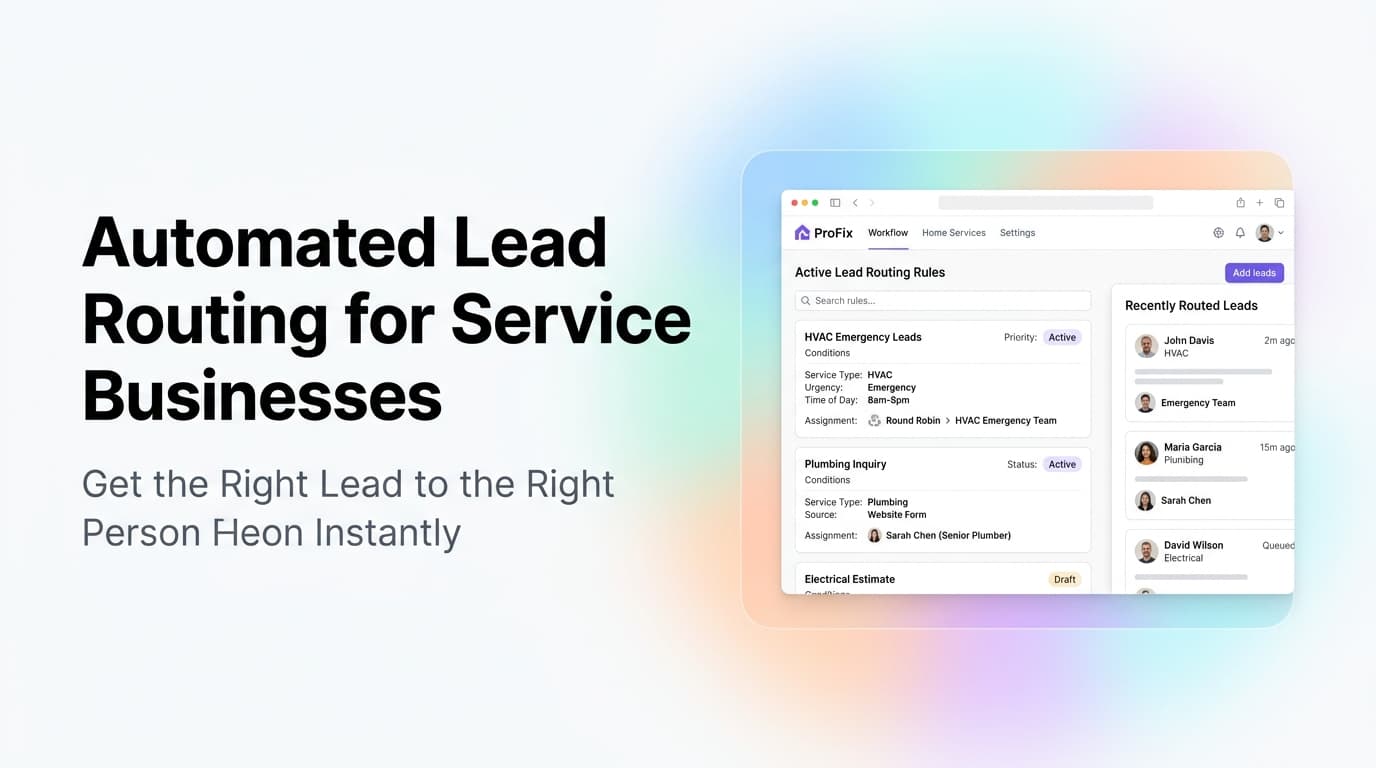
Quick answer: Automated lead routing uses rules in your CRM to send every new lead to the right person based on criteria like service type, location, lead source, or deal size. It eliminates the 30-50% of leads that die from manual assignment delays, wrong-person handoffs, or nobody picking them up. Most service businesses can set this up in a day with their existing CRM.
The Lead Handoff Problem Nobody Talks About
You run ads, optimize your website, and capture leads. Then what?
In most service businesses, here is what happens next: a form submission or phone call lands in a shared inbox, a CRM lead pool, or a group text. Someone needs to notice it, figure out who should handle it, and assign it. That someone is usually the owner, a dispatcher, or whoever checks their phone first.
This manual handoff creates three problems:
Delay. Every minute between lead capture and first contact drops conversion rates. Industry data shows that contacting a lead within 5 minutes makes you 9x more likely to convert them. Wait an hour and your odds drop by 80%.
Wrong assignment. The lead goes to a tech who doesn't do that type of work, a salesperson who covers the wrong territory, or someone who's already at capacity. The lead gets passed around or ignored.
No assignment. Nobody claims it. The lead sits in a CRM bucket for three days until someone runs a report and asks "who was supposed to call this person?"
At AnovaGrowth, we see this pattern in nearly every service business we work with. The fix is not hiring a dedicated lead dispatcher. The fix is automated lead routing.
How Automated Lead Routing Works
Automated lead routing is a set of rules in your CRM that evaluates every new lead and assigns it to the right person or team without human intervention.
Here is the basic logic flow:
| Step | What Happens | Example |
|---|---|---|
| Capture | Lead enters your system | Web form, phone call, chat, email |
| Enrich | CRM pulls or appends data | Service type, location, source, time |
| Evaluate | Rules check the lead against criteria | "Service = HVAC repair AND Zip = 30721" |
| Assign | Lead goes to the right person | Round-robin, skills-based, or territory-based |
| Notify | Assigned person gets an alert | SMS, email, or CRM notification |
| Follow up | Automated sequence starts | Text, email, or call within 2 minutes |
The key is that this all happens in seconds, not hours. The lead never sits in a queue.
5 Lead Routing Rules Every Service Business Should Use
1. Service Type Routing
The most common and most useful rule. Different team members handle different services.
Example: A plumbing company routes drain cleaning leads to one crew, water heater replacements to another, and emergency calls to the on-call tech. Each lead goes to someone who can actually do the work.
How to set it up: Add a service type field to your lead capture form. Map each value to a team member or group in your CRM.
2. Territory and Location Routing
If you serve multiple cities or regions, leads need to go to the person who covers that area.
Example: A commercial cleaning company routes leads from downtown to the city team, suburban offices to the regional team, and industrial sites to the specialized crew.
How to set it up: Use zip code ranges, city names, or radius-based matching. Most CRMs support zip code lookup tables.
3. Round-Robin Distribution
When multiple people do the same job, distribute leads evenly so nobody gets overloaded.
Example: A sales team of three reps gets leads assigned in rotation. Rep A gets lead 1, Rep B gets lead 2, Rep C gets lead 3, then back to Rep A.
How to set it up: Most CRMs have a built-in round-robin feature. Set the pool of assignees and the rotation order.
4. Lead Source Routing
Different lead sources need different handling. A referral needs a warmer approach than a cold website form.
Example: Referral leads go to the owner for a personal call. Website form leads go to the sales team for standard follow-up. Google Business Profile leads go to the fastest responder.
How to set it up: Map your lead source field to different assignment rules or notification types.
5. Capacity-Based Routing
Route leads away from people who are already at capacity.
Example: If a technician has 8 jobs scheduled for the week, new leads in their territory route to the next available tech instead.
How to set it up: Requires CRM integration with your scheduling system. More advanced, but prevents the "too busy to follow up" problem.
What Happens When Nobody Is Available
Even the best routing rules hit edge cases. What happens when the right person is out sick, on vacation, or at capacity?
A good automated routing system handles this with escalation rules:
- First escalation: Route to the secondary person or team
- Second escalation: Route to a manager or dispatcher
- Final fallback: Send to a shared queue with an alert to the owner
Set a time limit for each level. If the assigned person doesn't mark the lead as contacted within 30 minutes, escalate automatically.
At AnovaGrowth, we set up a three-tier escalation for every routing system we build. The lead never falls through the cracks because the system keeps pushing until someone claims it.
The Tools That Make This Work
You do not need custom software to set up automated lead routing. Most CRMs and marketing platforms have this built in or available through integrations.
HubSpot: Lead rotation, round-robin, and team-based assignment are native features. Works with their free CRM tier.
Salesforce: Assignment rules are a core feature. More complex to set up but highly customizable.
HighLevel: Round-robin and rule-based assignment are built in. Popular with service businesses because it also handles SMS and calling.
Zapier / Make: If your CRM does not support routing natively, you can build it with these automation tools. Watch for delays though -- Zapier adds 1-5 minutes per trigger.
Custom CRM: If you have a custom-built system, routing rules are straightforward to add. The logic is simple if-then-else with a notification trigger.
Proof That This Works
We worked with a commercial HVAC company in the Southeast that was losing leads because their dispatcher could not keep up. Leads came in through a website form, a Google Business Profile chat, and a phone line. The dispatcher would check all three sources every 30-60 minutes and assign leads manually.
The result: average first-contact time was 47 minutes. They estimated they lost 35% of leads to slow or missed responses.
We set up automated lead routing in their CRM with three rules:
- Service calls (emergency) went to the on-call tech immediately
- Maintenance leads went to the service manager
- New installation leads went to the sales rep on a round-robin
First-contact time dropped from 47 minutes to under 3 minutes. Their close rate on web leads went up 22% in the first month. The dispatcher went from firefighting to handling exceptions only.
Common Mistakes When Setting Up Lead Routing
Overcomplicating the rules. Start with 2-3 rules. You can always add more. Too many rules upfront creates edge cases that break the system.
Not testing with real leads. Set up a test lead that matches each rule and verify it goes to the right person. Do this before turning it on for real traffic.
Skipping the fallback. Every routing system needs a "what if nobody is available" rule. Without it, leads disappear into a black hole.
Forgetting to notify. Routing without notification is useless. The lead goes to the right person, but nobody knows it happened. Set up SMS or push notifications for new assignments.
No feedback loop. If a lead gets reassigned manually, track why. That data helps you improve your routing rules over time.
Related Questions
- How do I set up lead routing in HubSpot for my service business?
- What is the difference between round-robin and skills-based lead assignment?
- Can automated lead routing work with phone calls, or just web forms?
- How do I handle lead routing when my team works different shifts?
- What CRM has the best lead routing features for small service businesses?
- How do I measure if my lead routing is actually working?
Key Takeaways
- Manual lead assignment costs service businesses 30-50% of their leads
- Automated routing gets leads to the right person in seconds, not hours
- Start with 2-3 simple rules: service type, territory, and round-robin
- Always set up escalation rules for when nobody is available
- Most CRMs have routing built in -- you probably already own the tool
- Test every rule with real lead data before going live
Next Steps
If you are losing leads to slow or wrong assignment, the fix is usually simpler than you think. Start by mapping out how leads flow through your business today. Identify where they get stuck or misrouted. Then set up one routing rule in your CRM and test it for a week.
Need help setting up lead routing in your CRM? Contact us to discuss your current lead flow and what needs to change.
Related reading: CRM Pipeline Management for Service Businesses covers what to do after the lead is assigned. Automated Lead Qualification for Service Businesses helps you route smarter by scoring leads before assignment. CRM Automation Triggers for Service Businesses shows how to connect routing to your full workflow.
Related articles

AI Automation for Landscaping and Lawn Care Businesses: Win More Bids, Route Crews Faster, and Stop Losing Maintenance Contracts
Landscaping companies lose 30-50% of bids to slow follow-up and 20-40% of maintenance contracts to silent churn. AI automation fixes both.
Read the article: AI Automation for Landscaping and Lawn Care Businesses: Win More Bids, Route Crews Faster, and Stop Losing Maintenance Contracts
Multi-Channel Communication for Service Businesses: Manage Phone, Text, Email, and Chat Without Dropping the Ball
Service businesses juggle phone calls, texts, emails, and web chat every day. Here is how to unify them into one system that never drops a lead.
Read the article: Multi-Channel Communication for Service Businesses: Manage Phone, Text, Email, and Chat Without Dropping the Ball
Customer Journey Automation for Service Businesses: Map the Path, Automate the Steps
Service businesses lose customers at every stage of the journey. Map the path from first search to repeat booking, then automate the handoffs.
Read the article: Customer Journey Automation for Service Businesses: Map the Path, Automate the Steps
