Automated Hiring and Onboarding for Service Businesses: Streamline Recruitment Without an HR Team
Service businesses waste 20-40 hours per hire on manual recruitment. Automated hiring workflows cut time-to-hire by 50% and reduce admin overhead.

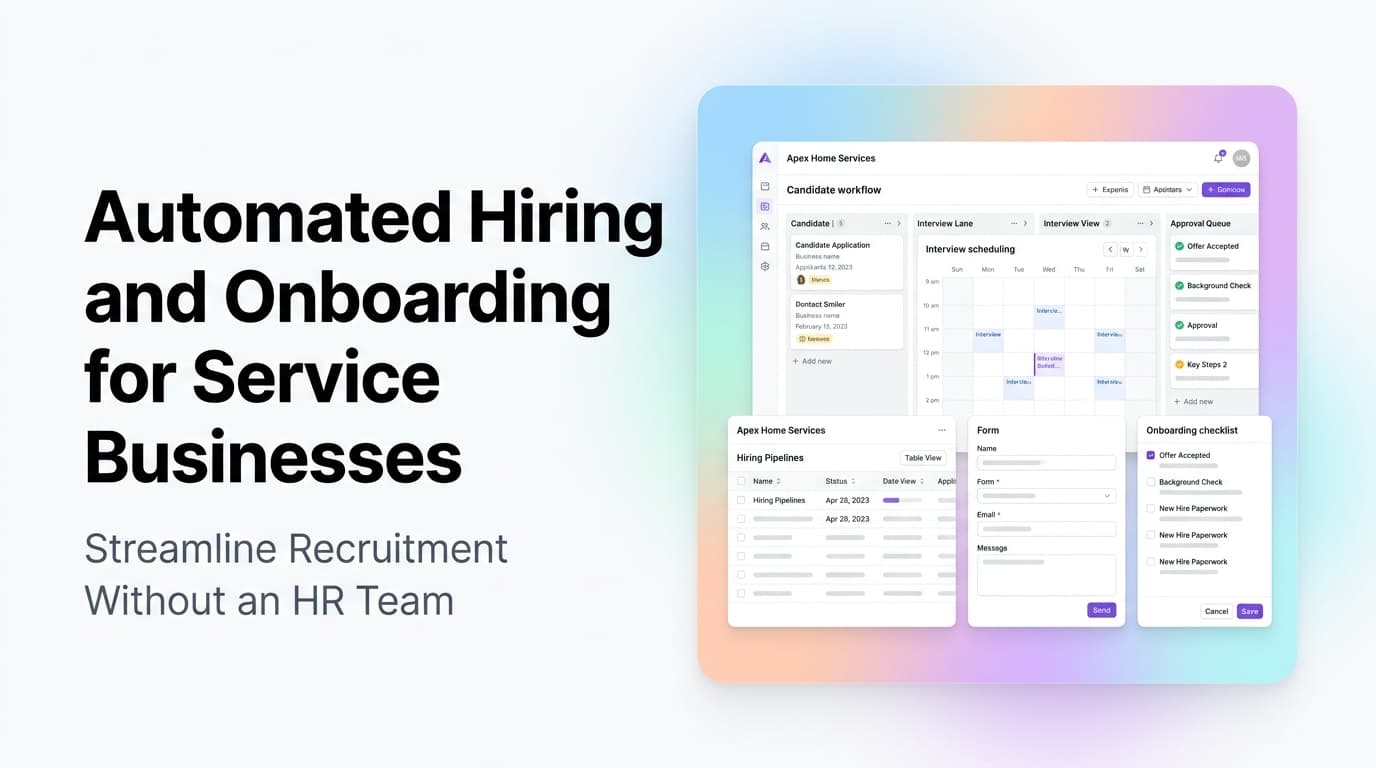
The Hiring Problem Every Service Business Knows
You need a technician, a dispatcher, or a field supervisor. You post the job, sort through 50 applications, call 10 candidates, schedule 5 interviews, and spend 3 hours onboarding the one you pick. Then you do it again next month because turnover in service industries runs 30-50% annually.
The quick answer: Automated hiring and onboarding workflows let service businesses post jobs, screen candidates, schedule interviews, collect paperwork, and run new hire training without a dedicated HR person. The result is 50% faster time-to-hire and 60% less admin time per new employee.
Most service business owners don't realize how much of the hiring process is repeatable, rule-based work. Every job posting follows the same pattern. Every interview follows the same questions. Every new hire fills out the same forms. That pattern is exactly what automation handles well.
What Hiring Automation Actually Looks Like
| Process Step | Manual Approach | Automated Approach |
|---|---|---|
| Job posting | Copy-paste to 3 sites | One click posts to 5+ job boards |
| Resume screening | Read 50+ resumes | Auto-filter by skills, certs, location |
| Interview scheduling | 5-8 emails back and forth | Self-serve calendar link |
| Offer letter | Write from scratch each time | Template auto-fills with candidate data |
| Paperwork collection | Email forms, chase signatures | Portal with e-sign, auto-reminders |
| Training access | Email links, manual check-ins | Auto-enroll in LMS, scheduled nudges |
The difference is not just speed. It is consistency. Every candidate gets the same screening questions. Every new hire completes the same steps. No one falls through the cracks because someone forgot to send the W-2 link.
Where Service Businesses Waste the Most Time
Resume Screening
A single technician job posting can pull 50-100 applications. Reading each one takes 2-3 minutes. That is 2-5 hours of reading resumes for one position. Most of those resumes are clearly wrong from the first glance: wrong location, no required certification, no relevant experience.
Automation tools can filter applications by must-have criteria before a human ever sees them. Require an EPA certification? Filter for it. Need someone within 30 miles? Check the address field. The result is a shortlist of 5-8 candidates instead of 50+.
Interview Scheduling
The back-and-forth of "Are you free Tuesday at 2?" "How about Wednesday at 10?" eats 30-60 minutes per candidate. For 5 candidates, that is 2-5 hours of calendar juggling.
A scheduling link (Calendly, Chili Piper, or built into your ATS) lets candidates pick from your available slots. No emails. No double-booking. The system sends the calendar invite and a reminder automatically.
Paperwork and Compliance
New hire paperwork is the same for every employee: W-4, I-9, direct deposit, emergency contact, company policies, equipment agreement. Collecting, chasing, and filing these forms takes 2-3 hours per hire.
An onboarding portal with e-signature sends all forms at once, tracks completion, and sends automatic reminders. Completed forms go straight to your HR folder or payroll system. No chasing, no filing.
How to Set Up a Hiring Automation Workflow
Step 1: Define Your Must-Have Filters
Before you automate screening, know what you are screening for. Write down the non-negotiable criteria for each role:
- Required certifications or licenses
- Minimum years of experience
- Geographic radius
- Driving record requirements (for field roles)
- Drug screening requirements
These become the automated filters in your application system. If a candidate doesn't meet them, they get a polite rejection email automatically. If they do, they move to the shortlist.
Step 2: Build Your Interview Pipeline
Set up a multi-stage pipeline in your CRM or ATS:
- Application received - Auto-response with next steps
- Phone screen - Auto-scheduled via link, recorded scorecard
- In-person interview - Calendar link for hiring manager
- Skills test - Auto-sent assessment link
- Offer stage - Auto-generated offer letter with salary and start date
- Accepted - Triggers onboarding workflow
Each stage triggers the next automatically. No one has to remember to send the skills test link or follow up on the offer letter.
Step 3: Automate Onboarding Day 1
The first day of a new hire should not involve waiting for someone to find a laptop or remember which forms to sign. An automated onboarding sequence handles:
- Before Day 1: Welcome email, equipment checklist, parking instructions, first-day schedule
- Day 1: System access provisioned, training modules assigned, buddy assigned
- Week 1: Daily check-in prompts, training completion tracking, equipment sign-off
- Month 1: 30-day review prompt, performance baseline set, benefits enrollment reminder
From AnovaGrowth's playbook: We run onboarding for our own team through a simple CRM workflow. When a new hire accepts, a sequence fires that provisions their email, sends their welcome packet, schedules their first week check-ins, and assigns their training modules. The hiring manager's only job is the 30-minute welcome call. Everything else runs on its own.
Tools That Make Hiring Automation Work
You don't need an expensive enterprise HR system. Most service businesses can build a hiring automation stack with tools they already have or can add for under $200/month:
- Job distribution: Indeed, ZipRecruiter, or LinkedIn have API integrations with most ATS platforms
- Applicant tracking: BambooHR, Gusto, or even a simple Airtable base with automation
- Screening questions: Typeform or Google Forms with conditional logic
- Scheduling: Calendly or HubSpot Meetings
- E-signature: DocuSign, HelloSign, or PandaDoc
- Training/LMS: TalentLMS, Thinkific, or a Notion wiki with tracking
- CRM workflow: HubSpot, Salesforce, or your existing service CRM
The key is connecting them. A Zapier or Make.com integration between your ATS and your scheduling tool means a candidate who passes screening automatically gets a scheduling link. An integration between your e-sign tool and your payroll system means signed forms trigger payroll setup without anyone forwarding a PDF.
What Happens When You Don't Automate Hiring
The cost of manual hiring is not just the time. It is the opportunities you miss while you are buried in paperwork.
- Slow time-to-hire means losing candidates. The best technicians get multiple offers. If your process takes 3 weeks and your competitor's takes 1 week, you lose the candidate.
- Inconsistent screening means bad hires. When you are tired and rushing through 50 resumes, you miss red flags. Automated screening catches them every time.
- Manual onboarding means higher early turnover. New hires who feel lost and unsupported in the first week are 3x more likely to quit within 90 days. Automated onboarding gives them structure and clarity from day one.
Service businesses that automate hiring report 40% lower cost-per-hire and 30% better retention in the first 90 days. Those numbers compound. Every hire you make better and faster means a stronger team and fewer emergency rehires.
Related Questions Service Business Owners Ask
- How do I screen for technical certifications automatically in my application system?
- What is the minimum viable hiring automation stack for a 10-person service company?
- Can I automate background checks and drug screening coordination?
- How do I handle seasonal hiring surges without overbuilding my process?
- What compliance requirements change when I automate I-9 and W-4 collection?
- Should I use a dedicated ATS or build hiring workflows into my existing CRM?
Key Takeaways
- Service businesses spend 20-40 hours per hire on manual recruitment and onboarding tasks
- Automated resume screening cuts review time from hours to minutes
- Self-serve scheduling eliminates the back-and-forth email chain
- Onboarding automation ensures every new hire gets the same structured experience
- A basic hiring automation stack costs under $200/month and connects tools you likely already use
- Faster hiring means you win more candidates and reduce turnover
Next Steps
Start with one piece: automate your interview scheduling. Add a Calendly link to your job postings and see how much time it saves. Once that works, add automated screening questions. Then build out the onboarding sequence.
You do not need to automate everything at once. But the first piece you automate will show you how much time the rest is costing you.
Ready to streamline your hiring process? Contact us to discuss how we can set up automated hiring and onboarding workflows for your service business. Or read about workflow automation for service businesses to see how other processes can benefit from the same approach.
Related articles

Technician Utilization Tracking for Service Businesses: Find the Hours You Never Bill
Technician utilization tracking shows how many hours your crews bill versus idle, travel, admin, and windshield time. Here is how to set it up and use it.
Read the article: Technician Utilization Tracking for Service Businesses: Find the Hours You Never Bill
Daytona Beach Group Booking: Prepare for the 2026 Classic
The Daytona Beach Classic schedule is taking shape. Prepare group inquiries, booking approvals, and guest messages before Thanksgiving travel.
Read the article: Daytona Beach Group Booking: Prepare for the 2026 Classic
Charleston Hospitality Booking: Get Ready for MOJA 2026
MOJA returns September 24. Prepare your Charleston hospitality booking pages, guest messages, and reservation handoffs before the festival.
Read the article: Charleston Hospitality Booking: Get Ready for MOJA 2026
