Email Marketing Automation for Service Businesses: Turn One-Time Customers Into Repeat Revenue
Service businesses leave 30-50% of revenue on the table by not following up. Email automation turns one-time customers into repeat buyers.

What Is Email Marketing Automation for Service Businesses?
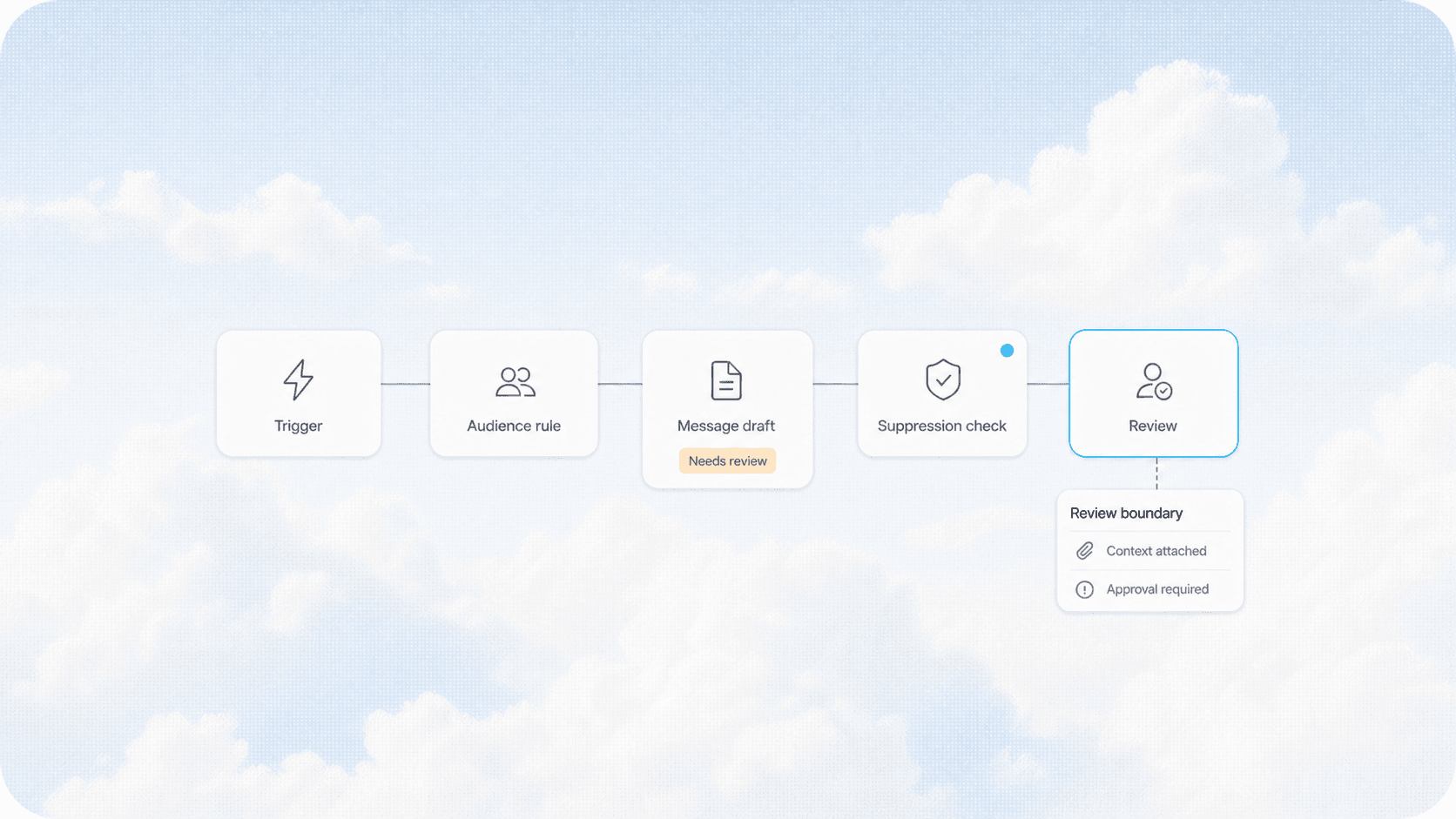
Email marketing automation is software that sends the right message to the right customer at the right time without you touching a keyboard. For a service business, that means a new client automatically gets a welcome sequence, a post-job follow-up, a review request, and a re-engagement email months later all triggered by what they actually do. No manual lists, no remembering to send, no "I'll do it tomorrow" that never comes.
The Problem: Service Businesses Forget to Follow Up
Most service businesses run on the transaction model. Customer calls, you do the work, customer pays, you move on to the next job. Repeat business happens by accident when the customer remembers you exist and calls again.
Here is what that costs:
| Area | Without Automation | With Automation |
|---|---|---|
| Repeat purchase rate | 15-25% of customers | 40-60% of customers |
| Time spent on follow-up | 5-10 hours/week | 30 min/week |
| Review volume | 2-5 per month | 15-30 per month |
| Lead-to-close rate | 20-30% | 35-50% |
The numbers come from real campaign data across HVAC, plumbing, landscaping, and home service clients AnovaGrowth has worked with. The gap is not about doing better work. It is about staying in front of people after the job is done.
What a Service Business Email Automation System Looks Like
A complete email automation setup for a service business has four core sequences. Each one triggers from a real customer action, not a calendar reminder.
1. The Welcome Sequence (New Lead)
Triggers when someone fills out a contact form, calls and leaves a voicemail, or requests a quote.
Day 0: Confirmation that you received their request with clear expectations on response time. Day 1: A short video or text explaining how your process works and what makes you different. Day 3: A testimonial from a similar customer with a specific result. Day 7: A gentle check-in asking if they found another solution or still need help.
Most service businesses send zero follow-ups after the initial quote. The welcome sequence alone recovers 15-25% of leads that went cold.
2. The Post-Service Follow-Up (Completed Job)
Triggers when a job is marked complete in your CRM or scheduling software.
Day 0: Thank you message with a summary of what was done. Day 1: Review request with direct link to Google Business Profile. Day 3: Maintenance tip related to the service performed. Day 14: Referral request with a simple "share with a neighbor" link. Day 30: Satisfaction check-in and offer for seasonal maintenance.
This sequence is where most of the revenue lift comes from. A customer who just had a good experience is at their highest point of trust. Asking for a review, a referral, and a future booking in that window works.
3. The Seasonal Re-Engagement (Time-Based)
Triggers based on calendar events and past service history.
Spring: HVAC tune-up reminder for customers who had work done last year. Fall: Gutter cleaning or furnace check for homeowners. Holiday: Special offer for existing customers before the busy season. Anniversary: "It has been a year since we serviced your system" message.
Seasonal emails convert at 3-5x the rate of cold outreach because the recipient already knows and trusts you.
4. The Win-Back Sequence (Dormant Customer)
Triggers when a customer has not booked a service in 12+ months.
Email 1: "We haven't seen you in a while" with a small discount. Email 2: New services or capabilities you have added since their last visit. Email 3: A direct "should we remove you from our list?" with a one-click re-engage.
Win-back sequences recover 10-15% of dormant customers. That is pure incremental revenue from people who already know your work.
How to Set This Up Without a Marketing Team
You do not need a full-time marketer or a complex tech stack. Here is the minimum viable setup:
Step 1: Pick an email platform. Mailchimp, Constant Contact, or ActiveCampaign all work. For service businesses with under 5,000 contacts, Mailchimp's free tier covers the basics.
Step 2: Connect your CRM. If you use Housecall Pro, Jobber, ServiceTitan, or similar, check if it has a native email integration. Most do. If not, Zapier or Make can bridge the gap in 15 minutes.
Step 3: Write three emails per sequence. You do not need twenty emails. Start with the welcome sequence (3-4 emails) and the post-service follow-up (3-4 emails). That is six to eight emails total to get 80% of the benefit.
Step 4: Set the triggers. Map each email to a real event in your system. New lead in CRM sends welcome. Job marked complete sends post-service. Date-based sends seasonal.
Step 5: Let it run for 90 days. Do not tweak anything for the first three months. Email automation needs time to accumulate data. After 90 days, look at open rates, click rates, and most importantly, how many people booked again.
What Good Email Automation Looks Like in Practice
An HVAC company in the Southeast had 2,400 customers in their CRM but only sent invoices. No follow-up, no seasonal reminders, no review requests. They were getting 4 Google reviews per month and about 12% repeat rate.
We set up a three-sequence system: post-service follow-up, seasonal tune-up reminders, and a win-back for customers inactive over 18 months.
After six months:
- Repeat rate went from 12% to 38%
- Google reviews went from 4 per month to 22 per month
- Seasonal tune-up bookings increased 3x year-over-year
- Win-back emails recovered 14% of dormant customers
The total setup cost was the email platform ($80/month) and about 10 hours of writing and configuration. The first month of recovered revenue covered the annual cost.
Common Mistakes That Kill Email Automation
Sending too often. One email per week per customer is plenty. More than that and you get unsubscribes and spam complaints.
Not segmenting. Sending a furnace maintenance email to someone who only used your landscaping service is worse than sending nothing. Segment by service type.
No mobile optimization. Over 70% of service business customers read emails on their phone. If your email looks bad on a small screen, they delete it.
Forgetting the unsubscribe link. This is a legal requirement under CAN-SPAM. Most email platforms add it automatically, but double-check.
Setting it and forgetting it. Review your sequences every 90 days. Update offers, refresh subject lines, remove anything that stopped working.
Related Questions Business Owners Ask
- How do I connect my existing CRM to an email automation tool?
- What is the best email platform for a small service business?
- How many emails should I send to new leads before giving up?
- Can email automation replace my phone follow-ups entirely?
- How do I measure if my email campaigns are actually working?
- What should I put in a seasonal maintenance reminder email?
Key Takeaways
- Email automation recovers 15-25% of cold leads and increases repeat rate by 2-3x.
- You only need 6-8 emails across two sequences to get 80% of the benefit.
- The setup takes one afternoon and costs under $100/month.
- Segment by service type. A furnace customer does not want landscaping emails.
- Let it run for 90 days before making changes. Email data needs time.
Ready to set up email automation for your service business? Contact us to discuss your current setup and what a automated email system would look like for your specific business. We handle the configuration so you can focus on the work that pays the bills.
For more on related topics, read our guide on automated lead nurturing for service businesses and CRM integration for service businesses.
Related articles

Automated Email Marketing for Service Businesses: Turn One-Time Customers Into Repeat Revenue
Most service businesses treat email marketing like an afterthought. Automated email campaigns recover 20-40% of dormant customers and fill next-week slots without adding sales headcount.
Read the article: Automated Email Marketing for Service Businesses: Turn One-Time Customers Into Repeat Revenue
Service Business Waitlist and Booking Pipeline Automation: Turn Fully-Booked Periods Into Revenue Instead of Lost Leads
Fully booked doesn't have to mean lost revenue. Waitlist and cancellation automation fills open slots from your last 30 days of inquiries and recovers leads you already paid to capture.
Read the article: Service Business Waitlist and Booking Pipeline Automation: Turn Fully-Booked Periods Into Revenue Instead of Lost Leads
AI for Service Business Slow Season: Use the Lull to Build the Playbook That Wins the Rush
Use the slow season to build seven AI-driven systems that improve revenue, margin, and close rates before the next service rush.
Read the article: AI for Service Business Slow Season: Use the Lull to Build the Playbook That Wins the Rush
