Automated Job Status Notifications for Service Businesses: Keep Customers Informed Without the Phone Tag
Automated job status updates cut inbound status calls by 40-60%. Here is how to set up SMS and email notifications that keep customers informed.

The Problem: Every Dispatch Creates a Phone Chain
A technician leaves the shop. The customer calls asking when they will arrive. The dispatcher radios the tech. The tech calls the customer. The customer calls back because they missed it. This chain plays out 5 to 15 times per job for most service businesses.
The result: dispatchers spend 20-30% of their day answering "where is my tech" questions instead of routing jobs. Technicians take calls while driving. Customers get frustrated because they feel left in the dark.
The quick answer: Automated job status notifications send SMS or email updates at key moments in the service lifecycle (tech en route, arrived, job started, job complete, invoice ready). They cut inbound status calls by 40-60%, improve customer satisfaction scores by 15-25 points, and cost pennies per message. Most scheduling and dispatch platforms already support this. You just need to turn it on and configure the triggers.
What Automated Job Status Notifications Look Like in Practice
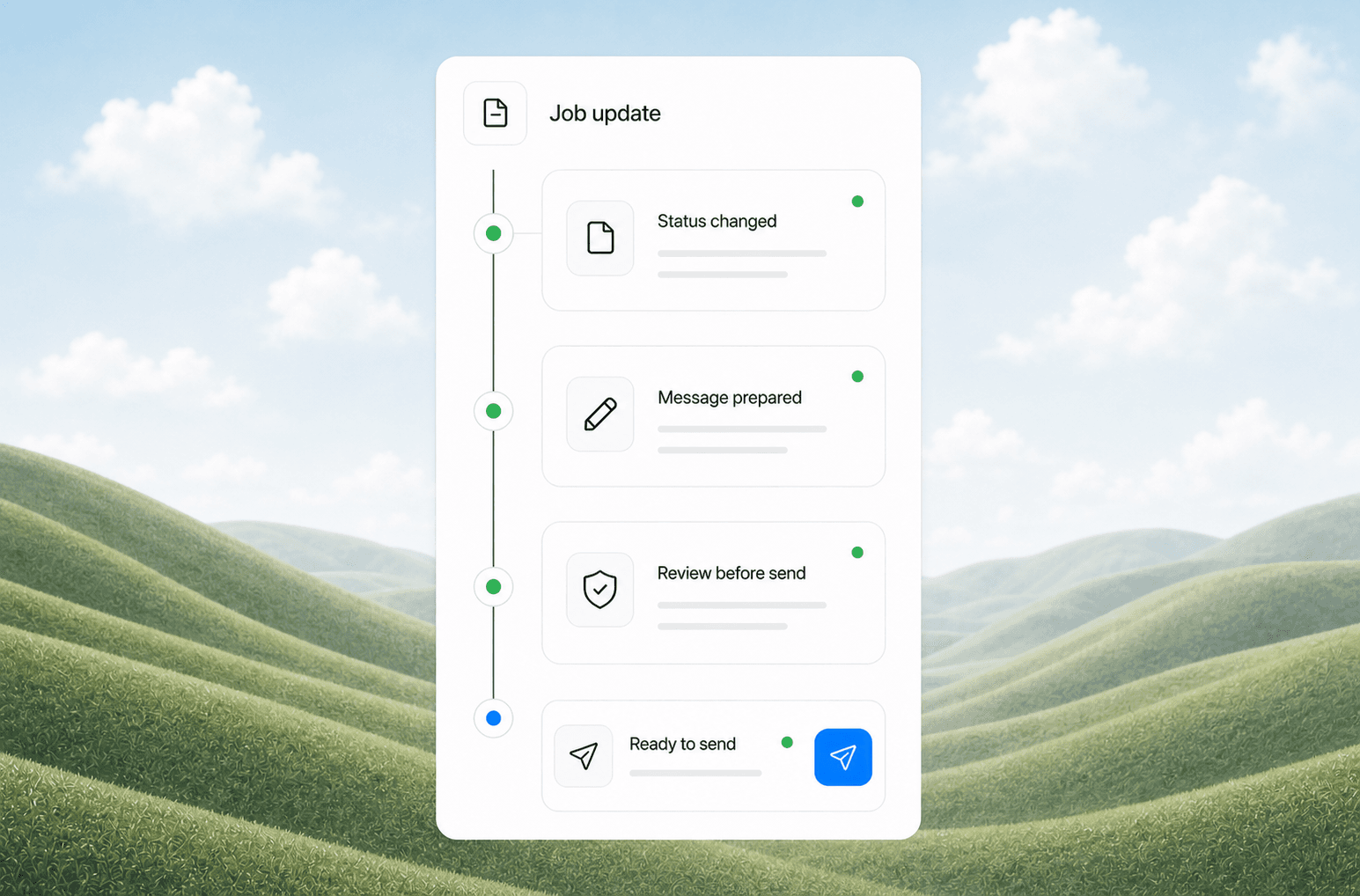
A well-designed notification system sends messages at five natural touchpoints:
| Trigger | Message Type | Example |
|---|---|---|
| Tech en route | SMS | "Your technician is on the way. ETA: 2:15 PM. Track live: [link]" |
| Tech arrived | SMS | "Your technician has arrived at your location." |
| Job started | SMS | "Work has begun on your [service type]. Estimated completion: 3:00 PM." |
| Job complete | SMS + Email | "Your service is complete. Summary: [details]. Invoice: [link]" |
| Payment received | SMS | "Payment received. Thank you for your business! Leave a review: [link]" |
Each message serves a purpose beyond information. The en-route notification prevents the "when will you be here" call. The arrival notification confirms the tech is on site. The completion notification sets up the invoice and review request.
Why This Matters More Than You Think
Customer expectations have shifted. Same-day delivery tracking from Amazon and Uber has trained every customer to expect real-time status updates. When a service business goes silent after booking, the customer assumes something is wrong. They call. They text. They get anxious.
A 2025 study by Salesforce found that 80% of customers consider the experience as important as the service itself. The gap between "I booked a plumber" and "the plumber showed up" is where most satisfaction drops happen. Automated notifications fill that gap.
From AnovaGrowth's work with service businesses: We have seen dispatch teams cut their phone time by over 10 hours per week just by enabling automated SMS notifications on job status changes. One HVAC company in Rome, GA went from 45+ inbound "status check" calls per day to under 10. Their dispatcher went from firefighting to actually managing the schedule. The change took one afternoon to configure in their existing dispatch platform.
How to Set Up Automated Job Status Notifications
Step 1: Map Your Job Lifecycle
List every status change a job goes through from dispatch to close. A typical service business has 4-6 statuses:
- Dispatched / Assigned
- En Route
- On Site
- In Progress
- Complete
- Invoiced
- Paid
Not every status needs a notification. The rule: send a message only when the customer needs to know something or take an action.
Step 2: Choose Your Channels
SMS works best for time-sensitive updates (en route, arrived, complete). Open rates are 98%, and most people read a text within 3 minutes.
Email works for detailed information (job summaries, invoices, receipts). Do not use email for arrival notifications -- nobody checks email that fast.
Phone calls should be reserved for exceptions only (delay over 30 minutes, parts needed, reschedule required). Automate the SMS and email, but keep the human touch for problems.
Step 3: Configure in Your Existing Tools
Most service businesses already have the tools to do this. Check your current stack:
- Dispatch/scheduling software: Housecall Pro, ServiceTitan, Jobber, FieldEdge, and similar platforms all have built-in customer notification settings. Look for "customer communications" or "automated messages" in settings.
- CRM with workflow automation: If your CRM (HubSpot, Zoho, Salesforce) tracks job status, you can build a simple automation that triggers SMS or email on status changes.
- Standalone automation tools: Zapier or Make can connect your dispatch tool to Twilio (for SMS) or your email platform. This is the right path if your dispatch software does not have built-in notifications.
Example Zapier flow: When job status changes to "En Route" in Housecall Pro, send SMS via Twilio with the technician name and ETA.
Step 4: Write the Message Templates
Keep messages short, specific, and action-oriented. Include the business name, technician name (if applicable), and a clear next step.
Good template: "Hi [Customer Name], [Tech Name] from [Business Name] is en route to your [location]. ETA: [Time]. Reply STOP to opt out."
Bad template: "Your technician is on the way. Thank you for choosing us for your service needs. We appreciate your business and look forward to serving you."
The bad template is generic, lacks specifics, and sounds like a robot. The good template tells the customer exactly what they need to know.
Step 5: Test the Full Flow
Run through every status transition with a test customer. Verify:
- Messages send at the right time
- Links work
- ETA calculations are accurate
- Opt-out (STOP) replies are handled
- The right person gets the right message (not sending "tech arrived" to the billing contact who is 200 miles away)
What Happens When You Get This Right
Fewer inbound calls. This is the biggest win. Every automated notification prevents a phone call. For a business running 20 jobs per day, that is 60-100 prevented calls per week.
Higher customer satisfaction. Customers rate service businesses higher when they feel informed. A 2024 study by PwC found that 73% of customers point to experience as a key factor in their purchasing decisions. Automated updates are a cheap way to improve that experience.
Faster payment. Including the invoice link in the completion notification means customers can pay immediately while the service is top of mind. One AnovaGrowth client saw average payment time drop from 18 days to 4 days after adding invoice links to completion SMS messages.
Better review flow. The completion notification is the natural moment to ask for a review. The customer just received good service. They are looking at their phone. A single review request link in that message converts at 3-5x the rate of a separate email sent three days later.
Common Mistakes to Avoid
Sending too many messages. One notification per status change is enough. Do not send "tech is 15 minutes away" followed by "tech is 10 minutes away" followed by "tech is 5 minutes away." That is annoying, not helpful.
Using the wrong channel for the message. Do not email an arrival notification. Do not SMS a detailed invoice breakdown. Match the channel to the urgency and complexity.
Forgetting the opt-out. Every SMS must include opt-out instructions (reply STOP). This is legally required under the TCPA and builds trust with customers who do not want notifications.
Not handling delays. If a job runs late, the system should send a delay notification automatically. Do not let the customer sit waiting while the tech is stuck on a previous job. A simple "Your technician is running 30 minutes behind. Updated ETA: 3:45 PM" prevents frustration.
Sending from a no-reply number. Customers will reply to these messages. If you send from a number that cannot receive replies, you miss opportunities for questions, reschedules, and upsells. Use a two-way SMS number.
Related Questions Business Owners Ask
- How do I set up automated SMS notifications without a developer?
- What is the best SMS platform for small service businesses?
- Can I automate job status updates through my existing CRM?
- How do I handle customer replies to automated SMS messages?
- What are the legal requirements for automated business text messages?
- How much does automated SMS notification cost per message?
What This Means for Your Business
Automated job status notifications are one of the highest-ROI automation projects a service business can do. The setup takes an afternoon. The cost is pennies per message. The return is fewer phone calls, happier customers, faster payments, and more reviews.
Most dispatch and scheduling platforms already have this feature built in. You are likely paying for it and not using it. Check your settings today.
Ready to automate your customer communications? Contact us to discuss how we can set up job status notifications for your service business. We work with Housecall Pro, ServiceTitan, Jobber, and custom CRM integrations.
Related reading: Appointment Scheduling Automation for Service Businesses and Automated Client Intake for Service Businesses.
Related articles

Automated Service Business Tax Prep Workflow: Close Your Books Faster Every Quarter
Most service businesses spend two weeks doing tax prep manually. Here is how to automate the monthly close so quarter-end takes hours instead of days.
Read the article: Automated Service Business Tax Prep Workflow: Close Your Books Faster Every Quarter
Quote-to-Close Automation for Service Businesses: Close More Jobs Without the Follow-Up Marathon
Service businesses lose jobs in the gap between sending a quote and getting a yes. Automate your quote-to-close pipeline and stop leaving revenue on the table.
Read the article: Quote-to-Close Automation for Service Businesses: Close More Jobs Without the Follow-Up Marathon
Wilmington Port Cyberattack 2026: Build Manual-Proof Workflows
Wilmington businesses tied to the port should use August's cyberattack disruption to tighten intake, routing, and backup workflows before the next slowdown.
Read the article: Wilmington Port Cyberattack 2026: Build Manual-Proof Workflows
