Quick Answer
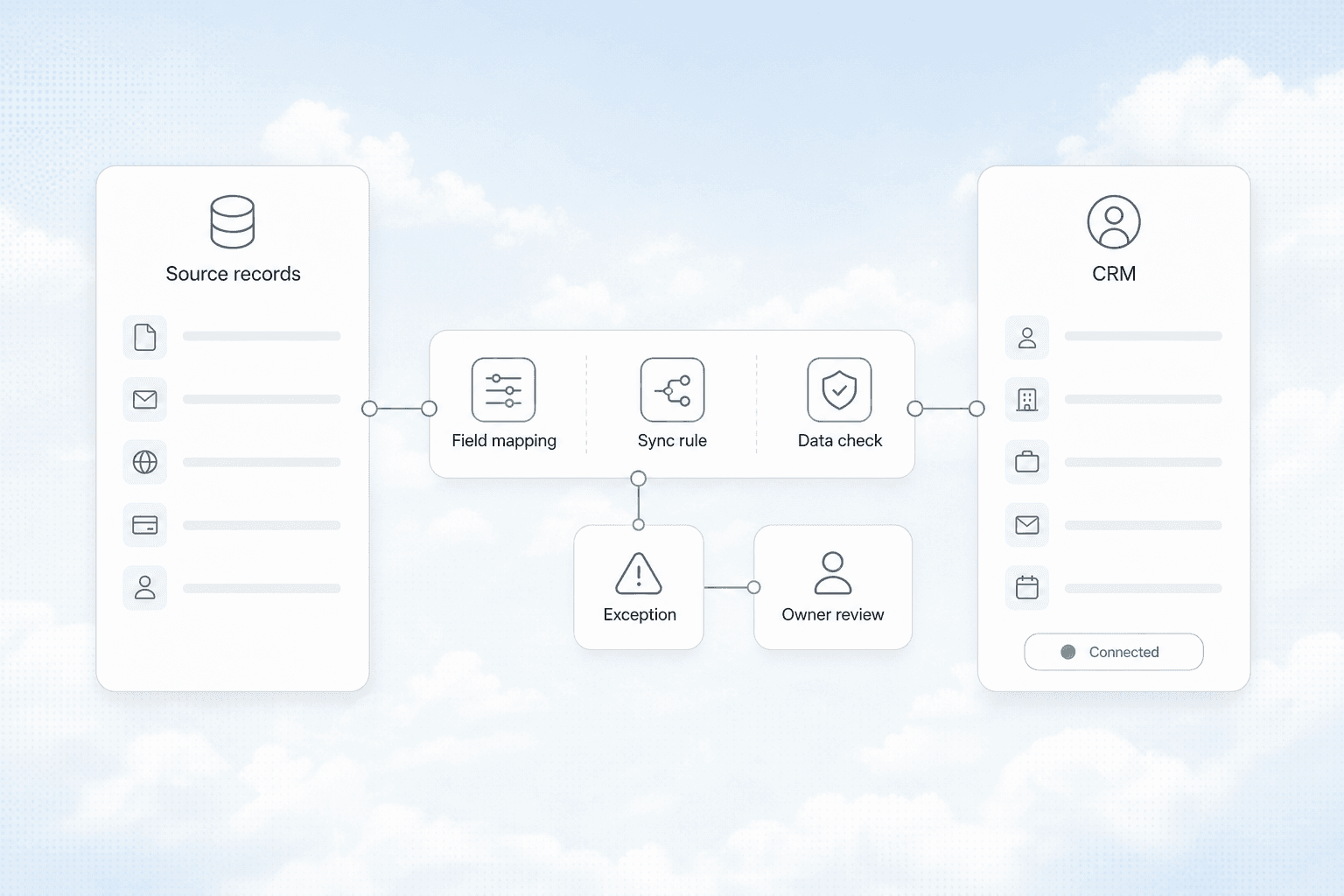
CRM integration connects your customer database to the tools you already use: email, calendar, invoicing, scheduling, and lead capture forms. Instead of manually copying data between systems, integrations pass information automatically. For a service business, this means a lead who fills out a form on your website can appear in your CRM, get a follow-up email, and land on your schedule without anyone typing the same name into three different screens. The result is faster response times, fewer dropped leads, and a team that stops living inside spreadsheets.
The Data Silos Problem
Most service businesses run on five to eight different tools. A scheduling app for appointments. QuickBooks or FreshBooks for invoicing. Google Workspace or Microsoft 365 for email. A separate lead capture form on the website. Maybe a text messaging platform for customer communication. And somewhere in the middle, a CRM that was supposed to be the single source of truth.
The reality looks different. The CRM has customer names and phone numbers. The scheduling app has appointment dates and technician assignments. The invoicing tool has payment history. None of them talk to each other. When a customer calls to reschedule, someone has to update the calendar, check the CRM notes, and manually adjust the invoice timeline. Every one of those manual steps is a place where information gets lost, delayed, or entered wrong.
What data silos actually cost:
| Problem | Typical Impact |
|---|---|
| Lead captured on website but not in CRM | 2-4 hour delay before anyone follows up |
| Appointment booked but not synced to invoicing | Invoice sent with wrong date or service details |
| Customer email changed in one system only | Follow-ups go to old address, customer gets frustrated |
| Payment received but CRM not updated | Team calls customer about unpaid invoice they already paid |
| No shared lead history across tools | Customer repeats their story to three different people |
These aren't hypothetical. Every service business we have worked with had at least three of these gaps running at the same time.
What CRM Integration Actually Looks Like
Integration is not the same as having a CRM that does everything. Most CRMs are good at storing and organizing customer data. They are not good at sending invoices, managing a service calendar, or running email campaigns. The goal is to let each tool do what it does best while the CRM acts as the central hub that keeps everything in sync.
The Core Integrations Every Service Business Needs
Lead capture to CRM. When a potential customer fills out a contact form on your website, the data should land in your CRM automatically. No one should be copying form submissions from an email inbox into a spreadsheet. Tools like Make (formerly Integromat) or Zapier can connect your website form to your CRM in under 30 minutes. The lead appears with the source tagged, the service they asked about noted, and a follow-up task created.
CRM to email marketing. Once a lead is in your CRM, they should flow into the right email sequence based on what they asked about. A homeowner who requested a quote for HVAC maintenance should get different follow-up emails than a commercial property manager asking about a service contract. Manual list management guarantees that people fall through the cracks. Automated list sync means every lead gets the right message at the right time.
CRM to scheduling. When a lead becomes a booked job, the appointment details should flow back into the CRM as a history entry. The CRM should know that this customer had a service visit on June 15, what was done, and when the next follow-up is due. Without this connection, your CRM is just a phone book with notes that nobody reads.
CRM to invoicing. When a job is marked complete, the invoice should generate automatically. When a payment comes in, the CRM should update the customer record. This closes the loop between operations and finance. It also prevents the awkward call where you ask a customer why they haven't paid an invoice they already settled.
CRM to review requests. After a job is marked paid, a review request should go out automatically. This is a simple integration that most service businesses skip because it feels like a nice-to-have. It is not. Consistent review generation is one of the highest-leverage activities for local service businesses, and it only works if it happens automatically after every completed job.
How to Connect Your CRM Without a Developer
The most common objection we hear is "I don't have a technical team." You do not need one. Modern integration platforms are designed for business owners and operations managers.
The three-layer approach:
-
Native integrations. Check what your CRM already connects to out of the box. Most modern CRMs like HubSpot, Zoho, and even some industry-specific CRMs have built-in connections to Google Workspace, Outlook, QuickBooks, and common scheduling platforms. Start here. These are free and take minutes to set up.
-
Integration platforms (iPaaS). When native integrations do not exist, use a middleware tool like Make, Zapier, or n8n. These platforms let you build "if this, then that" workflows between any two tools that have an API. Most common business tools have pre-built connectors. You configure them through a visual interface, not code.
-
Custom API connections. For tools that do not have pre-built connectors, a developer can build a one-time integration using the tool's API. This is rarely necessary for service businesses. The first two layers cover 95% of use cases.
AnovaGrowth operating insight: We have set up dozens of CRM integrations for service businesses. The most common mistake is trying to connect everything at once. Pick one data flow that is causing the most friction right now. Fix that. Then move to the next one. A CRM that is 80% integrated and actually running beats a perfect plan that never gets finished.
The Integration That Pays for Itself First
If you only integrate one thing, make it lead capture to CRM follow-up. Here is why.
Most service businesses respond to web leads within 24 hours. The ones that respond within 5 minutes convert at rates 5 to 10 times higher. That is not a theory. That is a well-documented pattern across every service industry we have seen.
An integration that routes a web form submission into your CRM and triggers an automated SMS or email response within seconds costs under $50 a month to run. If that integration captures even one extra job per month, it has already paid for itself. Most of our clients see the ROI within the first week.
Proof example: A Rome, GA HVAC company we worked with was losing track of after-hours web leads. Their form submissions went to a shared email inbox that nobody checked until morning. By the time they called back, the homeowner had already booked with someone else. We connected their website form to their CRM with an automated SMS reply that acknowledged the request and a follow-up email with pricing. Their after-hours lead capture rate went from under 20% to over 70% in the first month. The integration took two hours to set up.
Common Integration Mistakes
Over-integrating too fast. Connecting everything at once creates a mess that is harder to untangle than the original silos. Start with one flow. Get it stable. Then expand.
Not testing the failure path. Integrations break. A form connector stops working because the CRM updated its API. A scheduling sync fails because a field name changed. Build a simple monitoring check: if a lead has not synced within 15 minutes, send an alert. Otherwise you will not notice the break until a customer complains.
Assuming integration replaces process. Integration makes your process faster. It does not fix a bad process. If your lead qualification criteria are unclear, automating the handoff just means you confuse people faster. Fix the workflow first, then automate it.
Ignoring data cleanup. Dirty data in one system becomes dirty data in every connected system. Before you connect your CRM to anything, clean up duplicate contacts, standardize field formats, and set clear rules for how data enters each system. We wrote a full guide on CRM data cleanup before AI automation that covers exactly what to fix first.
What a Fully Integrated CRM Looks Like
A service business with proper CRM integration runs differently. A lead fills out a form on the website. Within 30 seconds, they receive an automated text acknowledging their request. The lead appears in the CRM with the source tagged, the service category noted, and a follow-up task assigned to the right team member. When the job is booked, the appointment syncs to the team calendar and the CRM gets a timeline entry. When the job is completed, an invoice generates and a review request goes out. When the payment clears, the CRM updates the customer status.
No one copied data. No one forgot to follow up. No one called a customer about an invoice they already paid.
That is the goal. And it is achievable with tools that cost less than $200 per month total.
Related Questions
- How do I connect my CRM to Google Calendar for automatic scheduling?
- What is the best integration platform for a small service business?
- Can I connect my CRM to QuickBooks without a developer?
- How do I set up automated SMS follow-ups from my CRM?
- What CRM works best for HVAC, plumbing, and electrical contractors?
- How do I know if my CRM integration is actually working?
Next Steps
Start with one integration. Pick the data flow that is causing the most friction today. For most service businesses, that is lead capture to CRM follow-up. Set it up this week. Run it for two weeks. Measure the difference in response time and conversion rate. Then add the next integration.
If you want a second opinion on which integration to tackle first, we can help. We have done this for HVAC, plumbing, electrical, landscaping, and home service companies across the Southeast. Contact us and we will map your current tool stack and identify the highest-impact connection.
Ready to connect your tools? Talk to us about CRM integration for your service business.