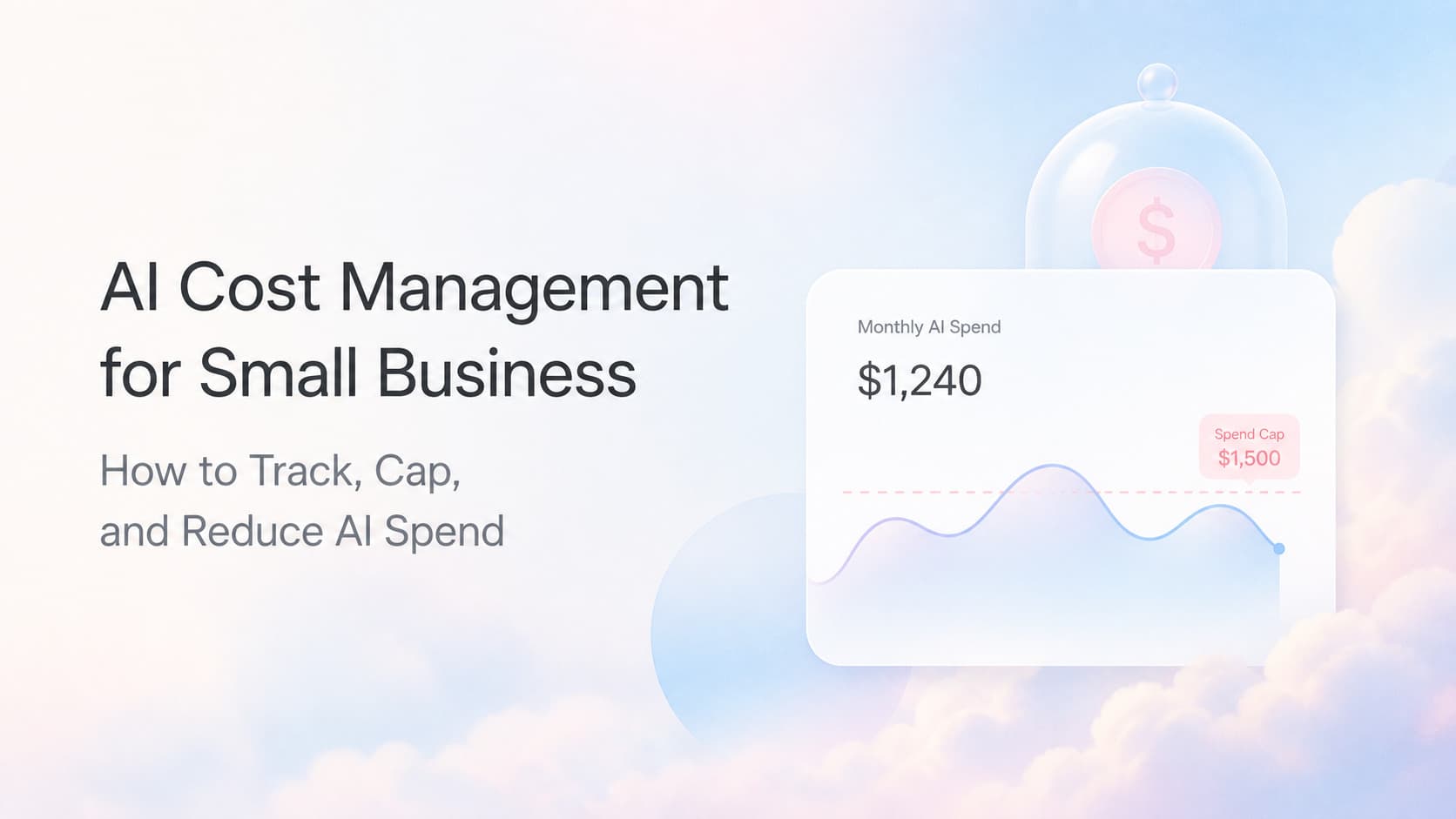
AI Cost Management for Small Business: How to Track, Cap, and Reduce AI Spend
AI bills grow fast when nobody tracks tokens or retries. Track AI spend, set caps, and route work to cheaper models without breaking quality.

Quick Answer
AI cost management for a small business is the practice of tracking every dollar that flows to model providers, capping spend before it spirals, and routing work to the cheapest model that still produces a good answer. Most small businesses skip this entirely because the first invoice is small. By month three, the bill has tripled, nobody can explain which workflow caused it, and the CFO wants AI shut off. The fix is a reporting layer (per workflow, per model, per customer), guardrails (hard caps, alerts, kill switches), and optimization (right-sized models, caching, batching, prompt trimming). This guide walks through all three.
Why AI Bills Spiral Without a Plan
AI usage has a pattern that catches most operators flat footed. Week one, you wire up a single automation that calls a model a few hundred times a day. The invoice is trivial. Week four, that one automation is joined by two more, and one of them fans out to a thousand calls per day because a customer-facing feature started hitting a lot of users. By month three, the bill is three to ten times what anyone budgeted, and the breakdown looks like a fog of tokens, models, and retry storms.
The problem is not the AI. The problem is that AI spend is variable in a way that traditional SaaS spend is not. A CRM seat costs the same every month. A model call costs more when the prompt is longer, the response is longer, the model is larger, the request retries, or the user sends more input than expected. Multiply that across workflows and the curve bends fast.
Three forces drive the curve:
- Volume creep. A workflow that handles 50 calls a day at launch can quietly climb to 5,000 calls a day once it gets real traffic.
- Model drift. Teams default to the largest model because it works. They never revisit that choice once a cheaper model becomes capable enough.
- Hidden retries. Validation failures, timeouts, and customer re-uploads trigger duplicate calls that look like real usage in the invoice but are pure waste.
A cost management program addresses all three. It is not fancy. It is mostly discipline applied to a billing API.
The Four Levers That Drive AI Cost
Every dollar of AI spend traces back to one of four levers. Master these and you can predict and control the bill.
| Lever | What It Controls | Typical Cost Impact |
|---|---|---|
| Model choice | Which model handles the task (small, mid, large) | 5x to 20x difference between cheapest and most expensive capable model |
| Prompt size | Tokens sent into the model per call | Each 1,000 input tokens at $0.001 vs $0.01 = 10x difference |
| Output length | Tokens the model generates per response | Long responses cost more per call than short ones, and most workflows do not need them |
| Call volume | How many calls the system makes per day | Retry storms and accidental loops can multiply this 10x to 100x |
Every AI cost reduction program you read about boils down to pulling one of these four levers. Most pull two.
How to Track AI Spend (The Reporting Layer)
You cannot manage what you cannot see. The first job is a reporting layer that breaks AI spend into actionable slices.
What to Track
At minimum, capture these fields for every AI call in production:
- Timestamp
- Workflow or feature name (which automation triggered the call)
- Model name and version
- Input token count
- Output token count
- Cost in dollars (compute from model pricing table)
- Customer or tenant ID, if multi-tenant
- Status (success, retry, validation fail)
How to Capture It
Three patterns work for small businesses:
- Wrap every AI call in a logging function. Every code path that calls a model goes through one function that logs the fields above before returning. Five minutes of code, permanent visibility.
- Use the provider's usage API. OpenAI, Anthropic, Google, and others expose usage endpoints that return per-day, per-model token counts. Pull these nightly into a spreadsheet or a dashboard.
- Forward provider logs to a warehouse. BigQuery, Snowflake, or even a hosted Postgres. Lets you join AI cost with customer revenue, workflow outcomes, and other business data.
A simple Google Sheet with one tab per provider, refreshed weekly, beats a fancy dashboard nobody uses. Start there. Graduate to a real warehouse when the volume justifies it.
What to Report
Three reports answer 90 percent of cost questions:
- Cost per workflow per week. Shows where the money goes.
- Cost per customer per month. Shows whether AI is profitable per account.
- Model mix over time. Shows whether the team is using cheaper models or drifting back to expensive ones.
If those three reports are live, every cost conversation gets shorter.
How to Cap AI Spend (The Guardrails)
Once you can see the spend, you need brakes. Four guardrails are non-negotiable.
| Guardrail | What It Does | Why It Matters |
|---|---|---|
| Hard monthly cap | Stops API calls once spend hits a threshold | Prevents surprise invoices after a runaway loop |
| Per-workflow alert | Pages or emails when one workflow crosses a threshold | Catches drift before the monthly cap hits |
| Per-customer cap | Limits AI calls per customer per day | Stops a single abusive account from running the bill |
| Kill switch | One button or one config flag to disable a workflow | Lets you stop bleeding within seconds, not hours |
Most model providers support hard caps through their billing console. Some require a manual request to enable them. Turn them on. A hard cap that triggers one false alarm a year is cheaper than a single runaway bill.
The kill switch matters more than people expect. When an automation starts misbehaving (bad data, runaway loop, hostile input), the difference between stopping it in 10 seconds and stopping it in 10 minutes is the difference between a $50 incident and a $5,000 incident.
How to Reduce AI Spend (The Optimization)
Tracking and capping stop the bleeding. Optimization pays back the spend.
Route by Difficulty
The single biggest cost win is routing simple tasks to small models and reserving large models for hard tasks. A classifier (often a tiny model itself) scores the incoming request and routes it to one of two or three model tiers.
| Task Type | Example | Recommended Tier |
|---|---|---|
| Structured extraction | Pull a name and address from a form | Small, fast model |
| Summarization | One paragraph summary of a call transcript | Small or mid model |
| Drafting | First draft of an email to a customer | Mid model |
| Reasoning | Multi-step diagnosis, contract review | Large model |
| Edge cases | Anything the small model gets wrong twice | Large model with fallback logging |
Most AI workflows in a small business are 70 to 90 percent simple tasks. Routing those to a small model cuts the bill by half or more without changing outcomes.
Cache Common Answers
If the same question, the same document, or the same data shape gets asked repeatedly, cache the response. A simple key-value store keyed on the request hash, with a TTL measured in hours or days, removes thousands of duplicate calls. Customer FAQ bots, internal knowledge bases, and document summarization are the highest-value caching targets.
Trim Prompts
Every system prompt, every example, every bit of context you send to a model costs money on every call. Audit your prompts quarterly. If a system prompt is 2,000 tokens and the model only uses 400 of them, you are paying for 1,600 tokens of dead weight on every single call.
Batch and Stream
For non-interactive work, batch multiple requests into a single call. The provider charges per call, not per item, so ten requests in one call can cost a tenth of ten separate calls. Streaming responses (getting tokens as the model generates them) does not change cost, but it changes the user experience and often lets you use a smaller model because perceived latency drops.
Set Output Limits
Most workflows do not need a 2,000-token response. Cap output tokens at the maximum useful length. A 200-token email reply costs a fraction of a 1,500-token one.
A 30-Day Cost Audit for Your AI Stack
If AI spend is a black box today, here is a 30-day plan to fix it.
| Week | Focus | Deliverable |
|---|---|---|
| Week 1 | Instrument every AI call with logging | Working cost per workflow report |
| Week 2 | Turn on hard caps and per-workflow alerts | Hard guardrails live |
| Week 3 | Audit model choices, move simple tasks to small models | Routing rules in code |
| Week 4 | Add caching for the top 5 repeated prompts | Caching layer live, measured savings |
By the end of the month, AI spend is visible, capped, and shrinking. Most small businesses we work with see 30 to 60 percent reduction in AI cost within the first 90 days of running this program. Some see more once caching and routing are tuned.
First-Hand Insight From AnovaGrowth
Most of the small businesses we audit do not have an AI cost problem. They have an AI visibility problem. The first time we pull their provider usage data and group it by workflow, the team is usually surprised. One workflow they assumed was cheap turns out to be 40 percent of the bill. Another they assumed was expensive is rounding error. Without that breakdown, every cost conversation is a guess.
The second most common surprise is retry storms. A validation step that fails half the time triggers a second model call, which sometimes fails again, which triggers a third. The team sees one user-facing action but the model is being called three times. A retry classifier (decide whether to retry at all) and a circuit breaker (stop retrying after N failures) collapse these storms without code changes elsewhere.
The third surprise is prompt bloat. System prompts grow over time as engineers add instructions, examples, and edge case handling. After a year, a prompt that started at 300 tokens is at 4,000. Trimming it back to 800 usually loses nothing on quality but cuts input cost by 80 percent across that workflow.
Proof Points From Real Cost Programs
While every AI stack is different, here is what we typically see when a cost management program goes from zero to live.
- Customer support summarization. Routing easy tickets to a small model drops cost by 55 to 70 percent with no measurable quality change.
- Document extraction. Caching identical document hashes removes 30 to 50 percent of repeat calls.
- Email drafting. Trimming a 4,000-token prompt to 900 tokens cuts per-email cost by 75 percent with no change in output quality.
- Multi-tenant SaaS. A per-customer daily cap catches one abusive account that was running 40 percent of the total bill within a week.
- Voice and call transcription. Switching from a large model to a mid model for first-pass transcription saves 60 to 80 percent. Large model reserved for call summaries only.
These are ranges, not promises. The point is that AI cost responds to the same kind of operational discipline as any other variable cost: measure it, cap it, then optimize it.
Mistakes That Blow Up AI Budgets
Even with guardrails in place, these mistakes cause AI bills to spike.
- Streaming token counts as a metric without tracking cost. Tokens are a proxy, not the answer. Always translate to dollars in the report.
- Defaulting to the largest model in every new feature. New code paths should default to a small or mid model and escalate to large only when quality requires it.
- Ignoring provider price changes. Model pricing drops every few months. Stale code may be paying 2024 prices in 2026. Audit pricing quarterly.
- Letting a single workflow run in production without a cap. A single bad workflow can run the bill. Cap every workflow, even the ones you trust.
- Failing to alert on retry rate. Retry rate above 20 percent is a smell. Above 50 percent is almost always a bug. Alert on it.
Related Questions Business Owners Ask
- How much should a small business spend on AI per month? It depends on volume and use case, but most service businesses running 3 to 10 AI workflows land between $200 and $2,000 per month once costs are optimized. If your bill is outside that range, you probably have a routing or caching opportunity.
- Which is cheaper, OpenAI, Anthropic, or open-source models? Per-token pricing changes often and varies by model. The cheapest answer is usually a mix: small open-source or hosted small models for the bulk of work, frontier models for the hard cases. Re-evaluate every quarter.
- Can I self-host AI models to cut cost? For high-volume, low-complexity work (classification, extraction, simple chat), self-hosting on modern GPUs often beats API pricing after about 1 million calls per month. Below that, the API is usually cheaper once you account for engineering time.
- How do I know if my AI spend is justified? Divide AI cost by the revenue or labor cost it replaces. Anything under 10 percent of the labor it saves is healthy. Above 25 percent, you are probably over-paying for the capability.
- What is the fastest cost win for a new AI workflow? Turn on caching for the prompt and response, set a hard cap, and start with a small model. Those three changes usually cut cost by half within a week.
- How often should I audit AI cost? Monthly reporting is fine. Quarterly optimization (model choice, prompt size, routing rules) is mandatory. Pricing and model capabilities change fast, so what was optimal in January is rarely optimal in June.
Internal Next Step
If your AI bill is a black box today, the path to a controlled, predictable AI spend is the same path you would take for any other variable cost: instrument it, cap it, then optimize it. None of those steps require a data team. All of them can be shipped in 30 days.
For the broader system that AI cost management sits inside, see our AI automation for small business guide. For the practical side of picking the right model for each job, our best AI models for business 2026 post walks through the trade-offs. If you would rather skip the reading and get a 90-minute audit on your current AI stack, contact us and we will map out the highest-ROI cost moves for your operation.
Ready to bring AI spend under control? Contact us to scope an AI cost audit for your business.
Related articles
AI Competitor Monitoring for Service Businesses: Track Public Signals Without Hiring an Analyst
AI competitor monitoring scrapes public data so service businesses can track competitor pricing, services, reviews, and marketing in real time without manual research.
Read the article: AI Competitor Monitoring for Service Businesses: Track Public Signals Without Hiring an Analyst
AI Customer Lifetime Value Prediction for Service Businesses: Stop Guessing Who Is Worth Keeping
AI CLV prediction uses your CRM and job history to score every account by projected revenue over 12 to 36 months. Know which customers to protect.
Read the article: AI Customer Lifetime Value Prediction for Service Businesses: Stop Guessing Who Is Worth Keeping
AI Operations Dashboard for Service Businesses: See Your Whole Business in One Place
Most service businesses run five or more software tools that never talk to each other. AI operations dashboards connect the dots and surface what matters in real time.
Read the article: AI Operations Dashboard for Service Businesses: See Your Whole Business in One Place
