Automated Warranty and Claims Management for Service Businesses: Stop Losing Money on Paperwork
Service businesses lose 10-25% of warranty claim revenue to paperwork errors. Automated claims management tracks parts, labor, and docs so every claim is paid.

Warranty Claims Are Leaking Revenue You Already Earned
You did the work. You used the approved parts. You followed the manufacturer's process. Then the claim gets rejected because a serial number was missing, a photo was blurry, or the paperwork sat on someone's desk for three weeks past the deadline.
This is not a rare problem. Service businesses that handle manufacturer warranties, service contracts, or parts warranties see 10-25% of claims rejected or partially paid on first submission. For a business doing $50,000 a month in warranty-eligible work, that is $5,000 to $12,500 in lost revenue every month. Revenue you already earned.
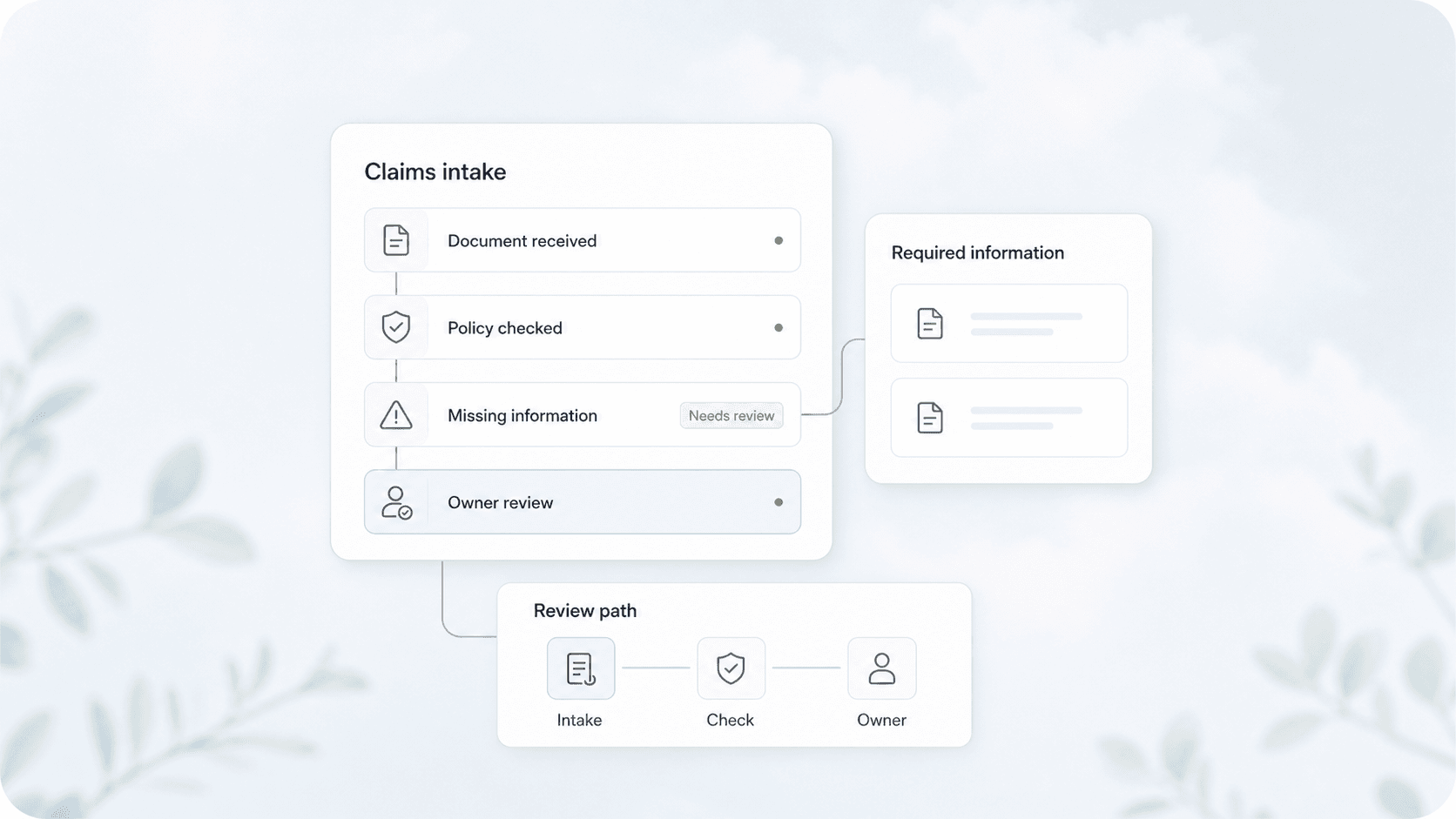
Automated warranty and claims management fixes this by capturing the right data at the job site, routing it through approval workflows, and submitting complete claims before deadlines expire. It turns claims from a back-office headache into a predictable revenue stream.
Quick answer: Automated warranty claims management connects your field techs, parts inventory, and manufacturer requirements into one system. When a tech completes a warranty job, the system collects the required documentation, checks for completeness, and submits the claim automatically. Most service businesses recover 15-30% more warranty revenue within 90 days of implementing it.
What Makes Warranty Claims So Hard to Manage
Warranty claims fail for predictable reasons. The same ones, over and over.
| Problem | Impact | What Automation Fixes |
|---|---|---|
| Missing documentation | 40% of rejected claims | Auto-capture photos, serials, and signatures at the job site |
| Missed filing deadlines | 25% of rejected claims | Calendar-based triggers with escalation if not submitted |
| Incorrect part/labor codes | 20% of rejected claims | Pre-configured claim templates per manufacturer |
| Lost paperwork | 10% of rejected claims | Digital storage with instant retrieval |
| Slow reimbursement cycles | 45-60 day average wait | Auto-submission cuts cycle to 15-25 days |
The pattern is clear: most claim failures are process failures, not technical failures. The information exists. It just never makes it from the truck to the claims system in the right format at the right time.
How Automated Claims Management Works
A claims automation system connects three layers: what happens at the job site, what happens in your office, and what the manufacturer requires.
At the Job Site
Your field tech completes the work and opens a claims checklist on their phone or tablet. The system prompts them to:
- Photograph the installed part with the serial number visible
- Capture the defective part with the failure clearly shown
- Record labor time against the specific warranty line item
- Get the customer's signature acknowledging the work
Each field is required before the job can be marked complete. No more chasing techs for missing photos three weeks later.
In Your Office
The claim enters a review queue. Your claims administrator gets a notification with all the documentation pre-assembled. They review, approve, and the system submits to the manufacturer through the correct portal or email.
If a claim is missing information, the system sends an automatic request back to the tech with exactly what is needed. No phone tag, no vague "we need more documentation" emails.
With the Manufacturer
The system tracks each claim through submission, acknowledgment, and payment. If a claim is rejected, it logs the reason and routes it for correction. If a claim is approved, it triggers an invoice or credit memo in your accounting system.
From AnovaGrowth's work with service businesses: We see the biggest gains in the first 30 days. Most teams discover they have 20-40% more claimable work than they thought. The automation reveals work that was previously written off because the paperwork was too much trouble.
Where Claims Automation Creates the Most Value
Not every claim type benefits equally. Focus on these three areas first.
Manufacturer Parts Warranties
HVAC compressors, water heaters, electrical panels, plumbing fixtures. These carry manufacturer warranties that reimburse both parts and labor. The problem is each manufacturer has different claim forms, different deadlines, and different documentation requirements.
A claims automation system stores templates for each manufacturer. When a tech installs a Trane compressor, the system knows Trane requires a model number photo, a serial number photo, and a proof-of-purchase. It prompts for exactly those items. No guesswork.
Service Contract Work
If you sell annual maintenance agreements or extended warranties, claims management tracks when work is performed, what was done, and whether it falls under the contract. This prevents doing work that should be billable but gets written off because nobody checked the contract terms first.
Subcontractor Warranty Work
When you sub out work that carries its own warranty, the system tracks who did what and when. If a callback happens six months later, you know exactly which sub to bill and have the documentation ready.
What to Look for in a Claims Automation System
Not all tools are built for service businesses. Here is what matters.
Job-site data capture. The system must work on a phone or tablet with offline capability. Techs cannot wait for cell service to upload photos.
Manufacturer template library. Pre-built claim forms for common manufacturers save hours of setup. If the system requires you to build every template from scratch, you will never finish.
Deadline tracking with escalation. The system should flag claims approaching their filing deadline and escalate to a manager if not submitted. A 90-day warranty window disappears fast when claims sit in a stack.
Payment reconciliation. When the manufacturer pays, the system should match the payment to the claim and flag any short-pays. Without this, underpayments slip through unnoticed.
Integration with your existing tools. The system should connect to your CRM, your accounting software, and your scheduling platform. A standalone claims tool that does not talk to anything else creates a new data silo.
Common Questions About Claims Automation
How long does it take to set up? Most service businesses are running claims through automation within 2-4 weeks. The setup time depends on how many manufacturers you work with and whether you have existing claim templates.
Does this work for small service businesses? Yes. The ROI is actually better for smaller teams because one person is usually handling claims alongside other duties. Automation cuts that time by 60-80%.
What if a manufacturer requires paper submissions? Some manufacturers still require mailed forms. The system can generate the completed form and envelope label, so you still save the data entry time.
How do techs adapt to the new process? The key is making the mobile checklist part of the job completion flow, not a separate step. If techs already close jobs on their phone, adding a claims checklist takes 30 seconds.
Can this handle partial claims and split payments? Yes. The system tracks line items individually, so a claim that pays parts but not labor is handled correctly.
What happens when a claim is disputed? The system stores all documentation permanently. When a manufacturer disputes a claim, you have the photos, signatures, and timestamps ready to resubmit.
The Real Cost of Not Automating
Every rejected claim is revenue you earned and did not collect. Every hour your office staff spends chasing paperwork is overhead that does not need to exist. Every late submission is a write-off that hits your margin.
The math is straightforward. If you process 50 warranty claims a month with an average value of $200, and your current rejection rate is 15%, that is $1,500 in lost revenue every month. A claims automation system typically pays for itself in the first 60-90 days just from recovered claims.
Beyond the direct revenue, there is the time savings. Most service businesses spend 4-8 hours per week on claims paperwork. Automation cuts that to 1-2 hours. That is time your team can spend on revenue-generating work.
Getting Started
Start with a claims audit. Pull your last 30 days of warranty-eligible jobs and check how many resulted in a submitted claim. If the number is below 80%, you have a documentation gap. If it is below 50%, you are leaving significant money on the table.
Next, pick your top three manufacturers by claim volume. Map their requirements: what documentation they need, what their deadlines are, and how they accept submissions. This becomes the foundation of your automation templates.
Finally, look at your current tools. If you already use a CRM or field service management platform, check whether it has claims management features or integrates with one. Adding claims automation to an existing system is faster and cheaper than starting from scratch.
Ready to stop losing warranty revenue? Contact us to discuss how we can set up automated claims management for your service business. We also have guides on CRM integration for service businesses and automated job documentation that pair well with claims automation.
Related articles

Daytona Beach Group Booking: Prepare for the 2026 Classic
The Daytona Beach Classic schedule is taking shape. Prepare group inquiries, booking approvals, and guest messages before Thanksgiving travel.
Read the article: Daytona Beach Group Booking: Prepare for the 2026 Classic
Charleston Hospitality Booking: Get Ready for MOJA 2026
MOJA returns September 24. Prepare your Charleston hospitality booking pages, guest messages, and reservation handoffs before the festival.
Read the article: Charleston Hospitality Booking: Get Ready for MOJA 2026
Quote-to-Close Automation for Service Businesses: Close More Jobs Without the Follow-Up Marathon
Service businesses lose jobs in the gap between sending a quote and getting a yes. Automate your quote-to-close pipeline and stop leaving revenue on the table.
Read the article: Quote-to-Close Automation for Service Businesses: Close More Jobs Without the Follow-Up Marathon
