Automated Job Documentation and Service History for Service Businesses
Service businesses lose warranty claims, miss upsells, and fail audits when job documentation is scattered. Automated service history fixes it.

What Is Automated Job Documentation and Why Does It Matter?
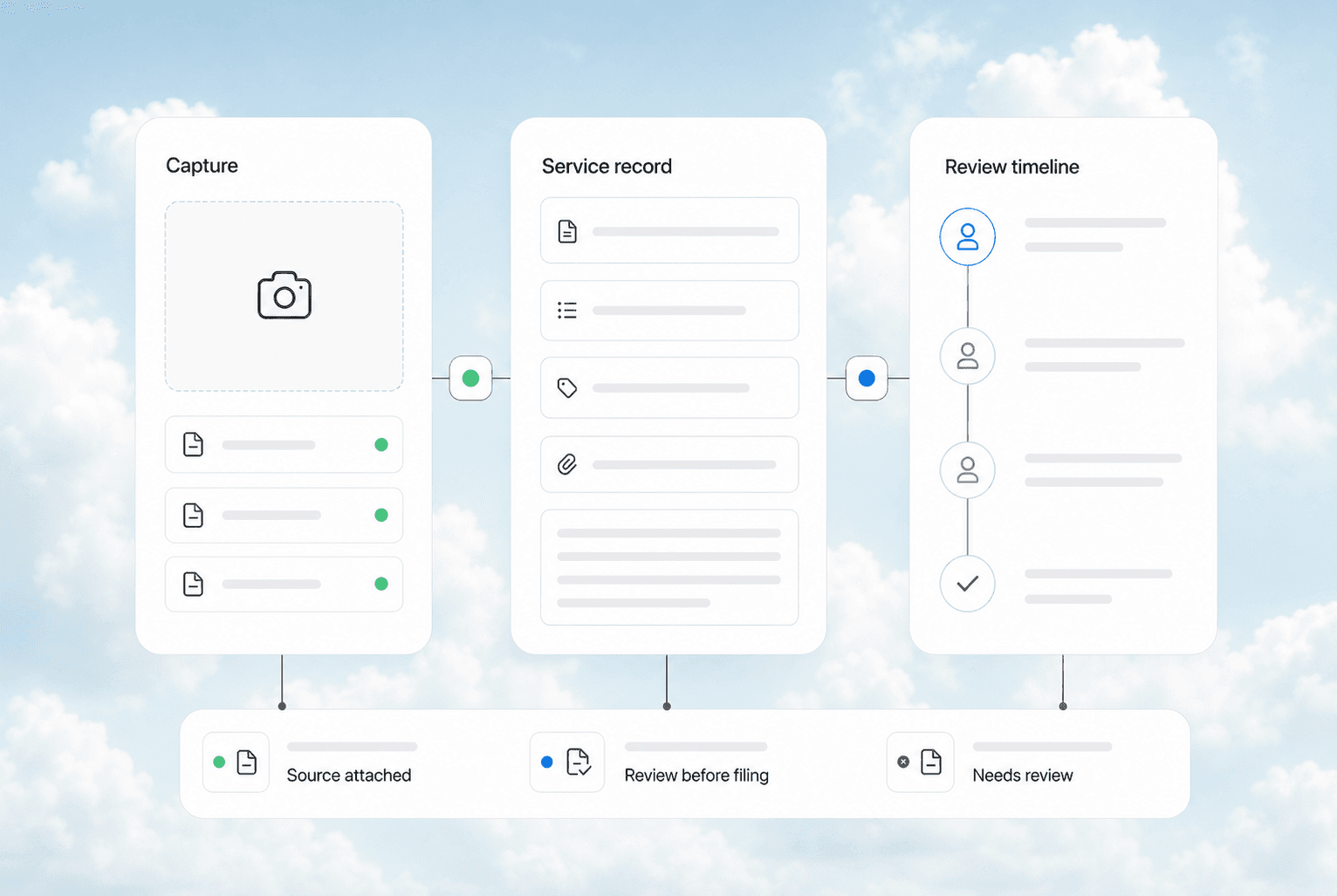
Automated job documentation captures every service visit detail -- equipment serial numbers, parts replaced, labor hours, photos, customer notes, and diagnostic readings -- into a searchable, permanent service history without your technicians typing a single report. Instead of paper tickets that get lost in a truck cab or sticky notes that fade by next week, the data flows from your dispatch system, mobile app, and connected tools directly into a CRM record that follows every piece of equipment for its entire life.
Quick answer: Automated job documentation means every service call creates a permanent, searchable record of what was done, what parts were used, and what the equipment looked like -- without your techs writing a report. It turns scattered paper tickets into a service history that protects your warranty claims, feeds your upsell pipeline, and keeps you compliant with manufacturer and insurance requirements.
The Real Cost of Paper-Based Service Records
Most service businesses we talk to at AnovaGrowth have the same setup: a clipboard in every truck, a filing cabinet in the office, and a technician who "remembers" what happened on the last visit. Here is what that actually costs:
| Problem | Impact | Annual Cost (10-truck operation) |
|---|---|---|
| Lost paper tickets | 5-8% of billable work never invoiced | $15,000-$25,000 |
| Missed warranty documentation | Denied claims on parts/labor | $8,000-$18,000 |
| No service history for upsells | 60% of maintenance contract renewals missed | $20,000-$40,000 |
| Compliance audit failures | Re-work, fines, or lost certifications | $5,000-$15,000 |
| Time spent filing/searching | 3-5 hours per week per admin | $12,000-$20,000 |
A 10-truck HVAC or plumbing company is losing $60,000-$118,000 per year just from bad documentation. That is not a software problem. That is a revenue leak.
What Automated Service History Actually Looks Like
Here is the workflow that replaces the clipboard-and-sticky-note system:
Before the job: The dispatch system sends the job to the tech's mobile app with the customer's full service history, equipment list, and any open warranty or maintenance contract details. The tech knows what they are walking into before they knock on the door.
During the job: The tech uses a mobile form that auto-populates the customer info, equipment model, and last service date. They check off what they did, snap photos of the work, scan barcodes on replaced parts, and note any recommendations. No typing required -- most of it is dropdowns, checkboxes, and camera captures.
After the job: The system creates a permanent record: date, tech name, labor hours, parts used (with serial numbers), diagnostic readings, photos, and customer notes. It attaches to the equipment profile in your CRM. If the same unit needs service next year, the next tech sees everything.
Ongoing: The system flags expiring warranties, overdue maintenance, and equipment that is approaching its expected lifespan. It generates automatic follow-up reminders for the customer and prep work for your sales team.
The Three Things That Break Without Good Documentation
Warranty Claims
Manufacturers require proof of regular maintenance to honor warranty claims. If you cannot produce a service history showing that a compressor was inspected every six months, the claim gets denied. With automated documentation, you can pull the full history for any serial number in 10 seconds. Without it, you are digging through paper files or hoping the tech remembers.
We have seen HVAC companies lose $3,000-$8,000 per denied warranty claim. For a company doing 50-100 warranty-eligible repairs per year, that adds up fast.
Compliance Audits
HVAC refrigerant handling, electrical code compliance, and plumbing backflow prevention all require documented proof of work. If an auditor asks for records and you cannot produce them, you risk fines, license issues, or losing certifications. Automated documentation creates an audit trail that is always ready.
Maintenance Contract Renewals
You cannot sell a maintenance contract renewal if you do not know when the last service was, what was done, or when the next one is due. Automated service history surfaces every contract that is approaching expiration, along with the data you need to justify the renewal price.
How to Set Up Automated Job Documentation
You do not need a custom software build. Most service businesses can set this up with their existing tools:
-
Pick a mobile-friendly field service app that integrates with your CRM. Housecall Pro, ServiceTitan, Jobber, and similar platforms all support mobile documentation with photo capture, barcode scanning, and signature collection.
-
Connect it to your CRM so every completed job creates or updates a customer record with the full service history. This is where most businesses stop -- they use the field service app but never sync the data back to their CRM, so the history stays trapped in the app.
-
Standardize your job documentation fields. Every job should capture: date, tech name, equipment model/serial, parts used (with serial numbers), labor hours, diagnostic readings, photos, and customer notes. Make these fields required in your mobile form so nothing gets skipped.
-
Set up automated triggers. When a job is marked complete, the system should: update the equipment service history, check for warranty implications, flag any recommended follow-up work, and schedule the next maintenance visit.
-
Build a service history dashboard that lets you search by customer, equipment serial number, date range, or part number. This is your audit trail, your upsell pipeline, and your warranty claim evidence all in one place.
What We See Working at AnovaGrowth
The businesses that get the most out of automated job documentation share three habits:
They make documentation part of the job, not an add-on. The tech does not "finish the job and then do paperwork." The documentation happens during the service call -- photos as they work, parts scanned as they install, notes dictated into the app. This cuts post-job admin time from 15 minutes to 2 minutes.
They use the data for sales, not just records. The service history surfaces upsell opportunities automatically. A tech replaces a 10-year-old furnace. The system flags that the AC unit on the same property is also 10 years old and sends a follow-up proposal. Without the history, that opportunity walks out the door.
They audit their documentation quarterly. Once a quarter, they pull 10 random service records and check: are all required fields filled? Are photos attached? Are serial numbers correct? This catches drift before it becomes a compliance problem.
Related Questions Worth Exploring
- How do you handle job documentation when a tech works offline in a basement or rural area?
- What is the minimum data set you need to capture for warranty compliance in HVAC vs plumbing vs electrical?
- How do you train technicians who are not "computer people" to use mobile documentation tools?
- Can automated service history reduce your liability insurance premiums?
- How do you migrate 5+ years of paper service records into a digital system?
- What happens to service history when a customer sells their property or equipment?
Key Takeaways
- Paper-based job documentation costs a 10-truck service business $60,000-$118,000 per year in lost revenue, denied claims, and admin overhead.
- Automated service history protects warranty claims, satisfies compliance audits, and surfaces maintenance contract renewals automatically.
- The setup is straightforward: a mobile field service app connected to your CRM with standardized documentation fields and automated triggers.
- The businesses that win use documentation data for sales, not just record-keeping.
Ready to stop losing money to bad documentation? Contact us to talk about connecting your field service tools to a CRM that keeps your service history working for you. Or read about CRM integration for service businesses to see how the pieces fit together. If you are still deciding on a CRM, our guide to choosing the right CRM covers what to look for.
Related articles

Daytona Beach Group Booking: Prepare for the 2026 Classic
The Daytona Beach Classic schedule is taking shape. Prepare group inquiries, booking approvals, and guest messages before Thanksgiving travel.
Read the article: Daytona Beach Group Booking: Prepare for the 2026 Classic
Charleston Hospitality Booking: Get Ready for MOJA 2026
MOJA returns September 24. Prepare your Charleston hospitality booking pages, guest messages, and reservation handoffs before the festival.
Read the article: Charleston Hospitality Booking: Get Ready for MOJA 2026
Quote-to-Close Automation for Service Businesses: Close More Jobs Without the Follow-Up Marathon
Service businesses lose jobs in the gap between sending a quote and getting a yes. Automate your quote-to-close pipeline and stop leaving revenue on the table.
Read the article: Quote-to-Close Automation for Service Businesses: Close More Jobs Without the Follow-Up Marathon
