Online Booking for Service Businesses: Why Customers Expect It and How to Set It Up Right
Service businesses lose 30-50% of leads when customers can't book online. Here is how to set up online booking that works for your customers and your team.

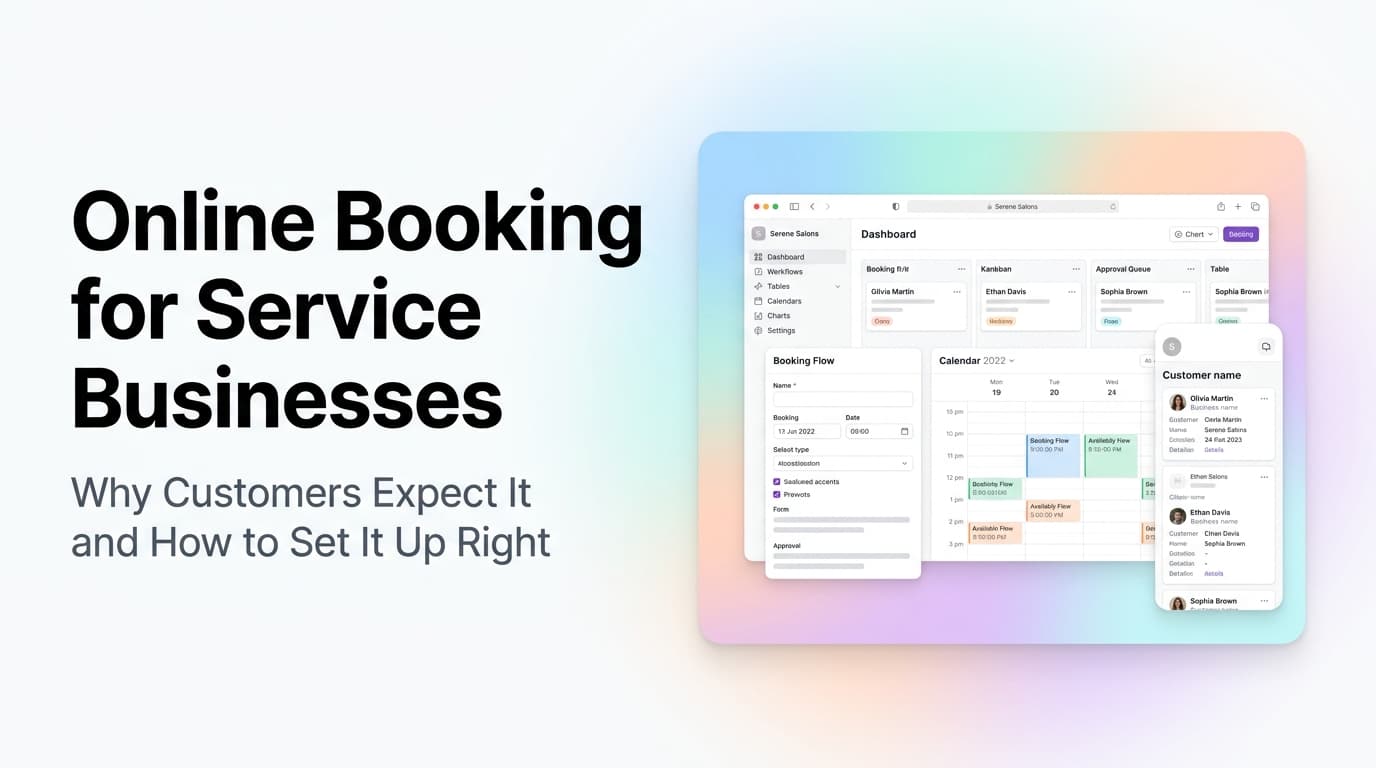
Quick answer: Online booking is no longer a nice-to-have for service businesses. Customers expect to book a service the same way they book a hotel room or a dinner reservation. When you make it easy to book, you capture leads that would otherwise bounce to a competitor. The key is setting it up so it integrates with your existing dispatch, CRM, and calendar systems rather than creating a separate silo your team has to manage.
The Expectation Gap Is Costing You Leads
Here is a scenario that plays out every day. A homeowner wakes up to a broken water heater. They grab their phone, search for "plumber near me," and land on your website at 7:15 AM. They see a phone number. They call. It rings six times and goes to voicemail. They hang up, search for the next plumber, and book online with them before you even check your messages.
This is not hypothetical. Service businesses that offer online booking see 30-50% more booked jobs than those that require a phone call. The reason is simple: customers have been trained by Amazon, Uber, and OpenTable to expect self-service. When you force them to pick up the phone during business hours, you lose the ones who search at 7 AM, 9 PM, or on Sunday.
What this looks like in practice: A plumbing company in Rome, GA added online booking to their site and saw their after-hours lead capture go from zero to 12-15 booked jobs per month. Those were jobs they simply never saw before because nobody was answering the phone.
What Customers Actually Want From Online Booking
Before you pick a tool, understand what your customers are looking for. Most service business owners overcomplicate this.
The Four Things Customers Care About
| Customer Need | Why It Matters | Common Mistake |
|---|---|---|
| See real availability | Customers want to know when you can actually show up | Showing generic "we're open 8-5" with no slot visibility |
| Book in under 60 seconds | Every extra click loses 10-20% of users | Requiring account creation or long forms before showing times |
| Get instant confirmation | Customers need certainty the booking went through | Sending a "we'll confirm later" message instead of a confirmed slot |
| Easy reschedule or cancel | Plans change. Make it painless or they call your office | Requiring a phone call to change anything |
If your booking system fails on any of these four, customers will bounce. If it delivers on all four, you will capture leads you are currently losing.
The Three Setup Approaches (And Which One to Pick)
There is no single right answer. The right approach depends on how many techs you have, how complex your scheduling is, and what tools you already use.
Approach 1: Standalone Booking Widget
Tools like Calendly, Acuity, or SimplyBook.me plug into your existing website with an embed link. You set your available hours, define service types, and customers pick a slot.
Best for: Solo operators or small teams with simple scheduling (one tech, one truck, standard service windows).
Pros: Cheap ($15-30/month), fast to set up, no technical skills needed.
Cons: Does not talk to your CRM or dispatch system. You will manually enter bookings into your main system. Double-booking risk if you forget to block time.
Approach 2: CRM-Native Booking
Platforms like Jobber, Housecall Pro, and ServiceTitan include built-in online booking that writes directly to your dispatch board and customer records.
Best for: Teams of 2-10 techs who already use a field service management platform.
Pros: No data entry. Booking creates a job, assigns a tech, and sends a reminder automatically. Customer history stays intact.
Cons: You are locked into that platform's booking experience. Some look dated. Monthly cost is higher ($100-300/month).
What this looks like in practice: A 5-tech HVAC company in Birmingham switched from a standalone booking widget to their CRM's native booking. Their office admin time dropped from 15 hours per week on scheduling to 4 hours. The system handled the rest.
Approach 3: Custom Booking Portal
A custom-built booking page that connects to your CRM via API. Customers see real-time availability based on tech schedules, job duration, and travel time.
Best for: Multi-location operations, businesses with complex scheduling rules, or companies that need a branded experience.
Pros: Full control over the experience. Integrates with any backend. Can handle complex rules (zone-based dispatch, skill matching, parts availability).
Cons: Costs $5,000-15,000 to build. Takes 4-8 weeks. Requires ongoing maintenance.
The Integration Trap
The most common mistake we see at AnovaGrowth is businesses that set up online booking without connecting it to their operations. They end up with a system that books jobs nobody can fulfill, or a calendar that shows availability that does not match reality.
The rule: Your booking system should be one step removed from your actual dispatch board. If a customer books a 2 PM slot, that slot should disappear from your dispatch view immediately. If a tech calls in sick, that slot should close in the booking system automatically.
What breaks when you skip integration:
- Double-booked jobs because the booking tool and dispatch tool do not sync
- Customers show up to find nobody scheduled
- Office staff spend 30 minutes a day manually transferring bookings from the widget to the CRM
- You pay for two tools that do the same thing
How to Set Up Online Booking That Actually Works
Here is the step-by-step approach we use with service business clients.
Step 1: Define Your Booking Rules
Before you touch any software, write down:
- What services can be booked online (emergency calls only? maintenance visits? both?)
- What your standard service windows are (2-hour windows? 4-hour windows? same-day?)
- Which techs or crews can take online bookings
- How far out customers can book (same day? 30 days? 90 days?)
- What happens when a booking comes in after hours
Most businesses skip this step and end up with a booking system that does not match how they actually operate.
Step 2: Pick the Right Tool for Your Size
| Team Size | Recommended Approach | Monthly Cost |
|---|---|---|
| 1-2 techs | Standalone widget (Calendly, Acuity) | $15-30 |
| 3-10 techs | CRM-native booking (Jobber, Housecall Pro) | $100-300 |
| 10+ techs or multi-location | Custom portal or enterprise platform | $500+ or custom build |
Step 3: Connect It to Your CRM
This is where most setups fail. If your booking tool does not write to your CRM, you are creating data entry work for your team. At minimum, the booking should:
- Create a contact record (or match an existing one)
- Create a job or opportunity
- Trigger a confirmation email and SMS
- Add a calendar event for the assigned tech
Step 4: Set Up Automated Reminders
No-shows cost service businesses an average of $150-300 per missed appointment. Automated reminders cut no-shows by 40-60%.
Set up three touchpoints:
- Immediate confirmation with the date, time, and what to expect
- 24-hour reminder with an option to reschedule
- 2-hour reminder with the tech's name and a "track my tech" link if available
Step 5: Test the Full Flow
Book a test appointment on your own site. Follow it through to the tech's calendar. Check that the CRM record was created. Verify the confirmation email arrived. Then have someone who has never seen your site do the same thing and watch where they hesitate.
What We Have Learned Building Booking Systems for Service Businesses
We have set up online booking for HVAC companies, plumbers, electricians, and cleaning services. A few patterns keep coming up.
The 80/20 rule applies hard. 80% of your bookings will be for 20% of your services. Do not try to make every service bookable online on day one. Start with your most common, most standard service. Add complexity later.
Customers will book weird times. If you offer 24/7 booking, someone will book a 3 AM slot for a non-emergency. Set your booking hours to match when you actually want to work, not when customers want to click.
Phone calls do not go away. Online booking reduces inbound calls by 40-60%, but the calls that remain are more complex and take longer. Your phone team needs to be ready for that shift.
The booking page is a landing page. The page where customers book is often the highest-intent page on your site. Optimize it. Remove navigation links. Keep the form short. Show trust signals (reviews, licenses, guarantees).
Related Questions Business Owners Ask
- How do I handle emergency bookings alongside scheduled maintenance in the same system?
- What happens when a tech runs over on a job and the next booking is already confirmed?
- Should I require payment upfront for online bookings or invoice after the job?
- How do I prevent customers from booking services I cannot deliver in their area?
- Can I offer different booking windows for existing customers vs new leads?
- What data should I collect during booking to qualify the lead before the tech arrives?
Key Takeaways
- Online booking captures 30-50% more leads than phone-only scheduling
- Customers expect to see real availability, book in under 60 seconds, and get instant confirmation
- Standalone widgets work for small teams; CRM-native booking is better for 3+ techs
- Integration with your dispatch system is non-negotiable to avoid double-booking
- Automated reminders cut no-shows by 40-60%
- Start with your most common service, not everything at once
Next Steps
If you are ready to add online booking to your service business, start with the audit. Map out your current booking process, identify where leads are falling through the cracks, and pick the approach that matches your team size.
We help service businesses set up booking systems that integrate with their existing CRM and dispatch workflows. Contact us to discuss your setup.
Want to learn more? Read about CRM integration for service businesses and automated client intake to see how booking fits into the full lead-to-cash flow.
Related articles

Technician Utilization Tracking for Service Businesses: Find the Hours You Never Bill
Technician utilization tracking shows how many hours your crews bill versus idle, travel, admin, and windshield time. Here is how to set it up and use it.
Read the article: Technician Utilization Tracking for Service Businesses: Find the Hours You Never Bill
Daytona Beach Group Booking: Prepare for the 2026 Classic
The Daytona Beach Classic schedule is taking shape. Prepare group inquiries, booking approvals, and guest messages before Thanksgiving travel.
Read the article: Daytona Beach Group Booking: Prepare for the 2026 Classic
Charleston Hospitality Booking: Get Ready for MOJA 2026
MOJA returns September 24. Prepare your Charleston hospitality booking pages, guest messages, and reservation handoffs before the festival.
Read the article: Charleston Hospitality Booking: Get Ready for MOJA 2026
