The Legal firm's Automation Gap: Where AI Saves the Most Time
Law firms waste hundreds of hours a year on tasks that AI handles in seconds. Here's where the automation ROI is strongest for solos and small practices.

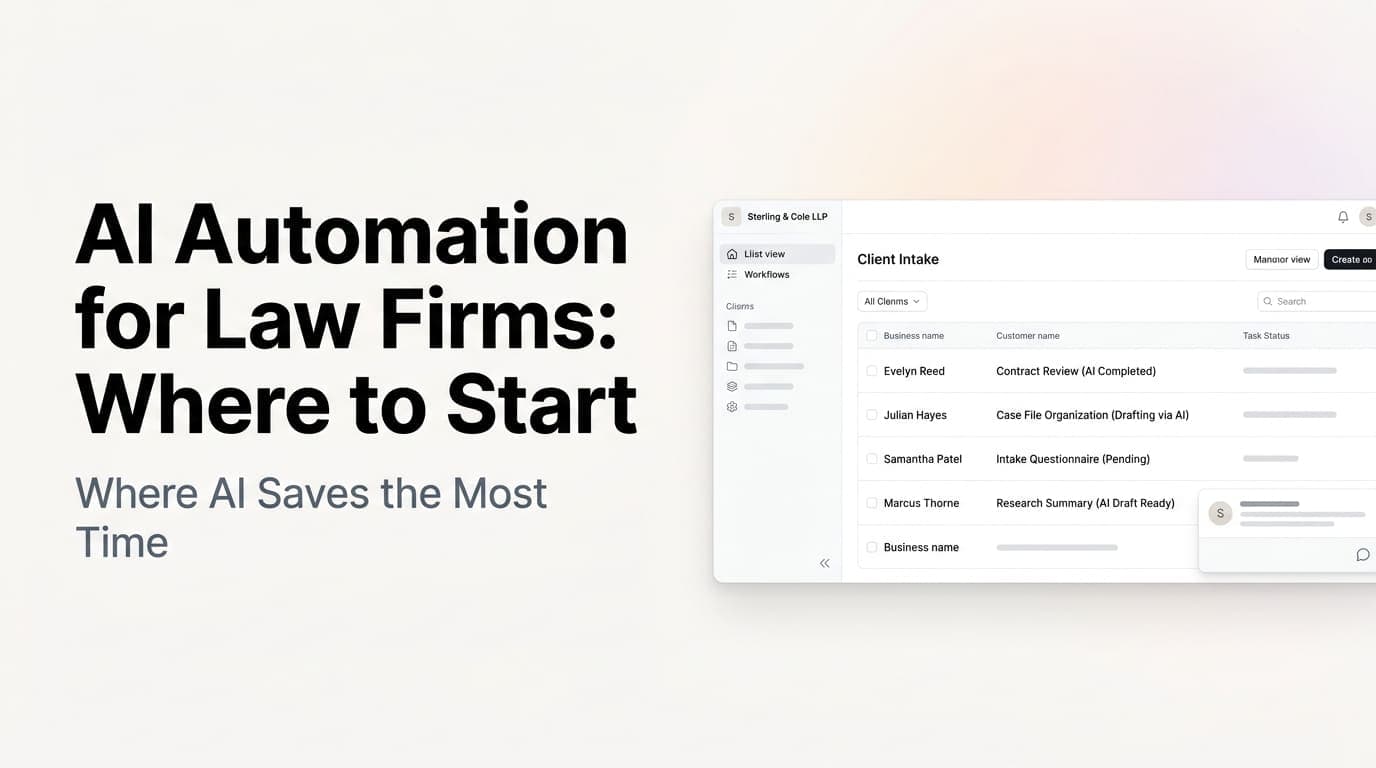
The Hidden Hours Bleeding Your Law Firm Dry
Most solo and small law firms share the same problem: brilliant lawyers spending inordinate amounts of time on work that has nothing to do with practicing law.
Client intake. Status updates. Document assembly. Scheduling. Follow-up emails. The administrative underbelly of a practice consumes 20–30% of a lawyer's workday, time that could be spent on billable work, developing business, or simply not working at 9 PM on a Tuesday.
This isn't a staffing problem. It's a systems problem.
AI automation is uniquely good at handling the structured, rule-based, repetitive work that makes up the administrative layer of a law practice. And unlike hiring a paralegal or legal assistant, an automated system doesn't call in sick, doesn't get overwhelmed during spikes, and scales instantly as your firm grows.
The question isn't whether to automate. It's which tasks to automate first.
Where Automation Hits Hardest: The Five highest-ROI Areas
1. Client Intake and Initial Screening
Client intake is high-stakes and high-friction. A prospective client finds your firm, fills out a contact form, and then... waits. Maybe someone calls back in an hour. Maybe it's the next day. Maybe they go with the firm that responded first.
What AI automation does:
- Instantly acknowledges every new inquiry with a personalized response
- Qualifies the lead against your practice area and case type criteria
- Screens out unqualified prospects (wrong practice area, outside your jurisdiction, etc.)
- Books consultations directly into your calendar
- Sends intake documents for e-signature before the first call
A solo personal injury firm in Tampa automated their intake last year. Their AI system handles the initial response, qualification questions, and appointment scheduling 24/7. Response time dropped from hours to seconds. Show-up rates on initial consultations increased because clients had already completed intake paperwork.
The ROI math: If your firm converts 30% of inquiries to clients, and a fully automated intake system increases that rate by even 10%, you're signing 3 additional clients per 10 inquiries, without a single hour of your time.
2. Contract and Document Assembly
Drafting routine contracts, NDAs, engagement letters, and case-related documents takes time, even when you're working from templates. You open a Word doc, find the right template, update the client name and matter details, check the dates, format it, send it.
What AI automation does:
- Generates first-draft documents from a simple matter description or client intake form
- Populates templates automatically with client data already collected
- Flags missing information before documents go to clients
- Maintains version control and stores final documents in your practice management system
The work product isn't final, a lawyer reviews and approves every document. But the back-and-forth of assembly and correction shrinks dramatically. What used to take 30 minutes takes 5.
The ROI math: 3 hours per week of lawyer time on document assembly at your hourly rate. Automation reduces that to 45 minutes of review time. Even at $200/hour, that's $300/week recovered, 15+ hours per month.
3. Case Status Updates and Client Communication
Clients want to know what's happening with their case. They email. They call. They ask the same questions repeatedly. Your paralegal or assistant spends meaningful time each day providing status updates, often for matters where nothing has changed in weeks.
What AI automation does:
- Sends automated status updates on a schedule or triggered by case milestones
- Answers common client questions (court dates, next steps, document requests) via AI chatbot
- Escalates complex or sensitive questions to your team automatically
- Logs all communications back to your case management system
One family law firm set up milestone-triggered updates: when a motion is filed, when a hearing is scheduled, when a response is due. Clients get automatic notifications. The firm's paralegal handles far fewer "where are we on this?" calls.
4. Calendar Management and Deadline Tracking
Missing a filing deadline is catastrophic. Missing a client meeting is just embarrassing. Both happen in firms that rely on individual attorneys to manage their own calendars, a system that breaks down the moment someone is busy, traveling, or simply overwhelmed.
What AI automation does:
- Syncs court calendars, filing deadlines, and internal deadlines into one system
- Sends reminders at appropriate intervals (48 hours, 24 hours, day-of)
- Automatically schedules rescheduled meetings based on availability
- Alerts the firm when conflicts arise
- Coordinates with opposing counsel on scheduling when appropriate
This isn't revolutionary. It's table-stakes operational infrastructure. But many small firms haven't implemented it, they rely on attorneys' individual discipline and Outlook reminders. Automation adds a layer of redundancy and oversight that's hard to replicate manually.
5. Billing and Collections Reminders
Law firms have notoriously irregular cash flow. Work gets done, invoices go out, and then... clients pay whenever they get around to it. Follow-up on outstanding invoices is awkward and easy to defer.
What AI automation does:
- Generates invoices automatically based on logged time and billing rules
- Sends payment reminders on a configurable schedule (7 days, 14 days, 30 days)
- Offers online payment links directly in reminders
- Flags accounts that have exceeded credit terms for human follow-up
- Tracks payment patterns and flags clients with history of slow payment
A small commercial firm in Nashville automated their billing follow-up. In the first quarter, their collection rate improved by 18% without any increase in staff workload. The automated reminders were polite, consistent, and never missed a cycle.
What NOT to Automate (Yet)
AI can do a lot. But some things belong firmly in human hands, at least for now.
Client conversations involving significant emotional stakes, Family law, criminal defense, serious personal injury. Clients in crisis need to hear a human voice. Use automation for the logistics; keep the meaningful conversations personal.
Case strategy and legal analysis, AI can assist with research, document review, and drafting. But the judgment call on how to handle a complex legal problem belongs to you.
Networking and business development, Automated outreach that feels automated backfires. If you're going to send cold emails or LinkedIn messages, write them yourself or spend the time to make automation sound human.
Getting Started: The 30-Day Automation Sprint
You don't need to automate everything at once. Here's a practical starting point:
Week 1: Intake automation Set up an AI-powered intake flow for one practice area. Use a tool like Clio or Practice Panther's built-in automation, or layer in a custom solution via your website. Measure response times and conversion rates before and after.
Week 2: Document templates + AI drafting Audit the 5 most-used document templates in your practice. Connect them to your intake data so client names, matter details, and dates populate automatically. Add an AI layer that generates first drafts from intake summaries.
Week 3: Client communication workflows Map every automated message your firm sends (intake confirmation, appointment reminders, status updates, billing notifications). Identify the gaps, places where clients are left wondering and your team is manually filling the silence.
Week 4: Calendar and deadline audit Consolidate all deadlines into a single system. Set up automated reminders at 72 hours, 48 hours, and 24 hours. Test the system with a two-week dry run before going live.
The Competitive Angle You're Ignoring
Here's what most solos and small firm lawyers don't think about: operational efficiency is a competitive advantage in client acquisition.
When a prospective client is choosing between your firm and two others, they're not just evaluating credentials and experience. They're evaluating experience as a client, how quickly did you respond? How professional was the intake process? How easy was it to get answers?
A firm with automated intake, consistent communication, and fast response times will convert better prospects and win more clients, not because it's cheaper, but because it feels more competent.
The firms that get this will pull ahead. The ones that don't will keep wondering why their referral network isn't converting.
Key Takeaways
- Client intake is the highest-ROI automation target. Faster response + better qualification + easier scheduling = more clients with less effort.
- Document assembly automation saves lawyer time on non-billable work. The review-and-approve workflow keeps you in control while eliminating grunt work.
- Automated client communication reduces call volume and improves client satisfaction. The firms with the best communication systems aren't necessarily the biggest, they're the most systematic.
- Billing automation directly improves cash flow. Consistent, automated reminders collect money faster than awkward human follow-up.
- Start with one process, prove the ROI, expand from there. You don't need a full practice transformation to see meaningful results.
Ready to Automate Your Practice?
Every law firm has different practice areas, different client expectations, and different operational rhythms. The automation that makes sense for a personal injury firm isn't the same as what makes sense for an estate planning practice.
Talk to us about where AI automation would have the biggest impact on your specific practice. We'll help you map the highest-ROI opportunities and build a realistic implementation plan, without disrupting what already works.
Ready to get started? Contact us to discuss how we can help your firm recover hundreds of hours this year.
Related articles

AI Warranty and Work Order Tracking for Service Businesses: Stop Losing Money on Claims You Already Earned
Service businesses lose 15-30% of valid warranty claims to paperwork lag and missed follow-up. AI warranty tracking turns every completed job into revenue you actually collect.
Read the article: AI Warranty and Work Order Tracking for Service Businesses: Stop Losing Money on Claims You Already Earned
Claude Mythos 5 and Fable 5: What Businesses Should Know
Claude Fable 5 is a guarded Mythos-Class model available on paid plans through June 22. Here's what businesses should know.
Read the article: Claude Mythos 5 and Fable 5: What Businesses Should Know
The New AI Job Is Not Prompt Engineer. It Is Workflow Builder.
Large companies are hiring AI workflow builders because tools alone do not change how teams work. Here is what that means for your business.
Read the article: The New AI Job Is Not Prompt Engineer. It Is Workflow Builder.
