Automated Payment Plans for Service Businesses: Offer Financing Without the Admin Headache
Service businesses lose 20-40% of jobs when customers can't pay upfront. Automated payment plans let you offer financing without manual admin work.

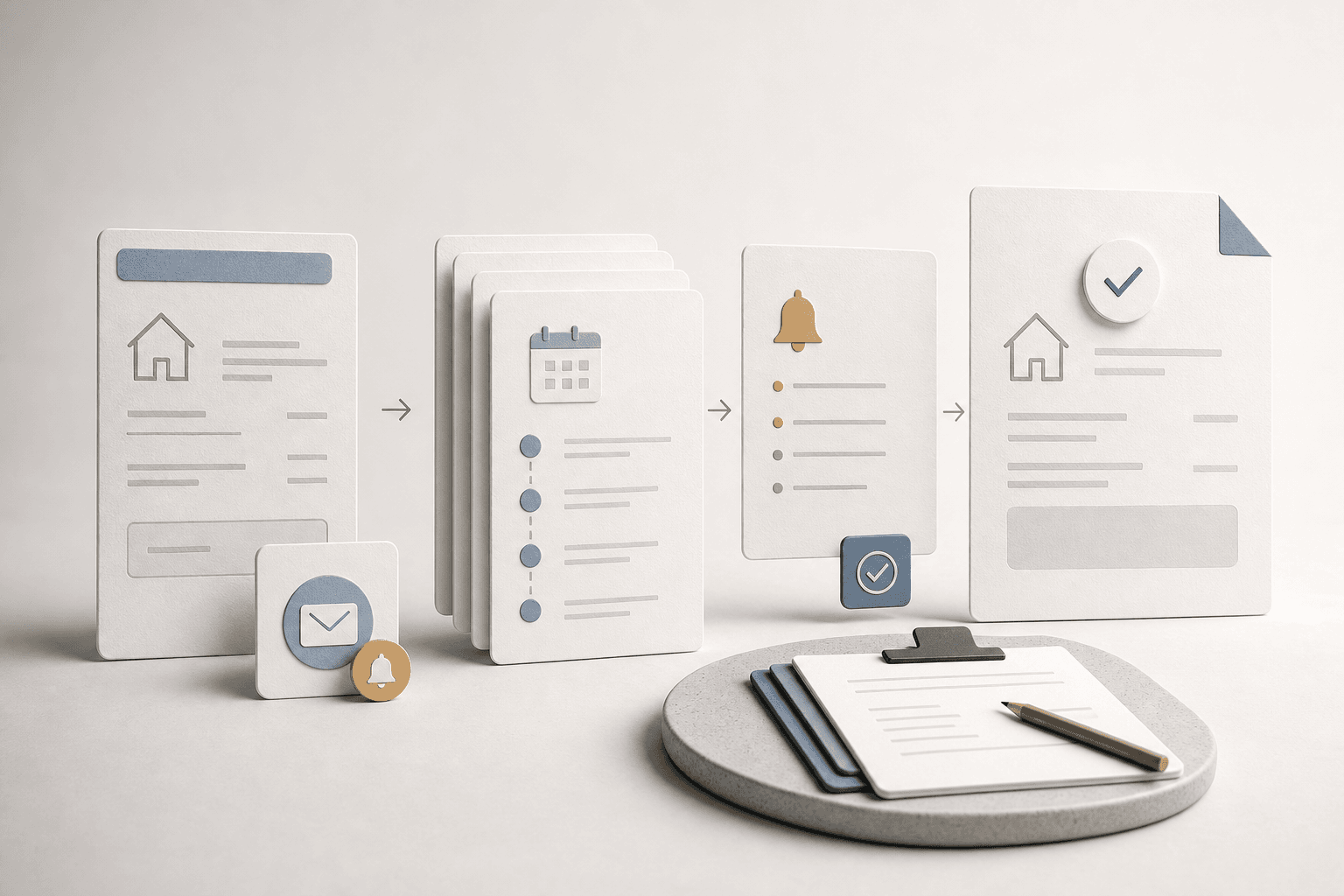
Quick answer: Automated payment plans let service businesses offer installment options to customers without manual invoicing, payment tracking, or collections follow-up. The system handles recurring billing, late payment reminders, and payment status updates automatically through your CRM. Most service businesses that add automated payment plans see a 15-30% increase in close rates on large-ticket jobs and cut accounts receivable time by half.
The Job You Lose Because of Sticker Shock
A homeowner needs a new HVAC system. The quote is $8,500. They have the money, but not all at once. They ask about payment options. You say "we can do half now, half when it's done." They hesitate. Three days later they call a competitor who offers 12-month financing. You lost the job on payment terms, not quality or price.
This happens every day in service businesses. Roofing, HVAC, plumbing, electrical, tree service, and remodeling companies all face the same problem: the total cost of a job often exceeds what a customer can or wants to pay in one lump sum. Without a structured payment option, you either lose the job or you end up chasing payments manually for months.
What Automated Payment Plans Actually Look Like
An automated payment plan system connects your CRM or invoicing tool to a payment processor and handles the entire lifecycle:
| What Happens | Manual Approach | Automated Approach |
|---|---|---|
| Setting up terms | Email back and forth, custom invoice | Customer selects plan, system generates schedule |
| Collecting payments | Manual invoice each month | Auto-charge on schedule |
| Late payments | You call/email to remind | Auto-email + late fee, escalate if needed |
| Payment status | Check bank account manually | Dashboard shows every plan status |
| Customer communication | You remember to send updates | Auto-send receipts, balance notices, completion notices |
The system does not replace your judgment on who qualifies. It replaces the administrative work of collecting money after you say yes.
How Service Businesses Set This Up
Step 1: Choose Your Payment Structure
Most service businesses use one of three models:
- 50/50 split: Half upfront, half on completion. Simple, works for jobs under $5,000.
- Fixed monthly installments: Equal payments over 3, 6, or 12 months. Best for mid-size jobs.
- Custom deposit + balance: Variable down payment (30-60%) with the rest on a schedule. Good for large projects.
The key is to define 2-3 standard plans and let customers choose. Custom plans for every customer create the exact admin burden you are trying to eliminate.
Step 2: Connect Your CRM to a Payment Processor
Your CRM (Jobber, Housecall Pro, ServiceTitan, or a custom setup) needs to talk to a payment gateway like Stripe, Square, or Authorize.net. The integration should:
- Create a customer payment profile from the job record
- Generate the payment schedule automatically based on the plan type
- Charge the first payment immediately
- Schedule subsequent charges on the agreed dates
- Update the job status in your CRM when payments complete
This is where most service businesses get stuck. Their CRM and payment processor do not talk to each other, so every payment plan becomes a manual data entry task.
Step 3: Set Up Automated Communication
Once the payment plan is active, the system should handle all customer communication:
- Confirmation: "Your payment plan is set up. Your first payment of $X will process today."
- Receipts: Auto-send after every successful charge.
- Payment reminders: 3 days before each scheduled charge.
- Failed payment alerts: "Your payment didn't go through. Update your card here."
- Completion notice: "Congratulations, your plan is paid in full."
Each message should come from your business, not a generic payment processor email. This keeps the relationship with the customer and reduces confusion.
What We See at AnovaGrowth
We work with service businesses that use everything from Jobber to custom CRM setups. The ones that get payment plans right share a common pattern: they treat payment automation as part of their operations workflow, not as a separate accounting function.
One HVAC company we worked with in the Southeast was losing about 30% of quoted jobs over $5,000. Customers would ask about payment options, get told "we can work something out," and then either ghost or go with a competitor who had a clear plan. After setting up automated payment plans through their CRM, their close rate on jobs over $5,000 went from 40% to 68% in three months. The admin time per payment plan dropped from about 45 minutes of manual setup and follow-up to under 5 minutes.
The difference was not the payment terms themselves. It was that the customer saw a clear option at the point of sale instead of a vague promise.
Common Objections (And Why They Are Wrong)
"We don't want to be a bank." You are not lending money. You are offering a payment schedule. The full amount is still due. You are just making it easier to pay.
"What if they don't pay?" The same risk exists with net-30 invoices. Automated plans actually reduce risk because you collect the first payment immediately and have a card on file for the rest.
"Our CRM doesn't do that." Most modern service CRMs integrate with Stripe or Square. If yours does not, a middleware tool like Zapier or Make can bridge the gap. For custom setups, a direct API integration is straightforward.
"Customers will only want payment plans." Some will. That is fine. The ones who want to pay in full still can. You are adding an option, not replacing your existing payment process.
What to Watch Out For
- Processing fees add up. Payment plans mean multiple transactions. Factor the 2.9% + $0.30 per transaction into your pricing. Some businesses add a small convenience fee for installment plans.
- Failed payments need a process. Have a clear policy: retry after 3 days, send a notification, retry again after 7 days, then escalate. Automate this, do not handle it case by case.
- Customer communication is critical. If a payment fails and the customer does not know, they get frustrated. Over-communicate on payment issues, not under-communicate.
- State regulations vary. Some states have specific rules about installment contracts and interest. Check with your attorney if you are charging interest or late fees.
Related Questions Worth Exploring
- How do I set up recurring billing in my existing CRM?
- What payment processors work best for service businesses?
- Should I charge interest on payment plans or offer them interest-free?
- How do automated payment plans affect my cash flow?
- What happens when a customer wants to pay off a plan early?
- How do I handle payment plans for emergency service calls?
The Bottom Line
Offering payment plans is not about being a financing company. It is about removing the payment barrier that costs you jobs. The businesses that make it easy to pay get more work. The ones that require full payment upfront leave money on the table.
Automated payment plans turn a manual, awkward process into a standard part of your sales flow. The customer sees a clear option, you get paid on time, and nobody has to chase invoices.
Ready to set up automated payment plans for your service business? Contact us to discuss how we can connect your CRM to a payment system that handles the whole process. Also check out our guide on automated estimating and invoicing and payment follow-up automation for the full picture on getting paid faster.
Related articles

Daytona Beach Group Booking: Prepare for the 2026 Classic
The Daytona Beach Classic schedule is taking shape. Prepare group inquiries, booking approvals, and guest messages before Thanksgiving travel.
Read the article: Daytona Beach Group Booking: Prepare for the 2026 Classic
Charleston Hospitality Booking: Get Ready for MOJA 2026
MOJA returns September 24. Prepare your Charleston hospitality booking pages, guest messages, and reservation handoffs before the festival.
Read the article: Charleston Hospitality Booking: Get Ready for MOJA 2026
Quote-to-Close Automation for Service Businesses: Close More Jobs Without the Follow-Up Marathon
Service businesses lose jobs in the gap between sending a quote and getting a yes. Automate your quote-to-close pipeline and stop leaving revenue on the table.
Read the article: Quote-to-Close Automation for Service Businesses: Close More Jobs Without the Follow-Up Marathon
