Website Redesign Checklist for Service Businesses: Rebuild Without Losing Leads
Rebuilding your service business website? This checklist protects your rankings, lead forms, and tracking so the new site launches without a traffic drop.

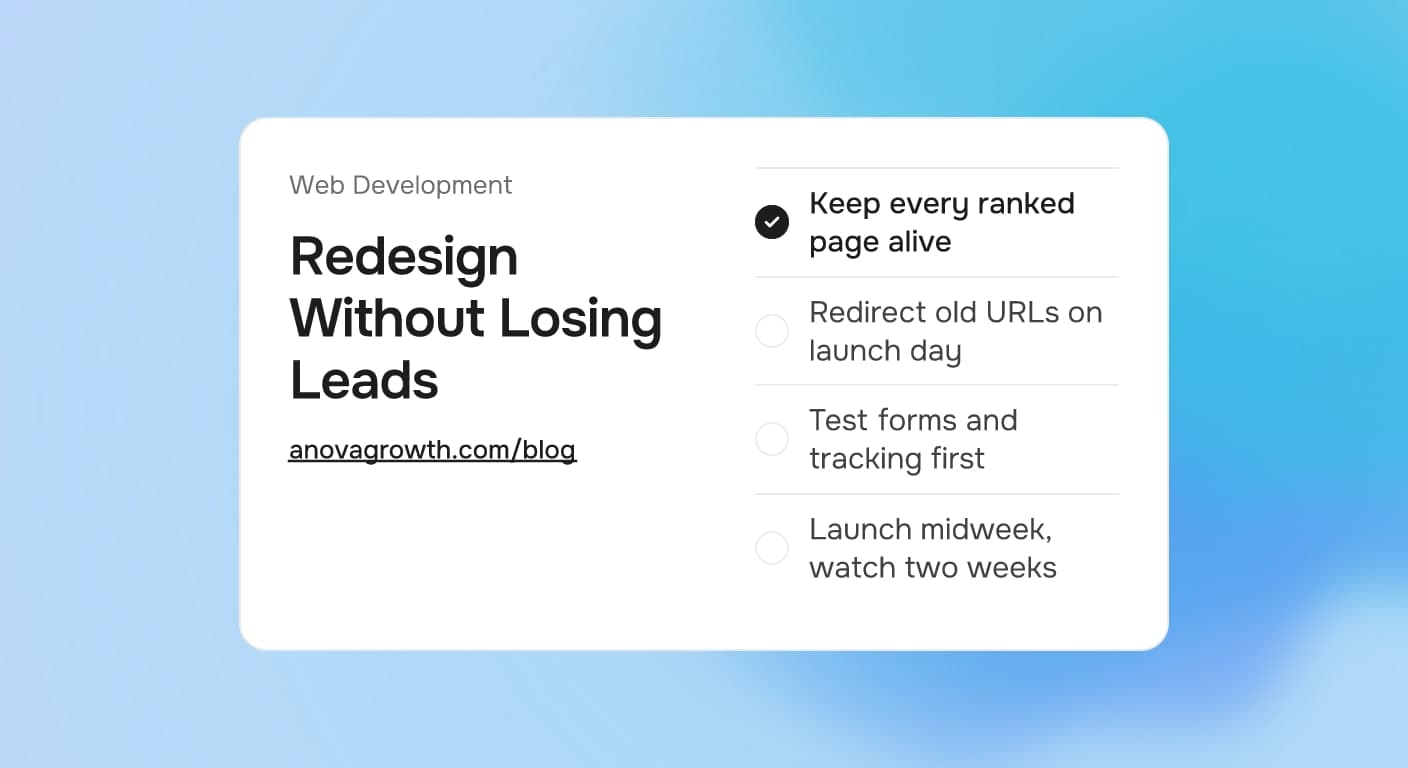
Your website has one job for a service business: turn searches into phone calls and form fills. A redesign promises a better looking version of that. Done carelessly, it does the opposite. Pages that ranked for years vanish, forms change and stop working, tracking breaks, and the first week after launch you answer fewer calls than the week before.
It does not have to go that way. Owners who lose traffic during a redesign almost always lose it to a short list of avoidable mistakes. This checklist covers them in the order you will hit them.
The Quick Answer
Launch the new site while the old one still works, keep every ranking page alive at its current URL, and redirect everything that changes the same day you go live. Protect tracking and forms, test them on staging, and launch midweek. Do that, and a redesign changes your look without touching your lead flow.
Decide First: Fix It or Replace It
A redesign costs real money and eats weeks of your attention. Before you shop for one, be honest about what the current site actually does for you. Slow leads with a working site is usually a marketing and copy problem, and a new coat of paint will not solve that.
If leads are slow but the site works, run through the fixes that do not need a rebuild first. The table below is the split we use when a client asks which one they need.
| What you see | What it usually needs |
|---|---|
| Site works, leads are slow | Better offers, clearer forms, sharper page copy |
| Looks dated but still ranks well | Design refresh on the same URLs |
| Platform fights every small edit | Rebuild, then redirect every old page |
| You cannot update content yourself | Rebuild on something your team can edit |
| Speed and leads are both falling | Audit first, rebuild second |
One rule ties the table together: treat every page that earns clicks or calls as cargo you are moving. The rebuild carries it over. It never deletes it.
What a Redesign Puts at Risk
Three things break during bad redesigns, and each one quietly costs money while it stays broken.
1. Pages that rank. Search engines trust the URLs they already know. Delete a ranking page and that trust resets to zero; the new page starts from the bottom of the ladder even if the copy is identical.
2. Conversion paths. Every form, click-to-call button, and booking link is a path a customer walks to reach you. A redesign that moves or renames these without testing leaves customers tapping a button that goes nowhere.
3. Tracking and history. Analytics tags, call tracking numbers, and form conversion events need to survive the move. Lose them and you cannot tell whether the new site performs better, which means you are guessing with real ad money.
If pages already load slowly, a fresh design will not fix that on its own. Work the performance side first with the guide to why slow sites lose customers, then rebuild on that foundation.
The Pre-Launch Checklist
1. Inventory every page the old site owns
Crawl the site or export the URL list from your sitemap. Sort every page into three buckets: pages that rank or earn leads, pages that are useful but quiet, and pages safe to retire. The first bucket is untouchable without a matching page on the new site, and you will know exactly which pages those are once you look at clicks instead of guessing.
2. Keep the winners at their exact URLs
The cheapest SEO protection available is boring: leave working URLs alone. If /services/water-heater-repair brings calls today, the new site serves that same address with the improved design around it. New URLs burn the trust the old ones earned.
3. Map every retired URL to a redirect
Every old address that changes needs a permanent redirect to the closest new page. List them in a simple sheet with three columns: old URL, new URL, reason.
/services/emergency-ac-repair   ->  /services/hvac-repair
/about/company-history-2015     ->  /about
/press/june-2019-update         ->  /blog
No old URL should end on a dead page. If nothing on the new site fits, redirect to the closest parent page or the blog index. A visitor who lands somewhere real stays a visitor.
4. Build forms and tracking before the design work starts
Set up analytics, call tracking, and the form pipeline on the staging site, then submit real test entries and watch them arrive where they should: your inbox, your CRM, your phone. Design is easy to change later. Broken lead capture found after launch costs you customers you will never know about.
5. Write content before you pick a design
Blank-page design drifts. Content first keeps every page purposeful, and it is the step that stalls most projects, so start it early. If you serve several towns, carry over or rebuild the service area pages that pull local searches in; they are some of the cheapest leads on most service sites.
Launch Day, In Order
Launch day is a sequence, not a moment. This order has saved us from more mistakes than any other habit:
- Crawl the old site one final time the evening before and export the full URL list.
- Deploy the redirect map with the new site so nothing goes live pointing at a dead page.
- Point the domain, then load the five pages that earn the most leads first. Read them like a customer would.
- Submit the new sitemap in Search Console so Google finds the changes fast.
- Submit one real form, make one real call, and send one real text from a phone you own.
- Keep the old site archived and reachable to you only, as a cheap rollback.
Then hold your nerve. Rankings wobble for a few days on a healthy redesign. Two weeks of calm watching beats two hours of panic changes.
How We Handle Redesigns at AnovaGrowth
Every redesign we run keeps the old site live until the new one passes its checks on staging. We keep a page-by-page redirect map in the project document, build the forms and tracking before layout work starts, and block out launch-day testing: a real phone call, a real form submission, and a walk through the five highest-traffic pages.
The week after launch, we compare Search Console clicks and lead counts against the pre-launch baseline before we call the job done. When we rebuilt our own site, the rule that mattered most was the same one we give clients: any URL earning clicks stays reachable, whatever else changes.
Questions Owners Ask
How much should a website redesign cost?
Price follows scope: page count, custom features like scheduling or a client portal, integrations with your CRM, and whether content is being rewritten. Ask for bids that list pages and features line by line, then compare the lists, rather than comparing totals alone.
How long does a redesign take?
A straightforward service site often ships in a few weeks. Booking systems, CRM wiring, and client portals add time. Projects stall on content far more than on code, which is why writing starts first on a healthy schedule.
Can I keep my old pages and URLs?
Yes, and usually you should. A redesign wraps a fresh design around the pages that already earn calls. Keeping them is the single cheapest way to protect the traffic you paid years to build.
Will my rankings drop during a redesign?
Small, temporary movement is normal. Real damage comes from deleted pages, missing redirects, and tracking left unconnected. Guard those three and the risk stays small.
When is the wrong time to redesign?
Peak season, the first weeks of an ad campaign, or the month before your busiest stretch. Pick the calmest window on your calendar and launch midweek, when you have time to watch the first days without a truck in the driveway.
Do I need to change my domain too?
Almost never. A domain collects trust for years, and a new domain starts that timer over from zero. Change your domain only when the business name itself changes.
Key Takeaways
- Decide between a fix and a rebuild before you shop; a working site with slow leads usually needs better offers and copy.
- Inventory every URL and keep pages that rank exactly where they are.
- Map every retired URL to a working page with a redirect, live on launch day.
- Build forms and tracking on staging and test them with a real phone before go-live.
- Launch midweek, submit the sitemap, and watch the numbers for two weeks before judging the result.
Next Steps
Start with the URL inventory this week; it takes an hour and it settles most of the decisions above. Then book the rebuild for a quiet month, not a busy one. If you want a second pair of eyes on the plan before crews and calendars get involved, bring the list to us.
Ready to rebuild without losing what works? Contact us to walk through your redesign with us.
Related articles

Modern Web Development for Birmingham Manufacturing
Birmingham manufacturers still rely on outdated websites that don't capture B2B leads. Here's what a modern industrial site needs to actually work.
Read the article: Modern Web Development for Birmingham Manufacturing
Website Design for Charleston Restaurants and Hotels
Charleston hospitality businesses compete on first impressions. Your website is the first one. Here's what makes a site actually book tables.
Read the article: Website Design for Charleston Restaurants and Hotels
Your Website Gets Traffic But No Leads, Here's What to Fix
Getting visitors isn't the problem. Converting them is. Seven specific changes that turn a passive website into a lead-generating machine.
Read the article: Your Website Gets Traffic But No Leads, Here's What to Fix
