Automated Customer Feedback Collection for Service Businesses: Stop Guessing, Start Improving
Service businesses that automate post-job feedback collection get 3x more reviews and spot operational problems weeks faster. Here is how to set it up.

Quick Answer
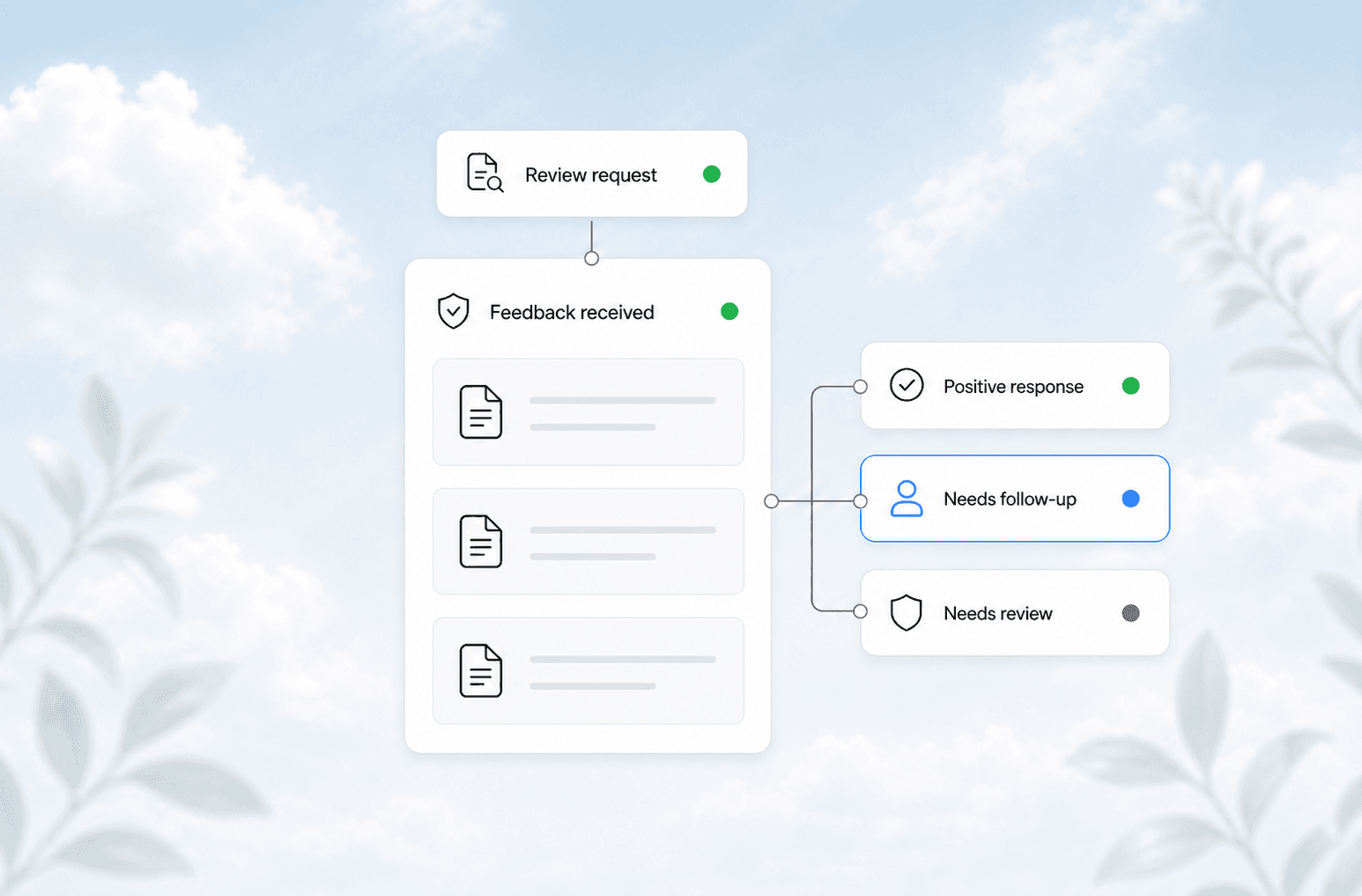
Automated customer feedback collection sends a text or email survey after every completed job, routes negative responses to your team for immediate action, and publishes positive feedback as review requests. Service businesses that set this up collect 3x more feedback, catch operational problems 2-3 weeks faster, and build a steady stream of Google reviews without nagging customers.
Why Most Service Businesses Miss Feedback
You finish a job. The customer is happy. You shake hands and leave. Maybe you send a text a week later asking how things went. Maybe you forget entirely.
That gap between job completion and feedback collection is where service businesses lose visibility into their own operations. Without systematic feedback, you only hear about problems when they are big enough to make a customer call and complain. By then, the damage is done.
The fix is not to ask more often. It is to ask at the right time, in the right channel, with the right follow-up.
The Feedback Automation Framework
A working feedback automation system has three layers:
| Layer | What It Does | Example Tool |
|---|---|---|
| Trigger | Sends the request at the right moment | CRM workflow (job status = completed) |
| Collection | Captures structured and open-ended responses | SMS survey, email form, or web link |
| Routing | Sends negative responses to the right person | Slack/email alert to operations manager |
Most CRMs and scheduling platforms already support this. The missing piece is connecting them.
Trigger: Timing Is Everything
The best time to ask for feedback is within 2 hours of job completion. The customer still remembers the experience. The technician or service provider is still top of mind. Wait 24 hours and response rates drop by half.
Set your CRM or scheduling software to fire a feedback request when a job status changes to "completed" or "invoiced." Most platforms like Housecall Pro, Jobber, ServiceTitan, or even a custom CRM integration can do this with a simple workflow trigger.
Collection: Keep It Short
A feedback survey for service businesses should take less than 30 seconds. Anything longer gets abandoned.
The minimum viable survey:
- Rate your experience (1-5 stars)
- Would you recommend us? (Yes/No)
- Anything else? (Open text, optional)
That is it. Three questions. The first two give you quantifiable data. The third catches the details that matter.
Send it via SMS for the highest response rate. Email works but gets 40-60% fewer responses. Phone calls get the most detail but are the hardest to scale.
Routing: Fix Problems Before They Become Reviews
The most important part of feedback automation is what happens after a bad response.
A 1 or 2 star rating should trigger an immediate alert to someone who can act. Not a weekly report. Not an email that sits in a shared inbox. A direct notification to the operations manager or owner.
This is where most automated feedback systems fail. They collect the data but do nothing with it. A negative response that sits for 48 hours is a negative review waiting to happen.
What We See at AnovaGrowth
We have set up feedback automation for HVAC, plumbing, electrical, and home service companies. The pattern is consistent across every one.
The first month, response rates are low because the trigger timing is off. We adjust the delay to 60-90 minutes after job completion. Response rates jump to 40-50%. The second month, the operations team starts acting on negative alerts within hours instead of days. Repeat complaints drop. The third month, review volume doubles because positive responses automatically route to a review request.
The companies that stick with it see their average rating climb from 4.2 to 4.6 over six months. Not because the work got better, but because they started catching and fixing the bad experiences before they hit Google.
Turning Feedback Into Reviews
Positive feedback (4-5 stars) should automatically trigger a review request. The customer already said they had a good experience. Asking them to share it publicly is a natural next step.
The request should include a direct link to your Google Business Profile review page. One click. No searching. Every extra step drops conversion by 20-30%.
Negative feedback should never go to a review request. Route it to a recovery workflow instead: a personal call from the owner, a discount on the next service, or a follow-up visit to fix the issue. Only after the problem is resolved should you ask for a public review.
What to Track
Once feedback is flowing in, track these four metrics:
- Response rate: Percentage of completed jobs that generate feedback. Target 40%+.
- Average rating: Track by technician, service type, and location.
- Review conversion: Percentage of positive responses that turn into published reviews.
- Time to resolution: How fast negative feedback gets addressed.
A simple dashboard in your CRM or a connected analytics tool can show these in real time. We build custom dashboards for clients that pull feedback data alongside job data, so you can see which service types or technicians are trending down before it becomes a pattern.
Related Questions Business Owners Ask
- How do I get customers to actually fill out the survey?
- What is the best SMS platform for service business feedback?
- Should I offer an incentive for leaving a review?
- How do I handle a customer who leaves a bad review publicly before contacting us?
- Can I automate responses to positive reviews?
- What feedback questions actually produce useful data?
Proof It Works
A plumbing company in Atlanta with 6 trucks set up automated SMS feedback through their CRM. In the first 90 days, they collected 340 survey responses from 800 completed jobs (42% response rate). They identified two technicians with consistently lower ratings, retrained both, and saw their average score climb from 3.8 to 4.5 over the next quarter. Their Google review count went from 12 reviews in the previous year to 47 in the same 90-day period.
No new marketing spend. No new customers. Just systematic feedback collection and a process for acting on it.
Getting Started
You do not need a custom software project to start. Most scheduling and CRM platforms have built-in survey tools or integrate with services like Birdeye, Podium, or Broadly. The setup takes a few hours.
If your current tools do not support automated triggers, a simple integration through Zapier or Make can connect your scheduling software to an SMS platform. The workflow is: job completed, wait 90 minutes, send survey, check response, route accordingly.
The hard part is not the technology. It is committing to act on the feedback you collect. Set a weekly 15-minute review of feedback trends. Assign someone to handle negative alerts within 2 hours. Make the loop tight and the data will speak for itself.
Ready to set up automated feedback for your service business? Contact us to discuss your current tools and the fastest path to a working system.
Related articles

Daytona Beach Group Booking: Prepare for the 2026 Classic
The Daytona Beach Classic schedule is taking shape. Prepare group inquiries, booking approvals, and guest messages before Thanksgiving travel.
Read the article: Daytona Beach Group Booking: Prepare for the 2026 Classic
Charleston Hospitality Booking: Get Ready for MOJA 2026
MOJA returns September 24. Prepare your Charleston hospitality booking pages, guest messages, and reservation handoffs before the festival.
Read the article: Charleston Hospitality Booking: Get Ready for MOJA 2026
Quote-to-Close Automation for Service Businesses: Close More Jobs Without the Follow-Up Marathon
Service businesses lose jobs in the gap between sending a quote and getting a yes. Automate your quote-to-close pipeline and stop leaving revenue on the table.
Read the article: Quote-to-Close Automation for Service Businesses: Close More Jobs Without the Follow-Up Marathon
