CRM Data Deduplication and Hygiene for Service Businesses: Stop Losing Money to Messy Data
Duplicate CRM records cost service businesses 10-20% of revenue in wasted outreach, missed follow-ups, and bad reporting. Clean your data and keep it clean.

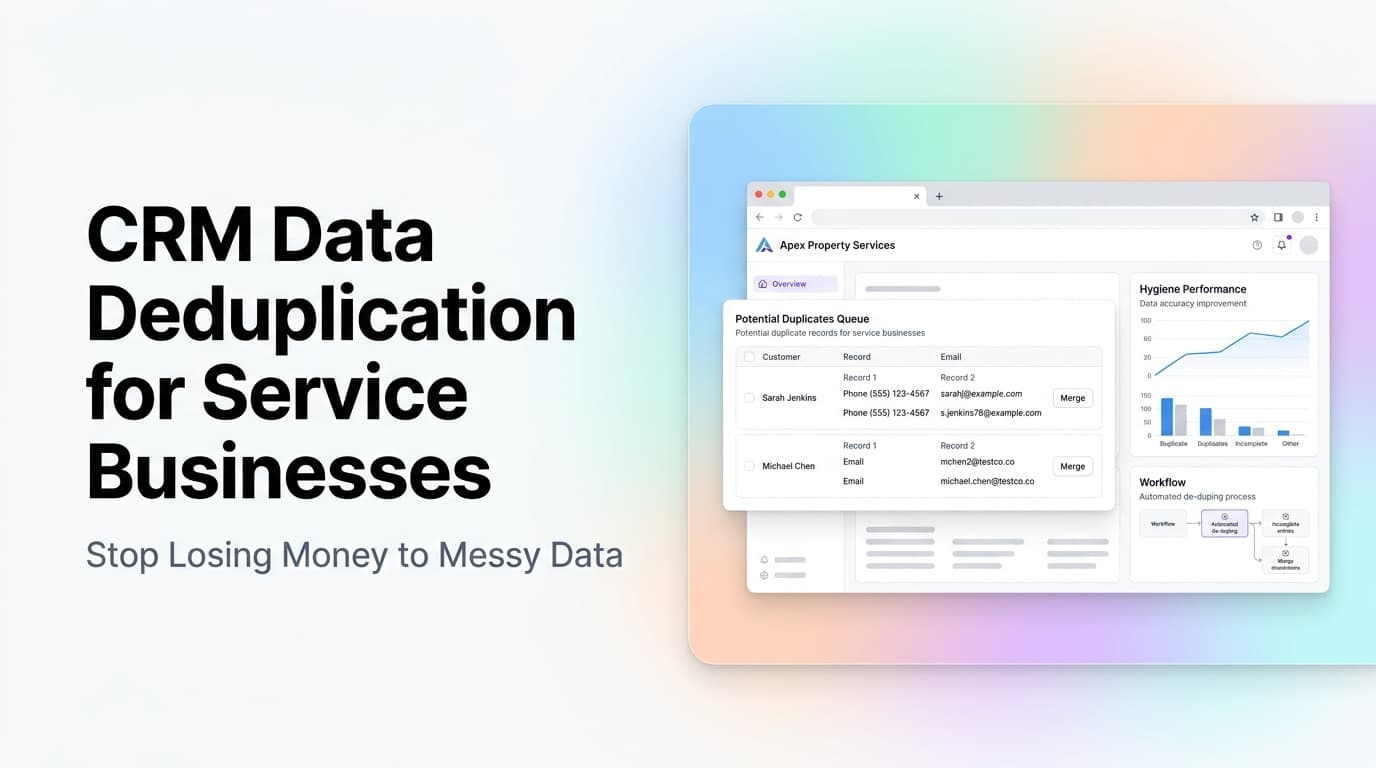
Quick Answer: Why CRM Data Hygiene Matters for Service Businesses
Every service business with a CRM has duplicate records. The same customer entered twice. A lead merged with a contact. A job linked to the wrong account. These duplicates cost you money in wasted email sends, missed follow-ups, inaccurate reporting, and lost trust with customers who get called twice about the same thing. The fix is a combination of one-time cleanup and automated prevention rules that catch duplicates before they land in your system.
The Hidden Cost of Duplicate CRM Records
Most service businesses we work with at AnovaGrowth don't realize how bad their CRM data is until they try to run a report or send a campaign. Then the numbers don't add up. You send 500 emails but only 400 unique contacts exist. You think you have 200 active customers but really it is 160 with 40 duplicates.
Here is what duplicate data actually costs:
| Problem | Impact |
|---|---|
| Wasted email sends | 10-20% of your list is duplicates, inflating your send costs and hurting deliverability |
| Missed follow-ups | A lead entered twice with different stages means one gets followed up, the other goes cold |
| Inflated pipeline | Duplicate deals make your pipeline look 15-30% bigger than it really is |
| Bad customer experience | Calling a customer twice about the same invoice makes you look disorganized |
| Skewed analytics | Revenue per customer, churn rate, and lifetime value are all wrong with duplicates |
Real example: A home services company with 12,000 CRM records found 2,400 duplicates (20%). Their email marketing platform was charging them for 2,400 extra contacts. Their pipeline showed 180 active opportunities but only 140 were real. They were making decisions on bad data for years.
Where Duplicates Come From
Duplicates don't appear by accident. They come from specific, predictable sources. Once you know the sources, you can block them.
1. Multiple Entry Points
Your CRM gets data from your website contact form, phone system, email inbox, online booking tool, and maybe a lead generation service. Each source formats names and emails differently. "Bob Smith" from the phone system and "Robert Smith" from the web form are the same person, but your CRM sees two records.
2. Manual Data Entry
Your team types customer names into the CRM while on a service call, driving between jobs, or rushing to start the next appointment. Typos happen. "Jonhson" and "Johnson" become two records. "555-1234" and "555-1234 ext 2" become two more.
3. Mergers and Acquisitions
If you buy another service company or absorb a competitor's customer list, you import their data into your CRM. Their records almost never match yours. Same customer, two entries.
4. No Dedup Rules at Import
When you import a spreadsheet of leads or customers, most CRMs just add every row as a new record. No check for existing matches. You import 500 leads and create 200 duplicates in one click.
How to Clean Your CRM Data (One-Time Fix)
Before you set up prevention, you need to clean what is already there. Here is the process we use at AnovaGrowth for service businesses.
Step 1: Run a Duplicate Report
Most CRMs have a built-in duplicate finder. HubSpot, Salesforce, Zoho, and even many mid-tier CRMs like Jobber or Housecall Pro have one. Run it and export the results. You want to see:
- Contacts with the same email address
- Contacts with the same phone number
- Contacts with similar names (fuzzy match)
- Companies with the same name
Step 2: Merge by Priority
Not all duplicates are equal. Set a merge priority:
- The record with the most recent activity wins
- The record with the most complete data wins
- The record linked to active deals or jobs wins
Merge in batches. Do not try to merge 1,000 records in one sitting. Do 50-100 at a time and verify the results.
Step 3: Standardize Your Fields
Pick a format for every field and stick to it:
- Phone numbers: (555) 123-4567 or 5551234567, pick one
- Addresses: "St" or "Street", pick one
- Company names: "Acme HVAC" or "Acme Heating and Cooling", pick one
- Contact names: First name + Last name in separate fields
Step 4: Fill Critical Gaps
Run a report on missing data. How many contacts have no email? No phone number? No company name? Fill what you can from other sources. Delete records that are truly dead (no activity in 2+ years, no contact info, no linked jobs).
How to Prevent Duplicates From Coming Back
Cleaning once is not enough. You need systems that stop duplicates before they enter your CRM.
Set Up Dedup Rules at Every Entry Point
Every place data enters your CRM should check for existing matches first:
- Web forms: Before creating a new contact, check if the email or phone already exists. If it does, update the existing record instead of creating a new one.
- Imports: Every CSV or spreadsheet import should run through a dedup check first. Map fields to existing records before importing.
- API integrations: Your booking tool, invoicing system, and phone system should all check for existing contacts before creating new ones.
Use Automated Merge Rules
Set up rules that automatically merge records when certain conditions are met:
- Same email address + same phone number = auto merge
- Same email + similar name (fuzzy match) = flag for review
- Same phone + different name = flag for review
Train Your Team
Your team creates duplicates without knowing it. A 10-minute training session on how to search before creating a new contact cuts duplicates by 50% or more. Show them:
- How to search by email, phone, and name before adding
- How to merge records when they find a duplicate
- Why it matters (show them the cost numbers)
What Good Data Looks Like
After cleanup and prevention, your CRM should have:
- One record per customer, no matter how they enter
- Standardized phone, address, and name fields
- No contacts with zero activity and no contact info
- Clean pipeline numbers that match reality
- Email lists that reflect unique contacts, not inflated counts
Proof point: A commercial cleaning company we worked with had 8,500 CRM records. After dedup, they had 6,200 unique contacts. Their email open rate went from 18% to 27% because they stopped sending to dead and duplicate addresses. Their pipeline dropped from $2.1M to $1.6M, which sounds bad but was actually accurate. They were making hiring and spending decisions based on fake pipeline numbers.
Key Takeaways
- Duplicate CRM records cost 10-20% of your marketing budget and skew every report you run
- Most duplicates come from multiple entry points, manual entry errors, and unchecked imports
- One-time cleanup is necessary but not sufficient. You need automated prevention rules
- Standardize your field formats across every system that touches your CRM
- Train your team on search-before-create habits
- Clean data means accurate pipeline, better email deliverability, and fewer awkward customer calls
Related Questions
- How do I find duplicates in my CRM without a paid tool?
- What is the best dedup strategy for HubSpot vs Zoho vs Jobber?
- How often should I run a CRM data audit?
- Can AI help with fuzzy matching and duplicate detection?
- What happens to linked jobs and deals when I merge records?
- How do I handle duplicates when migrating to a new CRM?
Ready to clean up your CRM? Contact us to discuss a CRM audit and cleanup plan for your service business. We can also help with CRM integration to prevent duplicates from coming back.
Related articles

Technician Utilization Tracking for Service Businesses: Find the Hours You Never Bill
Technician utilization tracking shows how many hours your crews bill versus idle, travel, admin, and windshield time. Here is how to set it up and use it.
Read the article: Technician Utilization Tracking for Service Businesses: Find the Hours You Never Bill
Customer Health Scoring for Service Businesses: Spot At-Risk Customers 60 Days Before They Leave
Service businesses that score customer health on five signals catch 70-80% of churn 60-90 days before it happens. Here is the model, the math, and the workflow.
Read the article: Customer Health Scoring for Service Businesses: Spot At-Risk Customers 60 Days Before They Leave
Automated Reporting for Service Businesses: Stop Building Manual Reports, Start Making Decisions
Service businesses spend 8-12 hours per month on manual reports. Automated reporting cuts that to zero and surfaces insights you would miss.
Read the article: Automated Reporting for Service Businesses: Stop Building Manual Reports, Start Making Decisions
