Automated Upsell and Cross-Sell for Service Businesses: Increase Revenue Without More Leads
Service businesses leave 20-40% of revenue on the table by not upselling. Automated upsell workflows capture that revenue without pushy sales tactics.

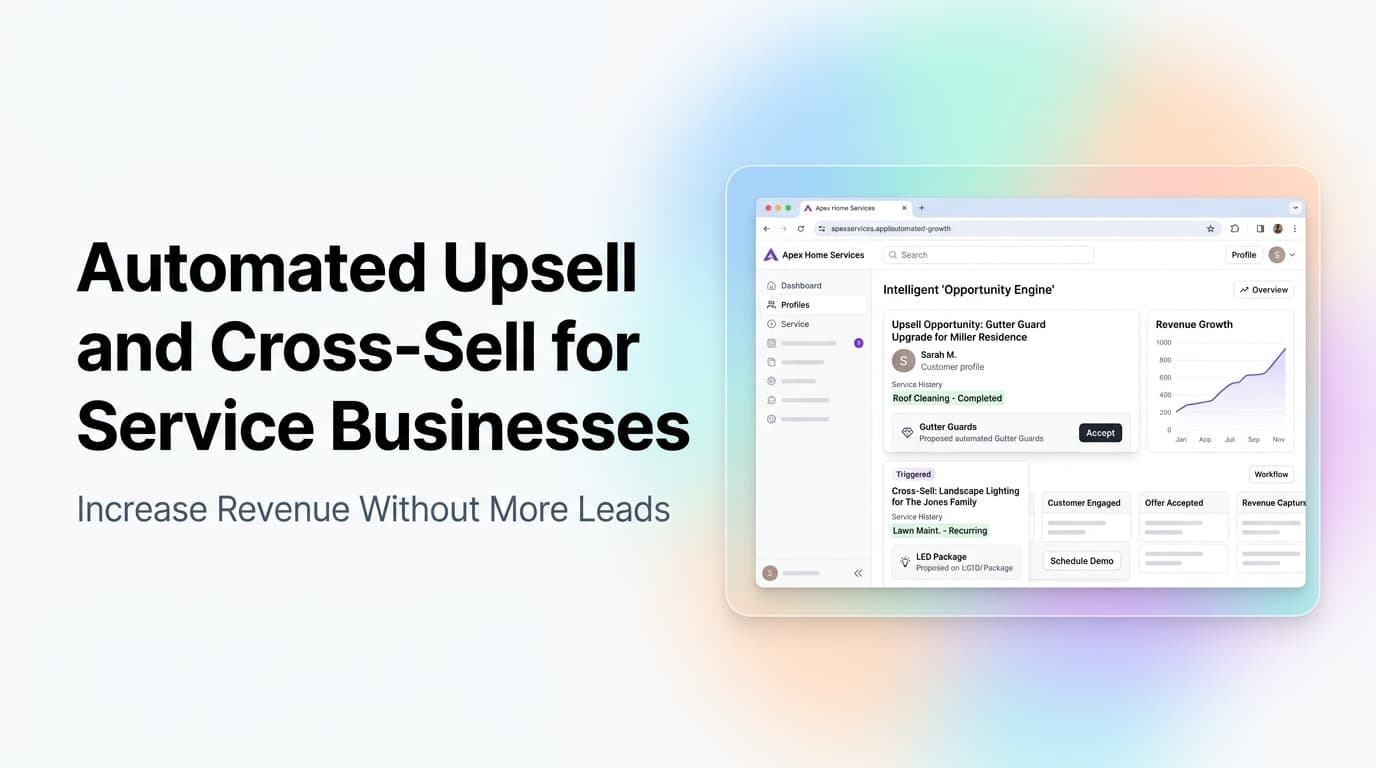
The Revenue Sitting in Your Existing Customer List
Every service business has a hidden revenue stream. It is not new leads, better ads, or a bigger marketing budget. It is the customers who already trust you and are ready to buy more.
The numbers are hard to ignore. Existing customers spend 67% more than new ones on average. Service businesses that actively upsell and cross-sell see 20-40% higher revenue per customer. Yet most service companies do almost nothing to capture this revenue systematically.
Why? Because manual upselling feels awkward. Nobody wants to be the company that calls every customer asking if they want to add on. So the opportunity sits there, month after month.
Automated upsell and cross-sell workflows solve this. They trigger the right offer at the right moment, based on real customer behavior, without requiring your team to remember, nag, or feel pushy.
Quick answer: Automated upsell and cross-sell workflows use triggers in your CRM to present relevant offers to existing customers at moments when they are most likely to buy. For service businesses, this means higher revenue per customer without more ad spend, more leads, or pushy sales calls. The key is timing, relevance, and automation that feels helpful, not salesy.
What Counts as an Upsell vs a Cross-Sell
These terms get used interchangeably, but they mean different things and require different automation logic.
| Type | Definition | Service Business Example |
|---|---|---|
| Upsell | Getting the customer to buy a higher-tier version of what they already bought | Upgrading from a basic HVAC tune-up to a full system inspection and maintenance plan |
| Cross-sell | Getting the customer to buy a related but different service | After a plumbing repair, offering a water heater inspection or drain cleaning |
| Add-on | A smaller, complementary service attached to the main job | Adding gutter cleaning to a roof repair appointment |
| Recurring upgrade | Moving a one-time customer to a subscription or membership | Converting a single lawn service visit to a monthly maintenance plan |
Each type needs a different trigger, timing, and message. A blanket "would you like to add anything?" approach does not work.
Where Service Businesses Leave Money on the Table
After working with dozens of service businesses on CRM and automation setups, we see the same missed opportunities over and over.
The post-job silence. A customer just paid you $500 for a repair. They are satisfied, they trust you, and they have a clear need for related services. Most companies send a thank-you email and move on. No offer, no suggestion, no next step.
The maintenance gap. You serviced their HVAC system six months ago. The manufacturer recommends annual maintenance. The customer has no idea it is time. You have the data. You do nothing with it.
The seasonal blind spot. You cleaned their gutters in the fall. Spring is coming, and they probably need a roof inspection, pest control, or lawn treatment. You wait for them to call instead of offering it proactively.
The referral that never happens. A customer just told you they love your work. That is the exact moment to offer a referral incentive or a bundled service package. Most companies let that moment pass.
These are not small misses. For a service business doing $500K in annual revenue, capturing even 15% of the upsell and cross-sell opportunity adds $75K+ to the bottom line with zero new customer acquisition cost.
The Three Triggers That Work Best for Service Businesses
Not every moment is a good moment to offer more services. These three triggers consistently produce the highest conversion rates.
Trigger 1: Immediately After Job Completion
The customer is happy, the work is done, and they are already in a buying mindset. This is the single highest-converting moment for upsells and cross-sells.
What to automate: Send a post-job message that thanks them, confirms the work, and offers one relevant add-on or future service. The offer should be specific, not generic.
Example: "Your AC repair is complete. While our technician was on site, they noted your air filter needs replacement. We can set up automatic filter delivery every 3 months. Click here to activate."
Conversion rate we see: 15-25% for simple add-ons, 8-12% for service upgrades.
Trigger 2: At Service Renewal or Maintenance Window
When a recurring service is about to expire or a maintenance interval is approaching, the customer has an active need. They are thinking about the service already.
What to automate: A sequence that starts 30 days before the renewal date, reminding them of the upcoming need and offering an upgrade or bundle option.
Example: "Your annual HVAC maintenance is due next month. Upgrade to our Premium Care plan and get priority scheduling, 15% off repairs, and free emergency calls. Here is what changed since last year."
Conversion rate we see: 20-35% for maintenance plan upgrades.
Trigger 3: After a Positive Feedback or Review
A customer who just left a 5-star review or responded positively to a feedback request is at peak satisfaction. They trust you and are open to hearing what else you offer.
What to automate: A thank-you response to their review that includes a relevant service suggestion. This works because it feels like a natural continuation of the conversation, not a sales pitch.
Example: "Thank you for the great review! Since you loved our electrical repair service, you might want to know we also offer whole-home surge protection installation. Here is what it covers."
Conversion rate we see: 10-18% for related service offers.
How to Build the Automation Without Overcomplicating It
You do not need a complex AI system to start. Most service businesses can set up effective upsell and cross-sell automation with their existing CRM and a few connected tools.
Step 1: Map Your Service Relationships
List every service you offer and identify the natural connections between them. A simple table works:
| Primary Service | Natural Upsell | Natural Cross-Sell | Timing |
|---|---|---|---|
| HVAC repair | Full system maintenance plan | Air quality assessment | Post-repair + 30 days |
| Plumbing repair | Water heater inspection | Drain cleaning | Post-repair |
| Roof repair | Full roof inspection | Gutter cleaning | Post-repair + seasonal |
| Lawn mowing | Fertilization program | Tree trimming | Post-service + monthly |
Step 2: Set Up CRM Triggers
Most modern CRMs (HubSpot, Salesforce, Zoho, or service-specific platforms like Housecall Pro and Jobber) support workflow automation. Create triggers based on:
- Job status changes (completed, invoiced, paid)
- Date-based events (last service date + X months)
- Customer behavior (review submitted, support ticket closed, email opened)
- Service history (number of visits, total spend, service categories used)
Step 3: Write the Messages
Keep offers specific and helpful. Generic "check out our other services" messages convert at 2-3%. Specific, timed offers convert at 15-25%.
Good: "Your HVAC tune-up is complete. We noticed your air filter is due for replacement. Would you like us to add filter replacement to your next visit?"
Bad: "Thanks for your business! Check out all our other services here."
Step 4: Test and Measure
Start with one trigger and one offer. Measure conversion rate, revenue generated, and customer feedback. Then expand to the next trigger.
What to track:
- Offer sent count
- Offer accepted count
- Revenue from automated offers
- Customer satisfaction score (did the offer feel helpful or pushy?)
- Opt-out rate (if customers are unsubscribing, your offers are too aggressive)
What We Have Seen Work at AnovaGrowth
We have set up upsell and cross-sell automation for service businesses across HVAC, plumbing, electrical, lawn care, and home services. The pattern is consistent.
One HVAC company we worked with had a 4,000-customer maintenance list. They were sending zero automated offers. We set up three triggers: post-repair add-on offers, 30-day maintenance upgrade offers, and seasonal cross-sell offers for air quality services. In the first 90 days, the automation generated $28K in additional revenue from existing customers. The company did not hire anyone new, run any additional ads, or make a single extra phone call.
The key insight: customers want to buy more from businesses they already trust. They just need to know what is available and when it makes sense. Automation provides that information at the right moment without making anyone feel pressured.
Common Mistakes That Kill Upsell Automation
Offering too much too soon. A customer who just paid for a $200 repair does not want to hear about a $2,000 service package. Match the offer size to the relationship stage.
Using the same message for everyone. A new customer and a 5-year customer need different offers. Segment your list by tenure, total spend, and service history.
Forgetting to track opt-outs. If customers start ignoring your messages or marking them as spam, your offers are too frequent or irrelevant. Pull back and refine.
Only automating the offer, not the follow-through. If a customer accepts an upsell offer, the system needs to schedule the work, update the invoice, and notify the team. A broken follow-through destroys trust.
Ignoring the human touch for high-value offers. Automation works great for offers under $500. For major service packages or multi-thousand-dollar upgrades, have a real person make the call. Use automation to identify the opportunity, then hand off to a sales or service rep.
Related Questions Service Business Owners Ask
- How do I set up upsell triggers in my existing CRM without hiring a developer?
- What is the right frequency for automated upsell messages without annoying customers?
- How do I track upsell revenue separately from new customer revenue in my reporting?
- Should I offer discounts on upsells or charge full price?
- How do I train my field technicians to identify upsell opportunities during service calls?
- What metrics tell me if my upsell automation is working or hurting customer relationships?
Key Takeaways
- Existing customers spend 67% more than new ones. Automated upsell and cross-sell capture that without more ad spend.
- The three highest-converting triggers are post-job completion, service renewal windows, and positive feedback moments.
- Start with one trigger and one offer. Measure before expanding.
- Keep offers specific and timed. Generic offers convert at 2-3%. Specific offers convert at 15-25%.
- Use automation for offers under $500. Use human follow-up for larger opportunities.
- Track opt-out rates. If customers are disengaging, your offers are too aggressive.
Next Steps
If you are running a service business and know you are leaving revenue on the table with existing customers, the fix is straightforward. Map your service relationships, set up CRM triggers, and start with one automated offer flow.
We help service businesses set this up as part of a broader CRM and automation strategy. Contact us to discuss your specific service mix and we can show you what your upsell opportunity looks like in dollars.
Ready to capture the revenue already in your customer list? Talk to us about setting up automated upsell and cross-sell workflows for your service business.
Related articles
Tampa Bay Digital Infrastructure: Build Workflows Before Growth
Tampa Bay is planning for digital infrastructure and maritime growth. Local businesses can prepare by connecting the workflows behind every customer.
Read the article: Tampa Bay Digital Infrastructure: Build Workflows Before Growth
Service Business Sales Playbook: How to Build a Repeatable System That Doubles Your Team's Close Rate
A service business sales playbook turns your best rep's gut into the company default. Teams with a documented close process win 20-30% more quotes.
Read the article: Service Business Sales Playbook: How to Build a Repeatable System That Doubles Your Team's Close Rate
Panama City Tourism Growth: Build a Booking System That Keeps Up
Panama City Beach tourism is growing. Here is how Bay County hospitality and service businesses can turn more visitor demand into booked work.
Read the article: Panama City Tourism Growth: Build a Booking System That Keeps Up
