Google Local Service Ads for Service Businesses: The Complete Setup and Management Guide
Google Local Service Ads put your business at the top of search with a Google Guarantee badge. Here is how to set them up, manage leads, and automate follow-up.

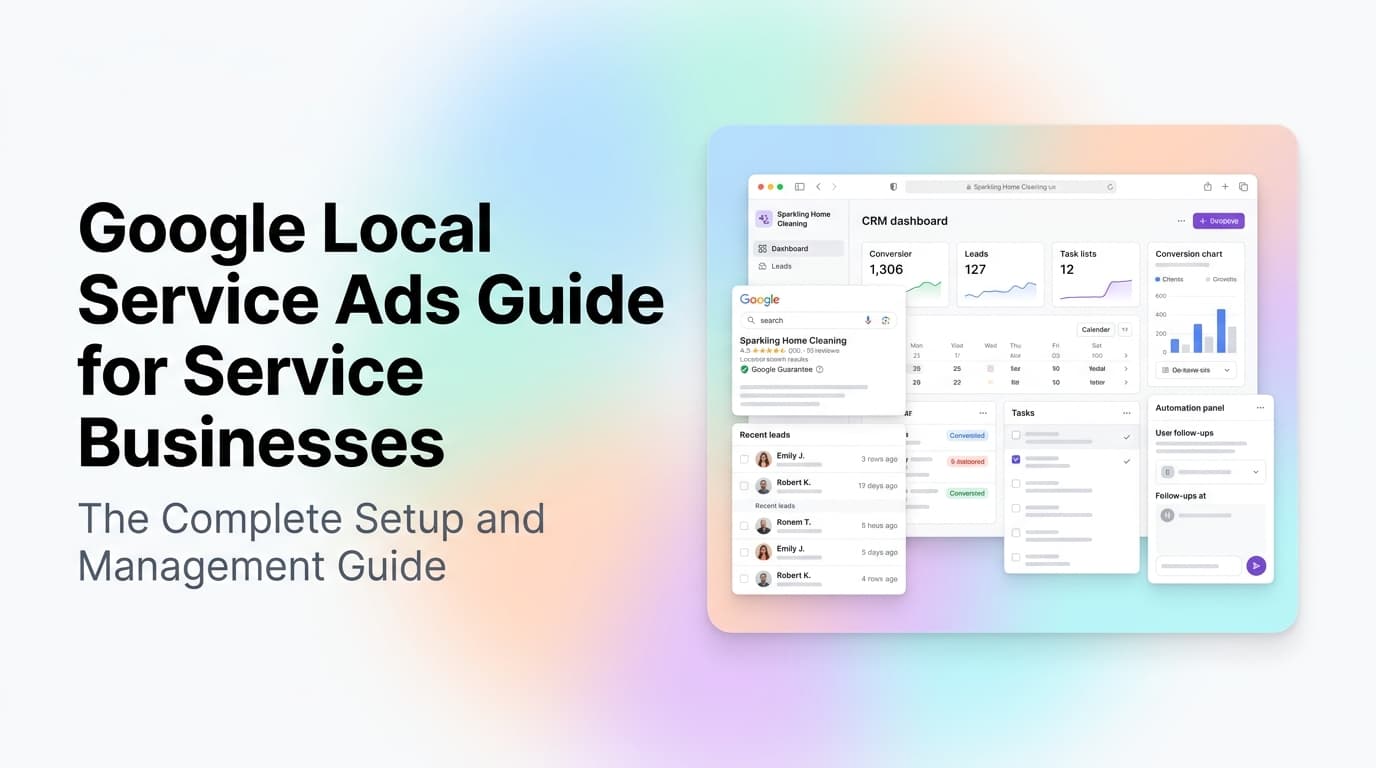
Quick answer: Google Local Service Ads (LSAs) put your business at the very top of search results with a green "Google Guaranteed" checkmark. You pay per lead, not per click, and Google screens your business before approving you. For service businesses like HVAC, plumbing, electrical, and cleaning, LSAs consistently outperform standard Google Ads on cost per booked job. The catch is that lead quality varies, and you need a system to respond fast or you waste the spend.
What Are Google Local Service Ads and Why They Matter
Google Local Service Ads are the paid listings that appear above all other search results when someone searches for a service near them. They show your business name, rating, phone number, and a green "Google Guaranteed" badge. You only pay when a customer contacts you through the ad, not when they click.
For service businesses, this changes the math on ad spend. A standard Google Ads click might cost $8-15 for a "plumber near me" search, and you pay whether the person calls, fills a form, or bounces. With LSAs, you only pay for actual leads. The cost per lead is typically $10-40 depending on your industry and location, and the conversion rate to booked jobs is often 2-3x higher than standard search ads.
What makes LSAs different from standard Google Ads:
| Feature | Google Local Service Ads | Standard Google Ads |
|---|---|---|
| Placement | Top of search, above all ads | Below LSAs, mixed in results |
| Pricing | Pay per lead (phone call or message) | Pay per click |
| Badge | Green "Google Guaranteed" | None |
| Approval | Business screening + background check | Instant (no screening) |
| Budget control | Weekly cap, auto-pause at limit | Daily budget, can overspend |
| Lead quality | Higher intent (customer initiates contact) | Variable |
How to Get Approved for Google Local Service Ads
Google screens every business before it can run LSAs. The approval process takes 3-10 days and requires:
Business verification. You need a valid business license, general liability insurance, and a clean background check on the business owner. Google runs this through a third-party partner. If you have any unresolved complaints on the Better Business Bureau or negative reviews that suggest safety issues, you may get rejected.
License and insurance upload. You submit copies of your business license and insurance certificate through the LSA dashboard. Make sure the business name and address on these documents match your Google Business Profile exactly. Mismatches are the most common rejection reason.
Background check. The business owner and any employees who will interact with customers go through a criminal background check. This is a one-time process unless you add new people later.
Service area setup. You define the zip codes or cities you serve. Google will only show your ad to searchers in those areas. Be realistic here. If you serve a 50-mile radius but set it to 10 miles, you miss leads. If you set it too wide, you pay for leads you cannot service.
Budget and schedule. Set a weekly budget and your business hours. Google will pace your spend across the week and pause ads when you hit the cap. You can also pause ads manually for holidays or when you are fully booked.
Managing LSA Leads: The Make-or-Break Skill
Getting leads from LSAs is the easy part. Managing them well is what separates profitable campaigns from money pits.
Response speed is everything. Google tracks your response rate and time. If you miss calls or take too long to reply to messages, your ad rank drops and you pay more per lead. The target is under 5 minutes for phone calls and under 15 minutes for messages. Businesses that respond within 5 minutes convert 7x more leads than those that take 30 minutes.
Lead types matter. LSA leads come in two forms: phone calls and messages. Phone calls are higher intent but harder to track. Messages give you a written record but require fast text responses. Most service businesses should enable both and set up automated responses for after-hours.
Lead quality varies by industry. In our experience working with service businesses, HVAC and plumbing LSAs produce the highest quality leads because the need is urgent. Lawn care and cleaning produce more leads but lower average job values. Electrical and garage door repair sit in the middle. Budget accordingly.
Automating LSA Lead Handling
This is where most service businesses drop the ball. They set up LSAs, get leads, and then handle them manually. The result is missed calls, slow responses, and wasted ad spend.
What to automate first:
Instant lead capture. When an LSA lead comes in, it should immediately create a record in your CRM with the customer's name, phone number, service requested, and location. No manual data entry. This takes 15 minutes to set up with a tool like Zapier or Make connecting your LSA dashboard to your CRM.
Automated response for after-hours. If a lead comes in outside business hours, send an instant text or email acknowledging the request and confirming you will follow up when you open. This keeps the lead warm and prevents them from calling your competitor who also shows up in the LSA results.
Lead scoring and routing. Not all LSA leads are equal. A call about a burst pipe at 2 AM is urgent. A message asking "how much for a tune-up" is not. Route urgent leads to the on-call dispatcher immediately. Route low-urgency leads to a scheduled follow-up queue.
Follow-up automation. If you send a quote and the customer does not respond within 24 hours, an automated follow-up text or email can recover 20-30% of those leads. Most service businesses send one quote and never follow up.
AnovaGrowth's Operating Insight
We have helped service businesses in Rome, Atlanta, Birmingham, and Chattanooga set up and manage LSA campaigns. The single biggest mistake we see is treating LSAs like a set-it-and-forget-it channel.
LSAs require weekly attention. You need to review lead quality, adjust your budget, update your service area, and respond to every lead. The businesses that succeed with LSAs treat them like a live sales channel, not a passive ad. They check the dashboard daily, respond to leads within minutes, and adjust their budget based on which services produce the best leads.
The second biggest mistake is not tracking what happens after the lead. If you do not know which LSA leads turned into booked jobs and what the average job value was, you cannot optimize your spend. Connect your LSA dashboard to your CRM and track lead-to-job conversion. That data tells you exactly how much to spend and on which services.
Common LSA Mistakes and How to Avoid Them
Setting your budget too low. Google needs data to optimize your ad placement. A $200/week budget in a competitive market like Atlanta will not generate enough leads for the algorithm to learn. Start with $500-1000/week for the first month, then adjust based on results.
Not updating your services. Google lets you list specific services. If you add a new service line, update your LSA profile. If you stop offering a service, remove it. Stale service lists waste budget on leads you cannot serve.
Ignoring negative keywords. LSAs do not support negative keywords the way standard Google Ads do. If you keep getting leads for services you do not offer, contact Google support to have those service categories removed from your profile.
Running LSAs without a Google Business Profile. LSAs require a verified GBP. If your GBP has incorrect hours, a wrong address, or missing categories, your LSA performance will suffer. Fix your GBP before you launch LSAs.
How LSAs Fit Into Your Full Marketing Mix
LSAs work best as part of a broader strategy, not as your only channel. Here is how they fit:
- LSAs capture high-intent searchers ready to book now
- Standard Google Ads capture people researching options
- SEO captures long-term organic traffic
- Review generation supports both LSA ranking and organic trust
The businesses that see the best ROI run LSAs for immediate lead flow while building their SEO and review base for long-term organic growth. The two channels reinforce each other because more reviews improve your LSA ranking and your organic ranking.
Key Takeaways
- Google Local Service Ads put you at the top of search with a Google Guarantee badge and charge per lead, not per click
- Approval takes 3-10 days and requires business license, insurance, and background check
- Response speed under 5 minutes is critical for maintaining ad rank and conversion rates
- Automate lead capture, after-hours responses, and follow-up to avoid wasting ad spend
- Track lead-to-job conversion in your CRM to know which services produce the best ROI
- Start with a $500-1000/week budget for the first month to give the algorithm enough data
Related Questions Service Business Owners Ask
- How do Google Local Service Ads compare to standard Google Ads for HVAC companies?
- What insurance coverage do I need to get Google Guaranteed approval?
- Can I run LSAs in multiple cities or service areas at once?
- How do I handle LSA leads when I am already fully booked?
- What happens to my LSA budget if I pause ads mid-week?
- Do Google Local Service Ads work for home service businesses in smaller towns?
Conclusion
Google Local Service Ads are the most direct way for service businesses to get in front of customers who are ready to buy right now. The setup takes a week, the cost is predictable, and the lead quality is higher than most other paid channels. But the businesses that win with LSAs are the ones that treat every lead like it matters, respond fast, and track the results.
If you are running LSAs and not seeing the results you want, the problem is usually not the ads. It is the follow-up. Fix that first.
Ready to set up Google Local Service Ads for your business? Contact us to discuss your service area and budget. We also help with lead response automation to make sure you never miss a booking opportunity.
Related reading: AI Lead Response Speed for Service Businesses and Google Business Profile Optimization for Service Businesses.
Related articles
Google Local Services Ads for Service Businesses: How Pay Per Lead Works and When to Run Them
LSA charges you per lead, not per click. See how Local Services Ads work, when they beat Google Ads, and how to keep junk leads from eating your budget.
Read the article: Google Local Services Ads for Service Businesses: How Pay Per Lead Works and When to Run Them
Google Ads Landing Pages for Service Businesses: What to Build and What to Skip
Sending paid clicks to your homepage splits attention and wastes budget. Learn what a service business landing page needs, what to skip, and how to ship one.
Read the article: Google Ads Landing Pages for Service Businesses: What to Build and What to Skip
Service Area Pages for Local SEO: How Many to Build and What Makes Them Rank
How many service area pages to build, what each page needs to rank, and why thin doorway copies get ignored. A practical playbook for service businesses.
Read the article: Service Area Pages for Local SEO: How Many to Build and What Makes Them Rank
