AI Automation ROI for Small Business: Cost and Payback
What AI automation costs, when it pays back, and which workflows usually produce ROI for small businesses.

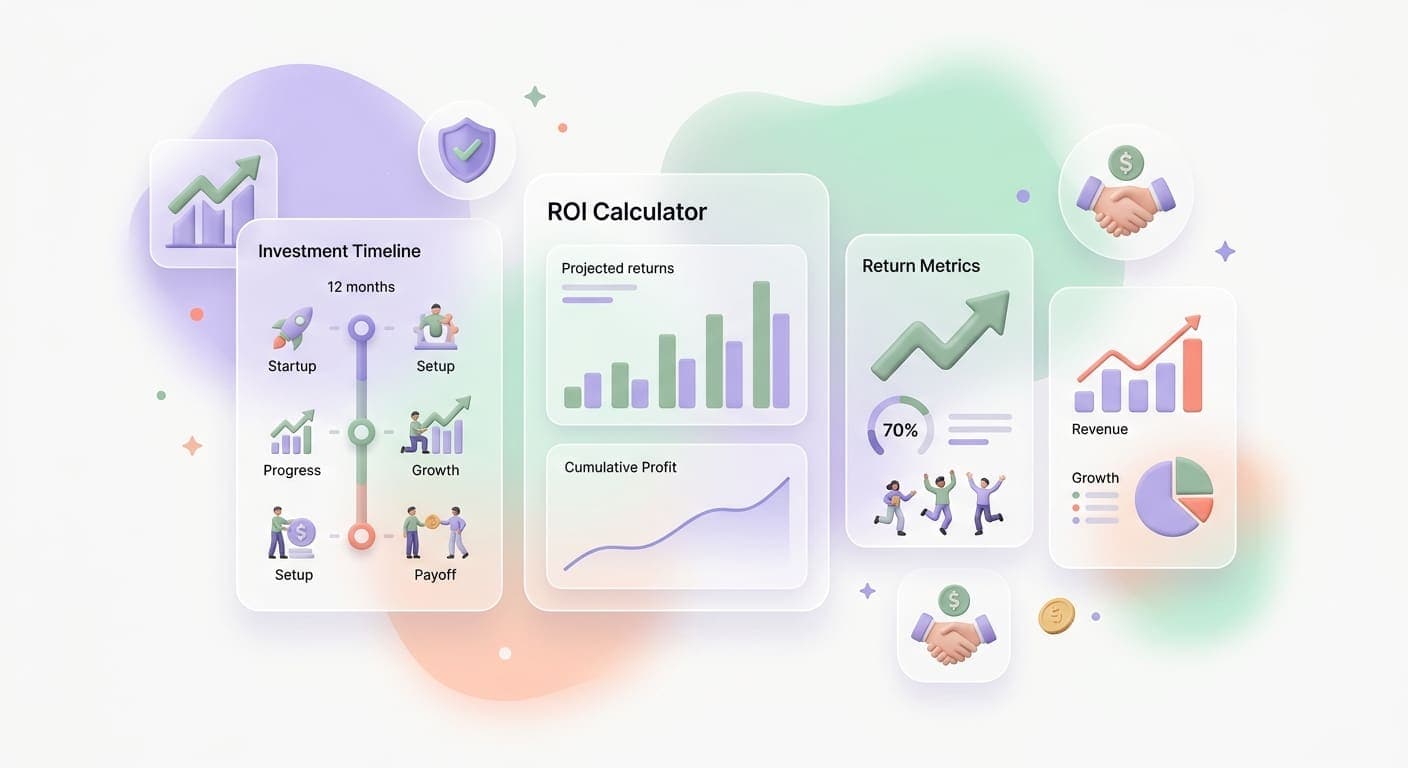
The Question Every Business Owner Asks First
Quick answer: Small businesses usually see AI automation ROI fastest in workflows tied to revenue capture or labor hours: lead follow-up, customer support, scheduling, invoice processing, document cleanup, and reporting. A simple tool stack may cost $50 to $500 per month. A custom workflow usually starts around $5,000 to $30,000 and should have a clear 3 to 6 month payback target before you build it.
"What's this going to cost me, and what do I get back?"
It's the right question. And for too long, the AI industry has answered it with vague promises about "transformative potential" and "competitive advantage" without putting real numbers on the table.
Here's the uncomfortable truth: not every AI investment pays off. Some businesses spend six figures on AI tools that sit unused. Others spend a fraction of that and see returns within weeks. The difference isn't budget size. It's knowing where to apply AI and how to measure whether it's working.
This guide breaks down what AI implementation actually costs, what realistic returns look like, how quickly you should expect results, and how to calculate ROI before you commit a dollar.
What AI Implementation Actually Costs
Costs vary wildly depending on what you're building. Here's a realistic breakdown for small and mid-size businesses (10 to 200 employees).
Tier 1: Off-the-Shelf AI Tools ($50 - $500/month)
This is where most businesses should start. Pre-built AI tools that plug into your existing workflow.
Examples:
- AI-powered email marketing tools
- Chatbot platforms with built-in language models
- AI scheduling and calendar management
- Automated data entry and document processing
Typical costs: $50 to $500 per month depending on usage volume and features. Many offer free tiers to test before committing.
Best for: Businesses looking to automate one or two specific tasks without custom development.
Tier 2: Custom AI Integration ($5,000 - $30,000)
This is where you connect AI capabilities to your specific business systems and data. Someone builds an AI workflow tailored to how your company operates.
Examples:
- AI agent that handles your specific customer support process
- Automated lead scoring tuned to your ideal customer profile
- Document processing trained on your invoice and contract formats
- Custom dashboard that uses AI to surface business insights
Typical costs: $5,000 to $30,000 for initial build, plus $500 to $2,000 per month for hosting and maintenance.
Best for: Businesses with specific workflows that off-the-shelf tools can't handle well. This is the tier where working with an AI automation partner makes the biggest difference, because the integration work is where most of the value (and risk) lives.
Tier 3: Custom AI Products ($30,000 - $150,000+)
Full-scale AI systems built specifically for your business. This includes proprietary models, complex multi-system orchestration, or customer-facing AI products.
Examples:
- AI-powered client portal with intelligent recommendations
- Predictive analytics platform for your industry vertical
- Multi-agent systems that run entire business processes end-to-end
Typical costs: $30,000 to $150,000+ for development, with ongoing costs for compute, maintenance, and iteration.
Best for: Businesses where AI is a core differentiator, not just an efficiency play.
What Returns Look Like in Practice
Let's move past hypotheticals. Here are returns that businesses in the 20 to 200 employee range commonly see after implementing AI in specific areas.
Customer Support Automation
Investment: $8,000 - $15,000 initial build + $800/month ongoing
Returns:
- 40-60% reduction in support ticket handling time
- 50-70% of routine inquiries resolved without human involvement
- Support team handles 2-3x more tickets per person
- Customer satisfaction scores typically hold steady or improve (faster responses matter more than who responds)
Payback period: 3-5 months for businesses handling 50+ tickets per day.
Sales Process Automation
Investment: $5,000 - $20,000 initial build + $500/month ongoing
Returns:
- Lead response time drops from hours to minutes
- 20-30% improvement in lead-to-meeting conversion rates
- Sales reps gain 8-12 hours per week previously spent on admin
- More consistent follow-up (AI doesn't forget to send the second email)
Payback period: 2-4 months for teams with 3+ salespeople.
Administrative and Back-Office Automation
Investment: $3,000 - $12,000 initial build + $300/month ongoing
Returns:
- 60-80% reduction in manual data entry time
- Invoice processing time drops from 15-20 minutes to 2-3 minutes each
- Error rates in data handling drop by 70-90%
- Finance and ops teams reclaim 15-25 hours per week
Payback period: 2-3 months for businesses processing 100+ documents per week.
A Framework for Calculating Your AI ROI
Before spending anything, run this calculation. It takes about 30 minutes and gives you a realistic picture of what to expect.
Step 1: Measure the Current Cost of the Workflow
Pick one workflow you're considering automating. Calculate what it costs you today.
Labor cost formula:
- Hours per week spent on this workflow x hourly loaded cost of employees doing it x 52 weeks = annual labor cost
Example: Two employees spend 10 hours each per week on invoice processing. Their loaded cost (salary + benefits + overhead) is $35/hour.
- 20 hours/week x $35/hour x 52 weeks = $36,400/year
Don't forget hidden costs: errors that require rework, delays that slow down cash flow, employee turnover driven by tedious work.
Step 2: Estimate the Automation Rate
Not everything in a workflow can be automated. Be conservative. For most business processes, AI handles 60-80% of volume, with the rest still requiring human involvement.
Example: Of those 20 hours per week, you estimate AI can handle 70% of the work.
- 20 hours x 70% = 14 hours saved per week
- 14 hours x $35/hour x 52 weeks = $25,480/year in reclaimed labor
Step 3: Add Indirect Benefits
Some returns don't show up as direct cost savings but are still real.
- Speed: If faster invoice processing means you collect payment 5 days sooner on average, what's the cash flow impact?
- Accuracy: If eliminating data entry errors saves you from 2 billing disputes per month, what does that save in staff time and customer goodwill?
- Scalability: If you can handle 3x the volume without hiring, what does that mean for your growth plans?
Put conservative dollar values on these. Even rough estimates help you see the full picture.
Step 4: Calculate Net ROI
Formula: (Annual benefits - Annual costs) / Annual costs x 100 = ROI %
Example:
- Annual benefits: $25,480 (labor savings) + $5,000 (estimated indirect benefits) = $30,480
- Annual costs: $10,000 (initial build, amortized over 2 years = $5,000/year) + $6,000 ($500/month ongoing) = $11,000/year
- ROI: ($30,480 - $11,000) / $11,000 x 100 = 177% ROI
That's a strong return for a relatively modest investment. And it doesn't account for the fact that the system gets better over time while labor costs only go up.
Realistic Timelines: When to Expect Results
One of the biggest mistakes businesses make is expecting AI to deliver returns on day one. Here's what an honest timeline looks like.
Weeks 1-4: Build and Deploy
The AI system gets built, integrated with your existing tools, and tested. During this phase, you're spending money with nothing coming back yet. This is normal.
Weeks 4-8: Parallel Running
The AI handles work alongside your existing process. Humans review AI decisions and correct mistakes. The system learns and improves. You start seeing time savings, but staff are still involved in oversight.
Months 2-4: Confidence Building
The AI handles routine cases independently. Humans focus on exceptions and edge cases. Time savings become measurable. This is typically when you cross the break-even point.
Months 4-12: Full Value
The system runs smoothly with minimal oversight. You've expanded its scope based on early results. The ROI numbers from your original calculation start showing up in your financials.
According to Harvard Business Review's analysis of AI adoption, businesses that invest in proper change management during the parallel-running phase see 3x higher adoption rates than those that skip it.
Five Mistakes That Kill AI ROI
1. Automating the Wrong Thing
The most common mistake is automating a process that shouldn't exist in the first place. Before building AI around a workflow, ask: should we be doing this at all? Should we be doing it this way?
AI makes a bad process faster. It doesn't make it good.
2. Skipping the Measurement Baseline
If you don't measure how long something takes today, you can't prove that AI made it faster. Spend a week tracking the workflow before you automate it. Count hours, errors, and delays. This baseline is your proof of ROI later.
3. Over-Engineering the First Version
Start narrow. Automate one workflow, prove the value, then expand. Businesses that try to build an enterprise-wide AI strategy from scratch almost always stall in the planning phase. A focused workflow automation project that delivers results in 6 weeks beats a grand vision that takes 6 months to define.
4. Ignoring Change Management
AI tools only work if your team actually uses them. Budget time for training, gather feedback early, and address concerns directly. The people doing the work today understand nuances that will make your AI system better.
5. Treating AI as a One-Time Project
AI systems need ongoing care. Models need updating as your business changes. Integrations need maintenance as your tools evolve. Budget 15-20% of the initial build cost per year for maintenance and improvement. This isn't a cost; it's what keeps the ROI compounding.
How to Make the Investment Decision
Here's a practical decision framework.
Green light (strong candidate for AI):
- The workflow costs more than $25,000/year in labor
- It's high-volume and repetitive
- Accuracy matters and human error is a known issue
- The process is stable (not changing every month)
Yellow light (proceed with caution):
- The workflow involves significant judgment calls
- Data quality is inconsistent
- The team is resistant to change
- The process isn't well-documented yet
Red light (not ready for AI):
- The total labor cost is under $10,000/year
- The process changes frequently and unpredictably
- You don't have clean data to train or feed the system
- There's no clear metric for success
If you're in the green zone, the numbers almost always work. The question shifts from "should we do this?" to "where do we start?" and for that, having an experienced team walk through the process with you can save months of trial and error.
Key Takeaways
- AI implementation costs range from $50/month (off-the-shelf tools) to $150,000+ (custom systems), so pick the tier that matches your actual need
- Most small and mid-size businesses see payback in 2-5 months when they automate the right workflows
- Calculate ROI before you spend: measure current costs, estimate automation rates, and include indirect benefits like speed and accuracy
- Start with one focused project, prove the value, and expand from there; the second project is always cheaper and faster
Want help running the ROI calculation for your specific business? Book a strategy call and we'll map out the numbers together, no commitment required.
Related articles

Automation ROI Calculator for Service Businesses: Run the Numbers Before You Build
Most service businesses guess at automation ROI and get it wrong. This calculator framework gives you the three numbers that actually matter and shows you how to run them.
Read the article: Automation ROI Calculator for Service Businesses: Run the Numbers Before You Build
AI Technician Retention for Service Businesses: Predict and Prevent Turnover Before It Costs You a Crew
Skilled trades have the highest quit rates. AI retention scoring surfaces warning signs you already have, before your best tech hands in a two-week notice.
Read the article: AI Technician Retention for Service Businesses: Predict and Prevent Turnover Before It Costs You a Crew
Service Business Capacity Planning with AI: Match Crews to Demand Without Overstaffing or Burning Out
Most service businesses staff for the average week and pay for it in both directions. AI capacity planning turns demand signals into a crew plan you can defend.
Read the article: Service Business Capacity Planning with AI: Match Crews to Demand Without Overstaffing or Burning Out
