Automating Your Google Business Profile: Reviews, Posts, and Q&A
Learn how to automate reviews, posts, and Q&A on your Google Business Profile, saving time while boosting local visibility and customer engagement.

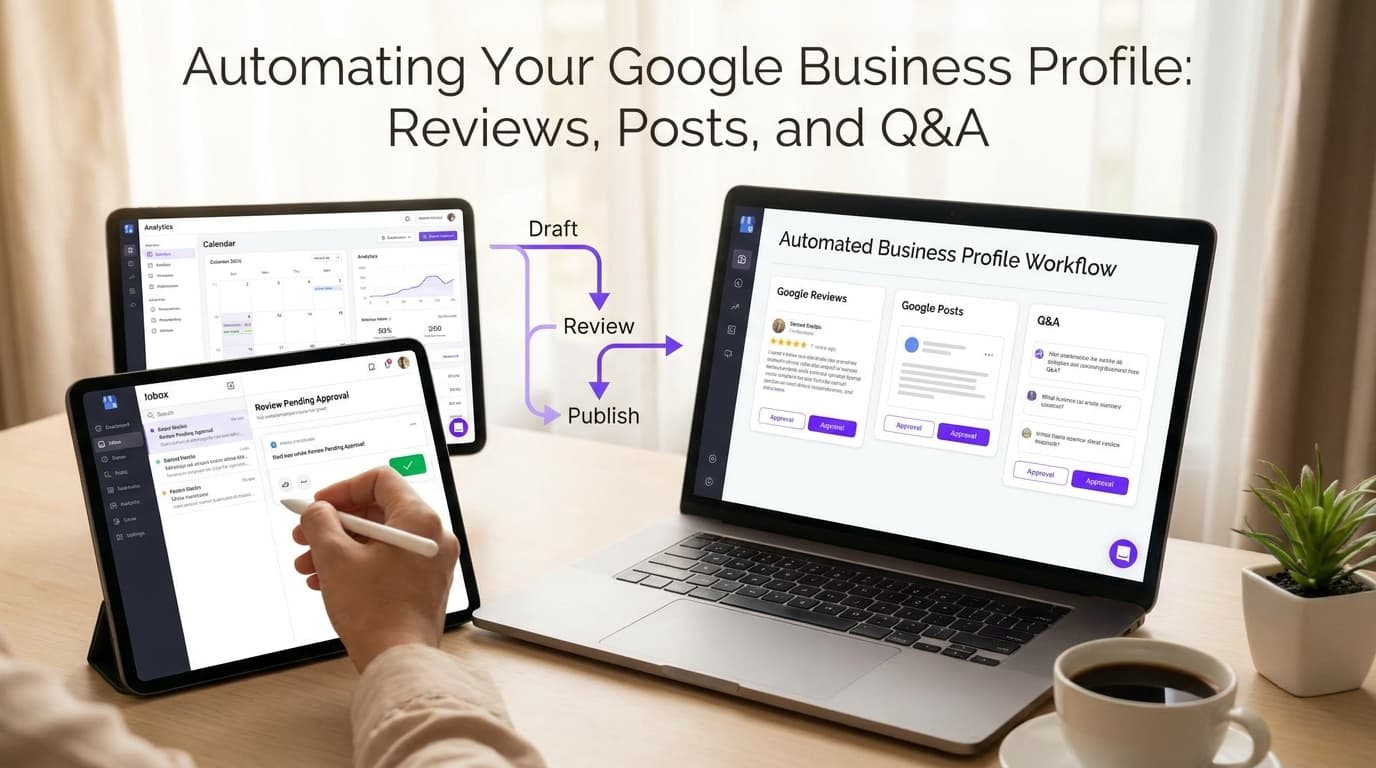
Managing your Google Business Profile feels like a second job. You check for new reviews on Tuesday. You remember to post an update on Friday. You miss a customer question over the weekend and wake up to a one-star review because nobody answered it for 48 hours. Sound familiar?
Most service businesses we work with have figured out the basics. They claimed their listing. They added photos. But the maintenance falls through the cracks, and their local rankings suffer because of it.
Google's algorithm rewards profiles that stay active. A business that responds to reviews daily, posts weekly, and monitors Q&A constantly will outrank a competitor who touches their profile once a month. The problem isn't knowing what to do. The problem is finding the time to do it consistently.
This is where Google Business Profile automation changes the game.
Why Manual GBP Management Fails Service Businesses
The average small business owner spends 6-8 hours per week on local listing management if they do it properly. That's a full workday, every week, just keeping one platform current. Most people don't have that time. So they half-do it, and their results show it.
Manual management creates three specific problems.
First, response times suffer. Google users expect responses within 24 hours. A plumbing company that doesn't check their dashboard for three days will miss questions, lose leads, and watch their response rate score drop. That score factors into local pack rankings.
Second, consistency disappears. Posting becomes sporadic. You remember to announce a sale in January, then forget until March. Google interprets this as inactivity, which signals lower relevance for your target keywords.
Third, reputation management breaks down. You only find negative reviews when a customer texts you about it. By then, the damage is done. You cannot respond quickly enough to show future customers you care.
These aren't minor inconveniences. In competitive service markets, they directly cost you leads.
GBP Review Automation: Turn Customer Feedback Into a Growth Engine
Reviews drive 35% of clicking decisions on local search results. Your star rating and response quality influence whether someone calls you or your competitor. Yet most businesses treat reviews as something that happens to them, not something they actively manage.
Google Business Profile automation lets you build a system that captures reviews, triggers follow-ups, and generates responses without daily manual work.
Here is how it works. When a customer checks out, your system sends a review request 24-48 hours later. This timing matters. Too soon, and the experience is still fresh and potentially negative. Too late, and the momentum is gone. Research from BrightLocal shows that businesses that request reviews at the right interval see 30% higher response rates than those that batch-send monthly.
For positive reviews, your automation can generate a personalized response based on the service provided and the rating received. You review it, approve it with one click, and it posts. This takes 15 seconds instead of 5 minutes.
For negative reviews, the system alerts you immediately. You handle it personally. Automation flags the issue, but you still write the response. This hybrid approach catches problems fast while keeping your human touch on sensitive matters.
The key metric to track is your response rate, not just your average rating. Google shows businesses that respond to reviews at higher rates. A 4.6-star business with 80% response rates often ranks higher than a 4.9-star business with 10% response rates.
Post Scheduling: Keep Your Profile Active Without Daily Attention
Google rewards active profiles. Businesses that post 2-4 times per week see measurable bumps in local pack visibility compared to those posting monthly or less. But creating content consistently requires time most business owners don't have.
Post automation solves this with a content calendar approach. You batch-create content once per month. Your automation system schedules it across your posting schedule. You review performance monthly and adjust.
What should you post about? Local service businesses see the best results from three types of content:
- Service announcements: New offerings, seasonal promotions, service area expansions
- Educational content: How-to tips related to your industry, maintenance advice, industry news
- Social proof: Project showcases, team highlights, customer success stories
Each post type serves a different purpose. Announcements drive immediate inquiries. Educational content builds trust and captures search traffic for question-based queries. Social proof reinforces decision-making for people in your consideration phase.
Consistency matters more than volume. Posting 52 times per year at a steady pace outperforms posting 20 times in January and nothing until June. Your automation keeps this rhythm stable even when your schedule isn't.
Q&A Monitoring: Stop Losing Leads to Unanswered Questions
The Questions section on your Google Business Profile is a hidden opportunity most businesses ignore. When someone asks "Do you offer emergency service on weekends?" and nobody answers for two weeks, you've lost that lead. They've moved on to a competitor who responded.
Q&A automation monitors your profile for new questions and alerts your team immediately. You decide whether the answer fits an auto-response template or requires personal attention.
For common questions like hours, service area, and payment methods, you can build pre-written responses that post automatically. For complex questions about pricing, specialized services, or specific customer situations, your team gets a notification and handles it manually.
This hybrid approach catches every question within hours instead of days. Your response rate improves, your leads increase, and Google's algorithm sees an actively managed profile.
Measuring the Local SEO Impact of Automation
How do you know if your automation investment is working? Track these metrics monthly.
Local Pack Rankings: Where do you appear for your target keywords? Set up a weekly ranking report for your top 5-10 local keywords. After 60-90 days of consistent automation, most service businesses see 3-7 position improvements.
Profile Views and Direction Actions: Google Business Profile Insights shows how many people viewed your profile, requested directions, visited your website, or called you. Compare these numbers before and after implementing automation. A healthy improvement is 20-40% increase in direction actions within 90 days.
Review Velocity and Response Rate: Track how many reviews you receive per month and what percentage receive responses. Your goal should be 100% response rate within 48 hours. Review velocity should increase as your request automation scales up.
Post Engagement: Google tracks how many people view your posts. Higher engagement signals relevance to Google's algorithm. Compare post view rates before and after you optimize your posting schedule.
External sources confirm this approach works. According to Google's own business guidance documentation, actively managed profiles with regular posts and responses rank higher in local search results. A study from Whitespark found that businesses with higher review response rates saw 15% more clicks to their website over six months compared to competitors with lower response rates.
Key Takeaways
-
Consistency beats volume. Posting 2-4 times weekly for 52 weeks outperforms sporadic bursts of content. Automation maintains your cadence.
-
Response time matters more than response volume. A 24-hour response to every review outperforms a 5-day response to half your reviews. Automate alerts so nothing falls through the cracks.
-
Hybrid automation works best. Use automation for monitoring, alerts, and templated responses. Keep humans in the loop for negative reviews, complex questions, and strategic decisions.
-
Track leading indicators, not just outcomes. Monitor your response rates, posting consistency, and Q&A response times. These predict your ranking movements before they show up in search results.
-
Batch content creation saves time. Spend two hours once per month creating content. Schedule it across your calendar with automation. Stop scrambling to post reactively.
Most service businesses we work with had the same problem before they started using automation. They knew what to do. They couldn't find time to do it. Once they implemented these systems, their local visibility improved within 60 days. Their response rates went from below 30% to above 90%. Their phones rang more.
The difference wasn't more effort. It was smarter systems.
Ready to get started? Contact us to discuss how we can help your business.
Related articles
Digital Marketing for Service Businesses: What Actually Moves the Needle
Learn how digital marketing service business can transform your business operations and bottom line.
Read the article: Digital Marketing for Service Businesses: What Actually Moves the Needle
Chattanooga TN Local SEO in 2026: How to Win the Map Pack and the Phone Calls
Chattanooga businesses can dominate local search with the right GBP, review, and content signals. Here's the 2026 playbook for the Gig City market.
Read the article: Chattanooga TN Local SEO in 2026: How to Win the Map Pack and the Phone Calls
Rome, GA Summer Downtown Playbook: Turn First Fridays Into Repeat Customers
Rome businesses can turn summer downtown traffic into repeat customers with sharper local SEO, better landing pages, and faster follow-up.
Read the article: Rome, GA Summer Downtown Playbook: Turn First Fridays Into Repeat Customers
